
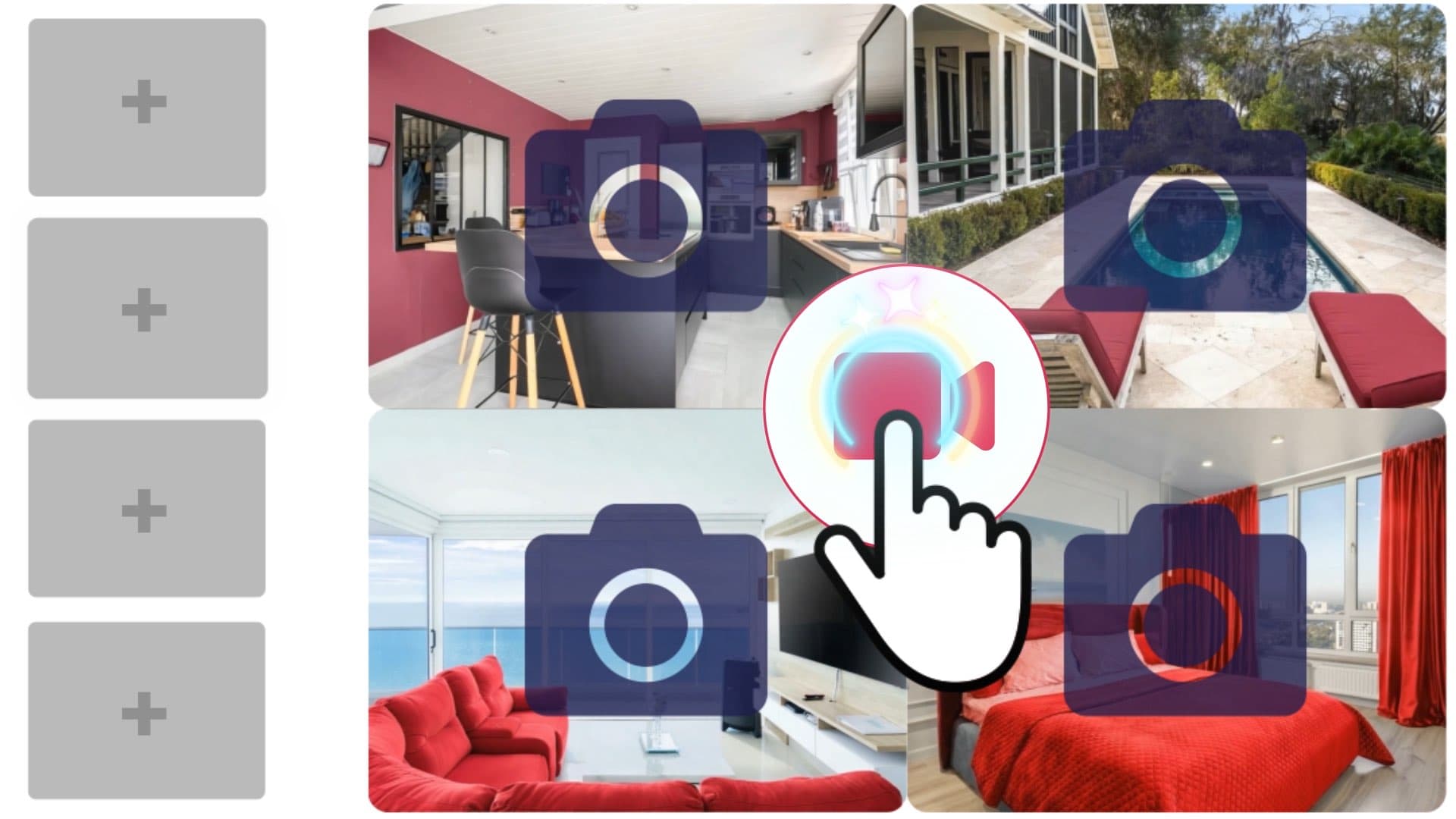
A listing video sells a house. An agent video sells the person the next homeowner will trust with theirs. Most agents only make the first kind, then wonder why their views never turn into seller calls.
Real estate agent video ideas are not one genre: they form a short series of formats, each with a specific job in the journey of a homeowner who is still on the fence about selling. This guide covers the seven that matter, how long each should run, where to post it, the advertising rules to keep in mind, and how to produce them without a film crew, starting from your listing photos and AI real estate video.
What you'll learn in this guide:
- What separates an agent video from a listing video, and why listing videos alone won't win you listings
- The 7 video formats to make: introduction, neighborhood, just listed, just sold, before/after, seller tips, testimonial
- The right length, aspect ratio and platform for each, in one table
- The rules that apply to a real estate video ad: brokerage name, fair housing, releases, edited images
- A four-videos-a-month calendar you can keep up alongside client work
Real estate agent video ideas start with one distinction: agent vs. listing
A listing video shows a home: its rooms, its light, its layout. It speaks to buyers and lives for as long as the home is on the market. We collected 20 annotated examples if that is the format you are after.
An agent video speaks to a different audience: the homeowner who will sell in six months or two years. They are not looking for a home; they are looking for someone to trust. They want to know whether you know their neighborhood, whether your listings sell, how you work and what you are like. No listing video answers those questions.
Three jobs, seven formats
The seven formats in this guide sort by the job they do:
- getting known: the introduction video and the neighborhood video;
- proving it: just listed, just sold and before/after;
- reassuring sellers: seller tips and client testimonials.
An account that only posts proof looks like a catalog. One that only posts tips looks like a blog. Rotating all three jobs is what turns agent videos into a listing tool. And video is no longer a side bet: according to Wyzowl's annual survey, 89% of businesses surveyed for 2025 use it as a marketing tool.
The formats that get you known: introduction and neighborhood
These two videos are not about any one home. That gives them a long shelf life, and you can reuse them everywhere.
1. The introduction video
This is the first one to shoot, and the only one to redo once a year. In 45 to 60 seconds, on camera: your name, your market area, what you do differently for sellers, then a single call to action ("call me for a free home valuation"). Shoot it on your phone in natural light, facing a window rather than standing with your back to it.
Pin it to the top of your Instagram profile, add it to your Google Business Profile and your email signature, and send it before a listing appointment: the homeowner who opens the door has already heard your voice.
2. The neighborhood video
A street, a farmers' market, a school, the drive to the train station. The neighborhood video positions you as the person who knows the area, which is exactly what a seller is looking for. Shoot it as short clips on your phone, with a voiceover that gives two or three concrete facts: the average price per square foot on your recent sales, typical days on market, what is new in the area.
Stick to facts you can back up. "The most sought-after neighborhood in town" cannot be proven; "three closings on Maple Street since June" can.
The formats that prove it: just listed, just sold, before/after
These are the videos that make a neighbor think: "this agent sells on my street."
3. The "just listed" video
It shows a home you have just taken on. It serves two audiences at once: buyers, of course, and neighboring homeowners, who see that you work in their area and how you present a home. This is the format where image quality matters most.
No shoot needed: from the listing photos, AI video generates camera moves room by room, then the editor assembles the clips with music, text and your logo. The step-by-step listing video tutorial walks through it in five minutes.
"Just listed" format: a living room brought to life from a single listing photo.
4. The "just sold" video
The most convincing format for a seller, because it replaces a claim with a fact. Reuse the home's footage, add a "Just Sold" card and one line on what worked: pricing it right from day one, the number of showings, the timeline. Fifteen to twenty seconds is enough.
Two precautions: ask the seller before showing their home again, and leave out the sale price and the exact address unless they agree. The neighborhood and the bedroom count get the message across.
5. The before/after video
An empty living room, then a furnished one; a cluttered room, then a clear one: the contrast stops the scroll like no other format. For a seller, it also shows what you will do with their home. Virtual staging provides the material, and the transition happens in the edit.
Before/after format: an empty room, then virtually staged (AI-generated image).
Any virtually staged image should be labeled as such, in the video as in the listing: we cover the rule in our article on disclosing virtual staging.
The formats that reassure sellers: seller tips and testimonials
These two formats answer the question homeowners do not always ask out loud: "can I trust this person?"
6. The seller tips video
Take the three questions you hear at every listing appointment: should I renovate before selling? How long will it take to sell? Why sign an exclusive listing? One question, one video, one straight answer in under a minute. Open with the question, not your name: viewers stay if they recognize themselves in the first three seconds.
If you are not comfortable on camera, voiceover works very well here: your listing photos play while the answer runs as captions. The voiceover tutorial shows how to generate the narration and sync it.
7. The client testimonial
A happy seller, filmed at home or next to the "Sold" sign, explaining in thirty seconds why they chose you and how the sale went. No other format carries as much weight, because you are not the one talking.
Prepare two or three open questions, let the person answer in their own words and only cut the hesitations. An overly polished testimonial is spotted right away.
Quick reference: length, platform, frequency
| Format | Suggested length | Aspect ratio | Where to post | Frequency |
|---|---|---|---|---|
| Introduction | 45-60 s | Vertical and landscape | Pinned on Instagram, Google Business Profile, website | Once a year |
| Neighborhood | 30-60 s | Vertical | Instagram, TikTok, Facebook | Once a month |
| Just listed | 20-45 s | Vertical, square, landscape | Social media, listing portals, buyer emails | Every new listing |
| Just sold | 15-20 s | Vertical | Instagram, Facebook, stories | Every closing |
| Before/after | 10-20 s | Vertical | Instagram, TikTok | Twice a month |
| Seller tips | 45-90 s | Vertical or landscape | Instagram, YouTube, website | Once a month |
| Testimonial | 30-45 s | Vertical and landscape | Website, Google, social media | Whenever a client agrees |
Platforms now accept longer videos than they used to (Instagram raised the Reels limit to three minutes in January 2025), but an agent video gains nothing by stretching: the main point has to land in the first three seconds, because many viewers drop off before the end.
The rules to remember in a real estate video ad
A real estate video is still a professional advertisement. The rules for written ads apply, and they often get forgotten in the edit.
Brokerage name and fair housing in a listing video
Most state license laws require your brokerage name in every ad, video included. Texas, for example, requires the broker's name in each advertisement, and lets social media ads place it on the agent's profile when the ad links to it directly (TREC); check your own state commission's rules. The Fair Housing Act also bars any ad that indicates a preference based on a protected class, familial status included (24 CFR 100.75): describe the home, never the buyer you picture in it.
Releases for anyone on camera
A client, a neighbor or a shop owner who can be recognized in your video should have agreed to it: the right of publicity is protected by state law. For a testimonial, have the client sign a release that states where and for how long the video will run. Do not change the meaning of what they say, and never pass off a team member as a client: the FTC's rule on fake reviews and testimonials (16 CFR Part 465) has applied since 2024.
Edited or virtually staged images
A virtually staged room or a replaced sky should be flagged on screen with a small but readable note ("edited image", "virtually staged"). That is what keeps a before/after a selling point instead of a complaint at the first showing.
Making all 7 videos without a film crew or an editor
The bottleneck is almost never ideas; it is time. Here is the split that lets you keep up the pace.
What you shoot on your phone: the introduction, the neighborhood video and the testimonial. There is no substitute for your face and your clients' faces, and that is a good thing: these are the formats that build trust. A tripod, a lavalier mic and window light are all you need.
What you build from photos: just listed, just sold, before/after and seller tips. With IACrea, each listing photo becomes an animated clip, then the real estate video editor assembles your clips and your own footage: music, text, logo, voiceover and captions. The brand kit remembers your colors and logo, and the same edit exports in vertical, square and landscape.
The IACrea video editor: clips, music, text and logo, all on one screen.
What we see most often with agents who are just starting: they edit one great listing video, then stop there. Quality is not what they lack; it is a format for every week. The editor is included in the subscription; only the clips the AI generates from a photo use credits (see pricing).
A realistic calendar: 4 videos a month
One video a week is enough if each week does a different job:
- Week 1: a listing (just listed);
- Week 2: a proof (just sold or before/after);
- Week 3: a seller tip;
- Week 4: a neighborhood video or a testimonial.
Block half a day a month to shoot all the on-camera formats in one go, then edit the photo-based videos as you go. Schedule posts in advance: the Instagram and Facebook publishing tutorial shows how to plan a month of content from IACrea. To fit these videos into a broader editorial line, our guide to content strategy for real estate teams covers content pillars and the calendar.
FAQ
What video should a real estate agent make first? Start with your introduction video: 45 to 60 seconds on camera saying who you are, where you work and how you help sellers. You will use it everywhere (pinned on Instagram, on your Google Business Profile, in your email signature, before a listing appointment), and you only need to reshoot it once a year.
How long should a real estate agent video be on social media? Between 20 and 45 seconds in vertical format for Instagram, TikTok or Facebook, with the main point in the first three seconds. Keep one-to-two-minute videos for landscape format, on YouTube or a page of your website, when you explain a topic to sellers.
What has to appear in a just-listed video? Treat it like any other ad: most state license laws require your brokerage name, either on screen or, on some social platforms, through a direct link to your profile. Under the Fair Housing Act, describe the home, never the kind of buyer you imagine for it.
Can I film a client for a video testimonial? Yes, with a signed release that covers where and how long the video will be used, since the right of publicity is protected by state law. Never edit the meaning of what they say, and never present a team member or an actor as a client: the FTC rule on fake reviews and testimonials has applied since 2024.
How many videos should a real estate agent post per month? Four videos a month, one a week, are enough to stay visible if they rotate formats: a listing, a proof (just sold or before/after), a seller tip and a neighborhood video. Consistency matters more than volume.
Conclusion
The agent video that wins listings is not the flashiest one: it is the one that shows up every week with a clear job, getting known, proving it or reassuring sellers. Shoot the three formats that need your face yourself, and let your listing photos supply the other four.
To turn those photos into videos and edit them in your brand colors, try AI real estate video and see how this content fits into your listing toolkit.
About the author

Co-founder & CEO of IACrea
Pauline Clavelloux is co-founder and CEO of IACrea. In daily contact with real estate agencies and agents, she understands their challenges around visibility, marketing and lead generation. On the blog, she shares actionable strategies on real estate marketing, social media and prospecting in the age of AI.
Related articles


Ready to turn your photos into content that sells?
Join thousands of real estate agents using IACrea to create professional content in seconds.
Try for free →