

You have a great photo of the home, and it scrolls past on Instagram like the 200 posts before it. A video in the same spot holds the eye much longer. Yet most agents still skip video, convinced it takes a camera, an editor and half a day.
This tutorial shows you how to make a real estate video without any of that. Follow the steps below and you'll create a real estate video from a single photo with IACrea in under 5 minutes: no gear, no technical skills, no video budget.
What you'll learn:
- How to prepare the photo that gives the best AI video
- The 5 exact steps to generate a video in IACrea
- Which camera move to pick for each room
- How to export your video and share it on your listing and social media
- The beginner mistakes that make a video look fake
What you need before you start
Good news: the list is short. To make a real estate video with IACrea, you only need:
- An IACrea account (the free trial covers your first videos)
- A well-exposed photo of the home, at least 1,200 × 900 px
- 5 minutes
Nothing to install, no powerful graphics card: everything runs in your browser. IACrea's AI real estate video tool does the processing on its servers.
The ideal photo for an AI video
Your video is only as good as the photo you start from. The AI animates what you give it; it doesn't fix a bad shot. Go for:
- A sharp, well-lit photo, ideally in natural light
- A wide frame with depth (a camera move needs room to breathe)
- A tidy room, or one that's already styled: start with virtual staging if the room is empty or cluttered
Shooting on your phone? No problem: the IACrea real estate photo app applies an AI HDR effect that makes your photos ready for video.
 The starting point: a sharp, bright photo always makes a better AI video
Tutorial: make a real estate video in 5 steps
Here is the whole process, from upload to finished video. Plan on 2 to 5 minutes depending on the result you want.
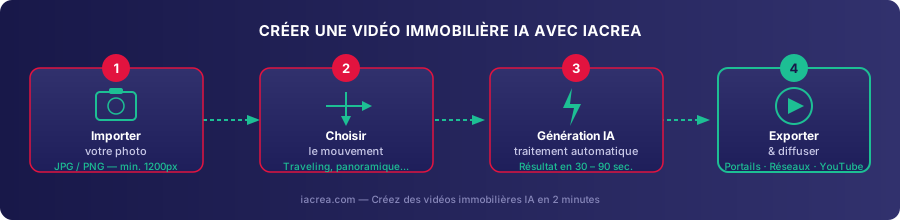
Step 1: Upload your photo
Log in to IACrea, open Animate a photo and upload your photo when the app asks you to Select the photo to animate. Within seconds, the AI reads the room's geometry, its openings and its light sources. That depth reading is what makes the camera move look real.
Step 2: Choose the camera move
This step sets the mood of your video. Under Preset effects, IACrea offers several moves: Zoom in (the camera pushes into the room), Move left or Move right (a sideways pan), Elevation (the camera rises, great for exteriors) and Orbit around the object. The Custom effect tab lets you describe the move you want in your own words. The table further down helps you pick by room.
Step 3: Generate the clip
Click Transform into video. The AI produces a moving shot of 5 to 15 seconds that keeps the perspective and the light of the original photo. When the effect offers it, check High resolution (1080p) for a sharper file. Generation usually takes under 2 minutes.
A push-in through a living room, generated from a single photo (IACrea example)
Step 4: Preview and adjust
Watch the result. Too fast, too slow, or you'd rather try another angle? Run a new version in one click. No reshoot, and no videographer billing you for every revision.
Step 5: Export and share
Happy with it? Download the clip, or drop it into the IACrea video editor, where Video Format switches between Landscape 16:9 for your listing and Portrait 9:16 for Reels and Stories, then click Download My Video. Your .mp4 file is ready to post. See more results on our examples page.
Which camera move for which room?
Not every move suits every room. Here's a quick guide, based on what works best on IACrea agents' listings:
| Room | Camera move (IACrea effect) | What it does |
|---|---|---|
| Living room | Push-in (Zoom in) | Invites the buyer to step inside |
| Kitchen | Slow pan (Move left / Move right) | Shows the whole layout |
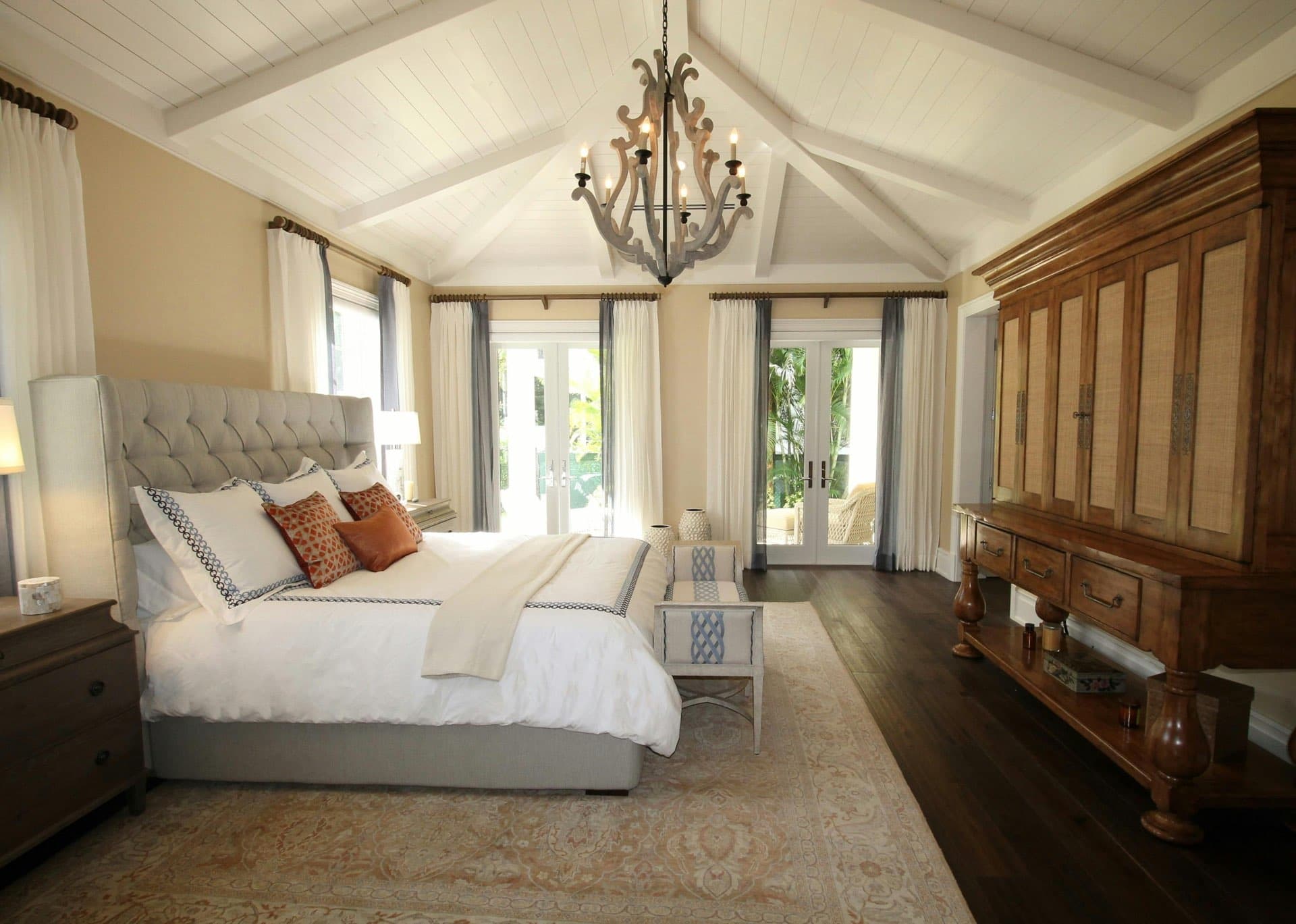
| Bedroom | Slow zoom (Zoom in) | Creates a cozy feel |
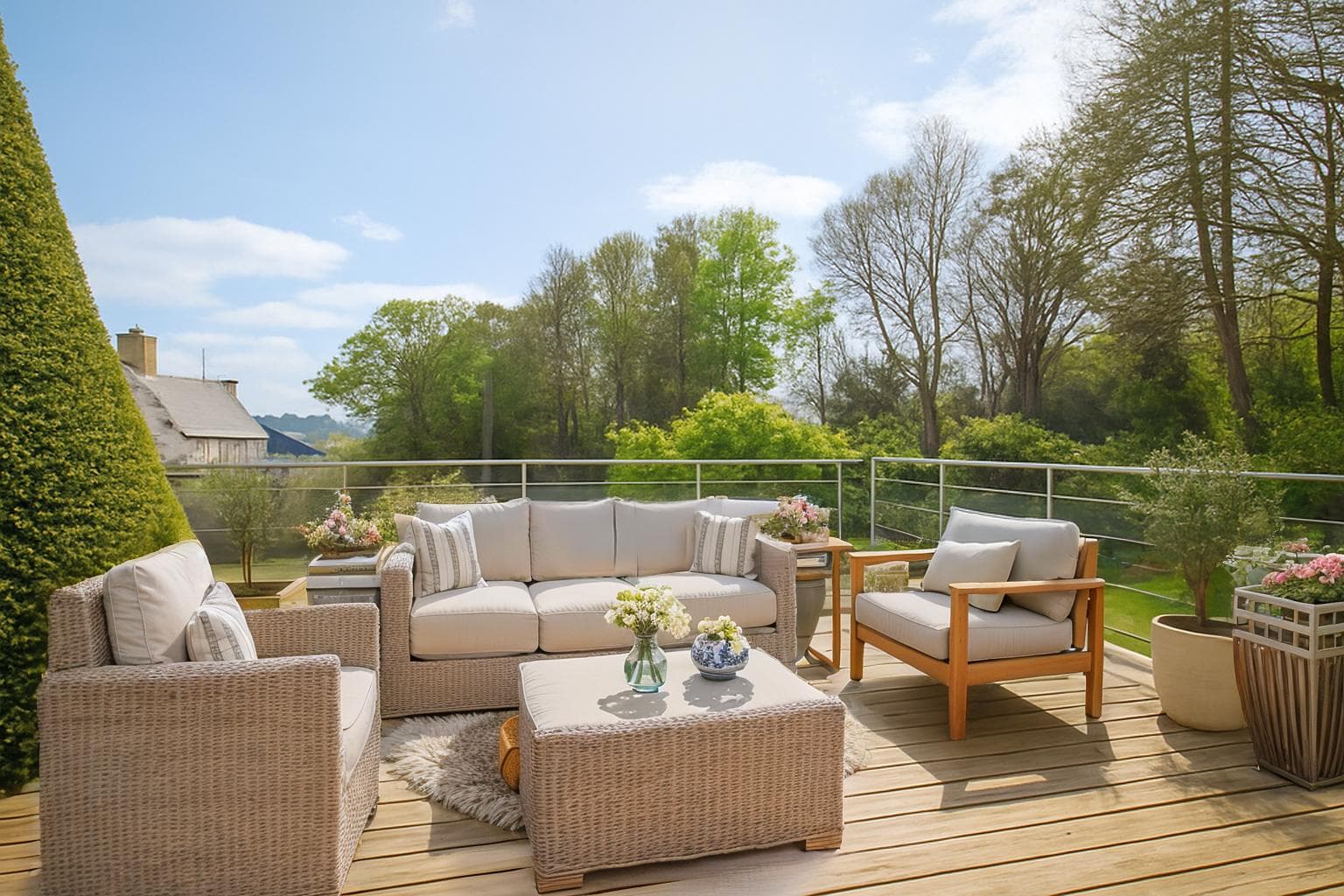
| Exterior / backyard | Rising shot (Elevation) or side tracking (Move left / Move right) | Adds a sense of scale |
| Pool / luxury home | Wide move (Orbit around the object) | Sells the dream |
An exterior tracking shot instantly gives a facade or a backyard more presence
The golden rule: one move per photo. Stacking effects in a single shot looks artificial. String several simple shots together in the editor rather than overloading one.
How to share your real estate video
A video only works if people see it. Once your file is exported, put it to work on three channels:
- Your MLS listing and listing sites: add the landscape version next to your photos. Each MLS has its own rules for video and virtual tour links, so check yours. Buyers' agents notice: in NAR's 2025 Profile of Home Staging, 48% of them said video was important to their buyers.
- Social media: export in vertical (9:16) for Instagram Reels, TikTok and Facebook Stories. This is where an AI video gets the most reach.
- Your email and text campaigns: a video thumbnail in your newsletter gives people a reason to click.
Need one last fix before you post: convert an iPhone video to MP4, shrink a file that's too big for email or a listing site, remove unwanted audio, or trim a few seconds? Our free video tools do it in seconds, right in your browser, no sign-up.
To go further on where and how to share, read our complete guide to AI real estate video, which covers the formats and channels that pay off most.
Beginner mistakes to avoid
After helping hundreds of agents on the platform, these are the three pitfalls we see most:
- Starting from a weak photo. The AI amplifies what it gets: a dark photo makes a dark video. Get the shot right (or edit it) before you generate.
- Going for a dramatic move. A fast pan makes viewers dizzy and gives away the AI. Keep it slow and smooth.
- Forgetting vertical. Many agents export in landscape only and miss the reach of Reels. Always make both formats.
Video generated from 2 photos of the bedroom (two-angle effect)
FAQ: making a real estate video with IACrea
How long does it take to make a real estate video? Under 5 minutes in total: a few seconds to upload, about 2 minutes for the AI to generate the clip, and the rest to pick the camera move and export. A whole listing (several rooms) rarely takes more than 10 minutes.
Do I need a camera or video gear? No. One photo is enough. IACrea turns a still image into a moving shot with photo-to-video technology. For the photos themselves, a phone with the IACrea app does the job.
How long should a listing video be? For a single AI-generated shot, 5 to 15 seconds is plenty. For a full listing video, string together 4 to 6 shots for 30 to 60 seconds in total, the sweet spot for social media.
Can I post AI videos on the MLS and listing sites?
Yes. Clips come out as standard .mp4 files, so you can use them anywhere you share listing video. Each MLS sets its own rules for video and tour links, so check yours, and keep the video a true picture of the home, as Article 12 of the NAR Code of Ethics requires of REALTORS®.
Can I make a video from an empty room? Yes, but the video looks far more convincing if you virtually stage the room first, then generate the video from the staged photo. Label it as virtually staged when you publish it.
Conclusion: real estate video is now within everyone's reach
Making a real estate video no longer takes a videographer or a big budget. It's a 5-minute step you can add to every listing. From a single photo, IACrea produces a believable moving shot, ready for your listing and for social media.
The real payoff adds up over time: when you offer video while other agents stick to still photos, you show off your listings better, you reassure your sellers and you sell faster.
Try IACrea's AI real estate video for free and turn your next listing photo into a video today.
About the author

Co-founder & CEO of IACrea
Pauline Clavelloux is co-founder and CEO of IACrea. In daily contact with real estate agencies and agents, she understands their challenges around visibility, marketing and lead generation. On the blog, she shares actionable strategies on real estate marketing, social media and prospecting in the age of AI.
Related articles
Ready to turn your photos into content that sells?
Join thousands of real estate agents using IACrea to create professional content in seconds.
Try for free →