
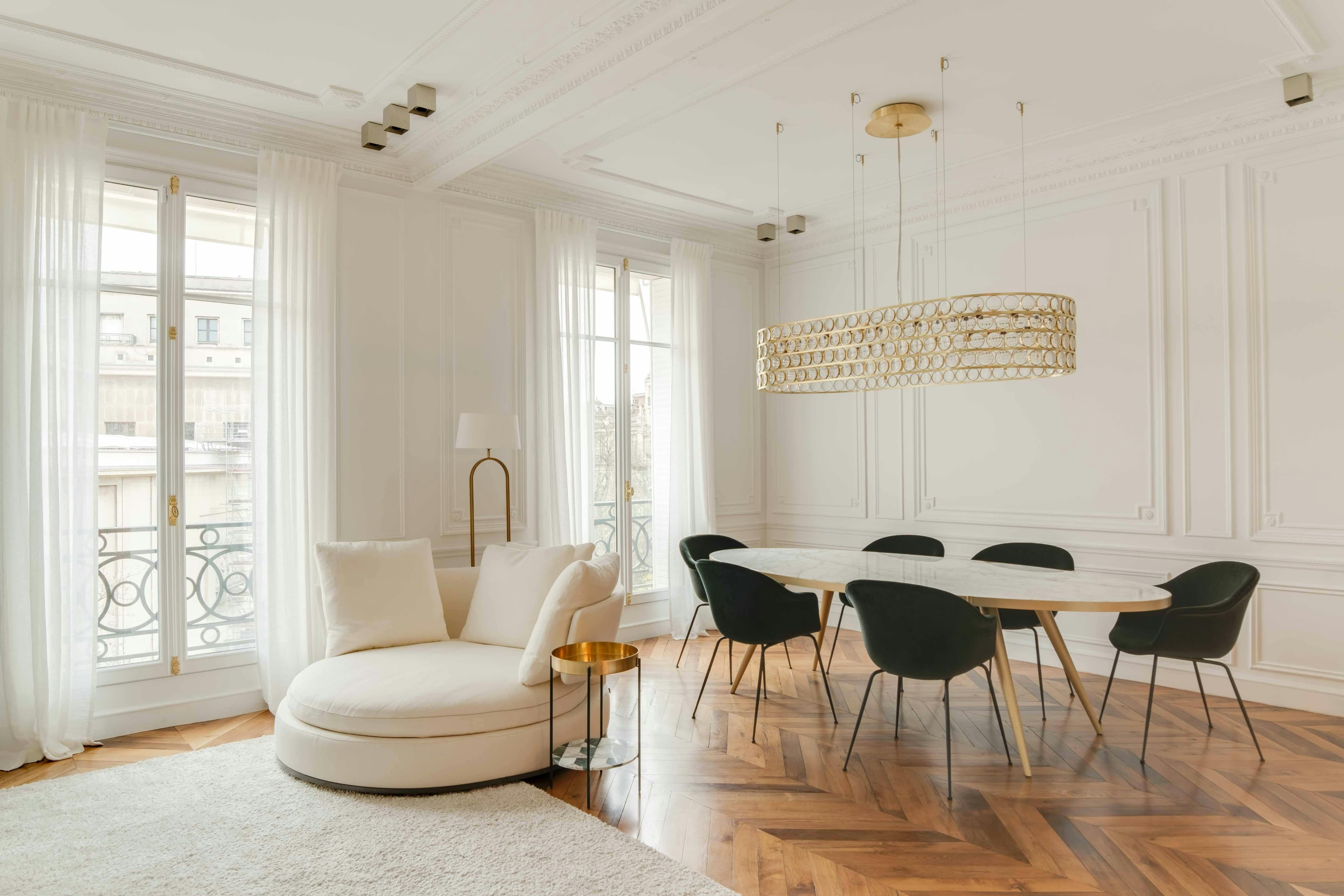
A good real estate photo is bright, taken at waist level with a wide-angle lens, in a tidy room, with the windows clearly visible instead of being white. You need 10 to 20 photos per listing. A real estate photographer charges between €100 and €250 for a pack of 10 to 15 photos, and between €250 and €450 for a complete report; a real estate agent equipped with a recent smartphone and a HDR app can achieve comparable results for most properties, with no delivery delay.
This guide covers the four decisions an agent makes with each listing: how much to pay, which photos to take, what equipment to use, and what to edit before publishing. It is aimed at real estate agencies, agents, and photographers who are new to real estate.
What Makes an Ad Click
Listings with professional photos receive 118% more views and sell on average 32% faster than listings with poor-quality photos (Redfin, 2025). In France, 92% of real estate searches start online (FNAIM, 2025): the buyer scrolls through dozens of listings per session and makes a decision in less than three seconds, based on the first photo, whether to open yours.
| Indicator | Amateur Photos | Professional Photos |
|---|---|---|
| Views on portals | Benchmark | +118% |
| Viewing requests | Benchmark | +61% |
| Time before the first offer | 68 days | 42 days |
| Average offer price | Benchmark | +1.2% to +3.5% |
Eye-tracking studies on real estate portals show the order in which the eye evaluates a photo: brightness first, sense of space second, decoration last. "Photographic" quality in the technical sense is not assessed within the three seconds. A well-photographed peripheral T2 receives more requests than a dark T4 of the city center.
These photos are also useful before selling. During the mandate presentation, a portfolio of well-photographed properties is the most tangible argument to obtain more mandates, preferably exclusive ones.
How much does a real estate photographer cost in 2026?
The pricing lists published by French real estate photographers in September 2026 are divided into four services.
| Service | Observed Price | What's Included | Turnaround Time |
|---|---|---|---|
| Standard photo package | €100 – €250 | 10 to 15 photos, light retouching | 24 – 48 hours |
| Full report | €250 – €450 | 20 to 30 HDR photos, straightened verticals, sky corrected | 48 – 72 hours |
| Photos + drone | + €80 – €200 | 3 to 5 aerial views, licensed pilot | weather-dependent |
| Photos + short video | + €150 – €400 | 45 to 90 second video for portals and social networks | 3 – 5 days |
Three factors influence the quote. The area: Paris, Lyon, the French Riviera, and mountain resorts cost 20 to 30% more. The size: properties over 150 m² or with outbuildings require the photographer to spend two hours on site instead of one, and they charge accordingly. The volume: for 5 to 10 properties per month, most photographers offer a sliding scale rate, around €80 to €120 per package.
A freelance photographer who is not specialized charges between €80 and €150 per property. The quality depends on their experience with wide-angle and HDR techniques: ask to see ten interior images delivered, not just a portfolio of portraits.
For an agent handling 30 listings per year, outsourcing the photography costs between €3,000 and €7,500 annually. It becomes profitable as soon as signing two or three more listings thanks to the presentation, which most agents notice in their first year. The question is not whether good photos are necessary but who should take them: a photographer, or yourself with the right tools.
Photos for a Real Estate Agency: Which Ones, How Many, and In What Order
A complete listing typically includes 10 to 20 photos. Here's the standard list for a three-room apartment and the publishing order that works on SeLoger, Leboncoin, and Bien'ici.
- Living room, overview shot from the opposite corner of the main window. This is the cover photo in 80% of cases.
- Living room, second angle, facing the window or the open kitchen.
- Kitchen, full countertop view, in L or U shape.
- Main bedroom, centered on the headboard.
- Secondary bedroom(s), one photo each.
- Bathroom, from the furthest angle from the shower.
- Exteriors: balcony, terrace, garden, view.
- Building façade and entrance, if well-maintained.
- Additional spaces: parking, cellar, laundry room, at the end of the series.
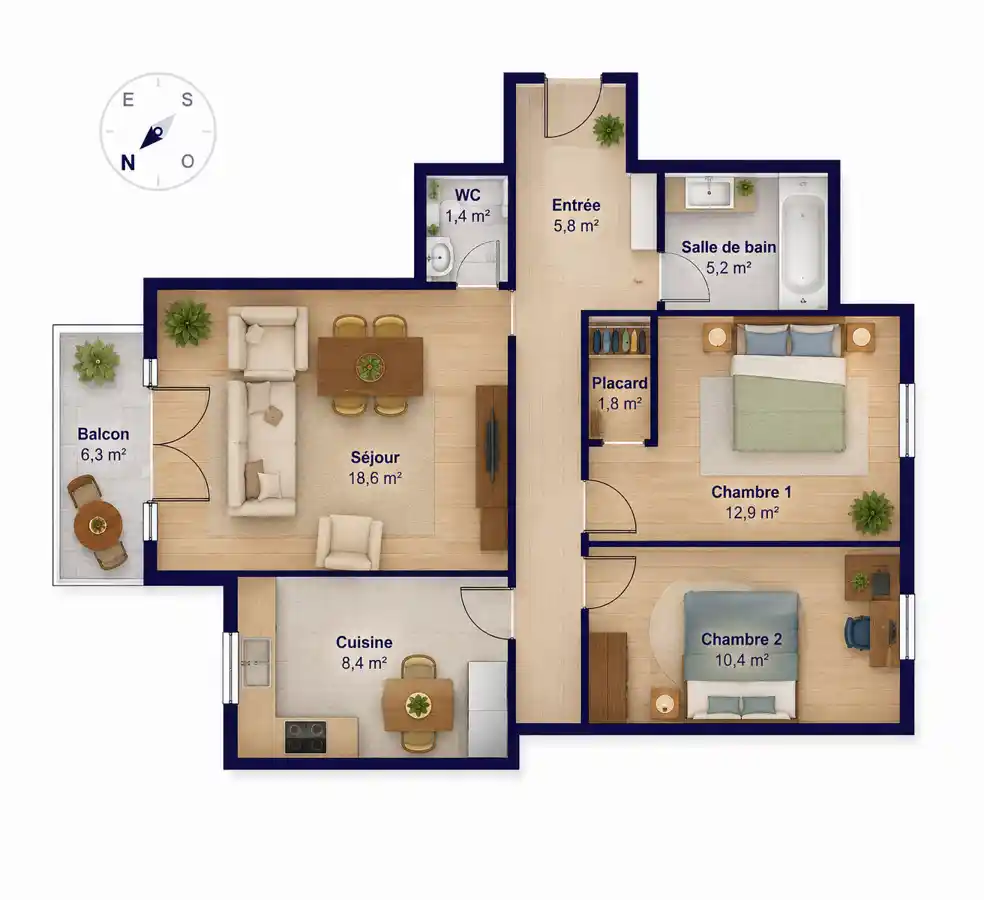
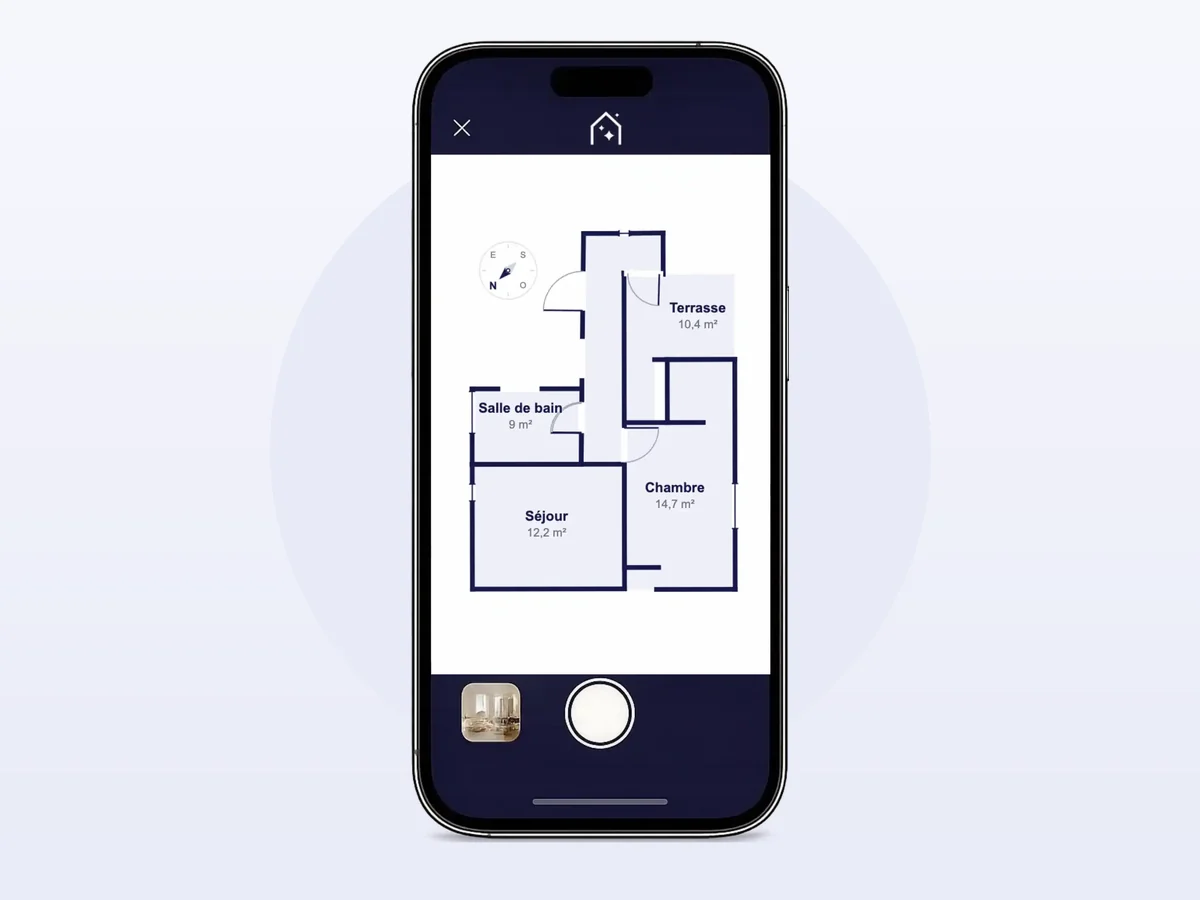
- 2D floor plan of the property, answering the question “how are the rooms distributed?” which photos alone never fully clarify.
Not to publish: toilets, a boring corridor, a photo taken from the door showing just a wall, and any photo with a person or a readable license plate. Faces and plates are blurred before posting — a GDPR obligation; the free blurring tool from the IACrea hub does batch processing without registration.
The first photo gets the click. Choose the brightest and largest room, never a generic building façade or a night view. If the property is unfurnished, the first photo should depict a furnished living room with virtual home staging, with the mandatory mention in the listing.
And what about the real estate agent’s portrait?
Queries like “real estate agent photo” also refer to the professional portrait appearing on listings, business cards, and agency pages. A natural light shot, taken in front of a façade or inside the agency, at eye level, with a clear background and professional attire, is sufficient. Avoid selfies and vacation photos cropped in. On portals, the agent’s photo appears next to the property photos, so quality disparity is noticeable.
Real estate photographer or DIY photos?
| Real estate photographer | You, with a camera | You, with a smartphone and HDR app | |
|---|---|---|---|
| Cost per property | €100 – €450 | €0 – €30 after depreciation | €0 – €5 |
| Delivery time | 24 – 72 hours | immediate | immediate |
| Quality on a standard property | excellent | good after 20 properties practiced | good from the first property |
| Quality on a luxury property | excellent | variable | acceptable, but insufficient for a luxury showcase |
| Constraints | depends on their schedule | equipment to carry, retouching needed | none |
A photographer provides full-frame equipment, indirect flash, Lightroom post-production, and an eye trained on hundreds of interiors. For luxury properties or new developments, they remain unmatched.
Doing it yourself offers responsiveness: a failed shot can be redone the next day, a property entered on Tuesday is online by Tuesday evening, and the marginal cost drops to zero once the equipment is paid off. The learning curve is measured in properties, not months: after 20 to 30 shoots, most agents produce photos that sellers no longer distinguish from those of a professional.
The smartphone with automatic HDR is the third option, and the one that has become standard for properties since 2024: no learning curve, no transportation needed, a publishable photo right after the visit. The rest of the guide explains how to maximize it.
Equipment: device, smartphone, and wide-angle lens
The right equipment depends on the number of properties you photograph each month, not your budget.
Fewer than 5 properties per month: an iPhone 15 Pro or a Galaxy S25 Ultra is enough, provided you use the Pro mode (manual exposure and white balance), a tripod, and an ultra-wide-angle lens.
5 to 20 properties per month: an entry-level hybrid camera (Sony A6000, Fujifilm X-T30) with a dedicated wide-angle lens becomes cost-effective. Handling of highlights and noise in low light conditions are significantly better.
More than 20 properties per month: a full-frame camera (Sony A7, Canon EOS R6) with a 16-35 mm f/2.8 or a 14 mm f/2.8 lens pays off in one year.
Real estate wide-angle lens: the focal length that makes all the difference
In real estate photography, we usually work between 16 and 24 mm in full-frame equivalent. This range allows capturing an entire room with a sense of volume close to what the buyer will feel on site.
Below 14 mm, barrel distortion warps walls, doors, and windows. Above 35 mm, perspective compresses, making rooms appear smaller than they actually are. Fisheye lenses are to be avoided. To start, a 16-35 mm f/4 lens costing around €700-900 covers all interior situations; our article on wide-angle lenses in real estate details focal lengths room by room.
Is a smartphone enough?
High-end models from 2024 to 2026 feature larger sensors, an ultra-wide-angle lens between 13 and 17 mm, and image processing that compensates for many errors. For a standard property, these smartphones produce publishable photos if you use the Pro mode, a tripod, and the ultra-wide-angle lens, without ever touching digital zoom.
Their limitation is contrast between a dark interior and bright windows: the sensor chooses either one, often resulting in white windows or overexposed rooms. A camera handles this with manual bracketing; on a smartphone, an HDR app does this job. The smartphone vs. camera comparison shows the measured results.
Smartphone Real Estate Photos: HDR Makes All the Difference
Until 2023, capturing a clean HDR photo with a phone required manual bracketing, fusion software, and then editing in Lightroom. The IACrea photo app replaces those three steps with a single process: AI-powered HDR effect.
You take one photo; within seconds, AI applies an HDR effect that balances dark interiors and overexposed windows. If the sky is white or dull, it replaces it with a real-looking sky. The photos sync seamlessly with the web platform for home staging, videos, and publishing.
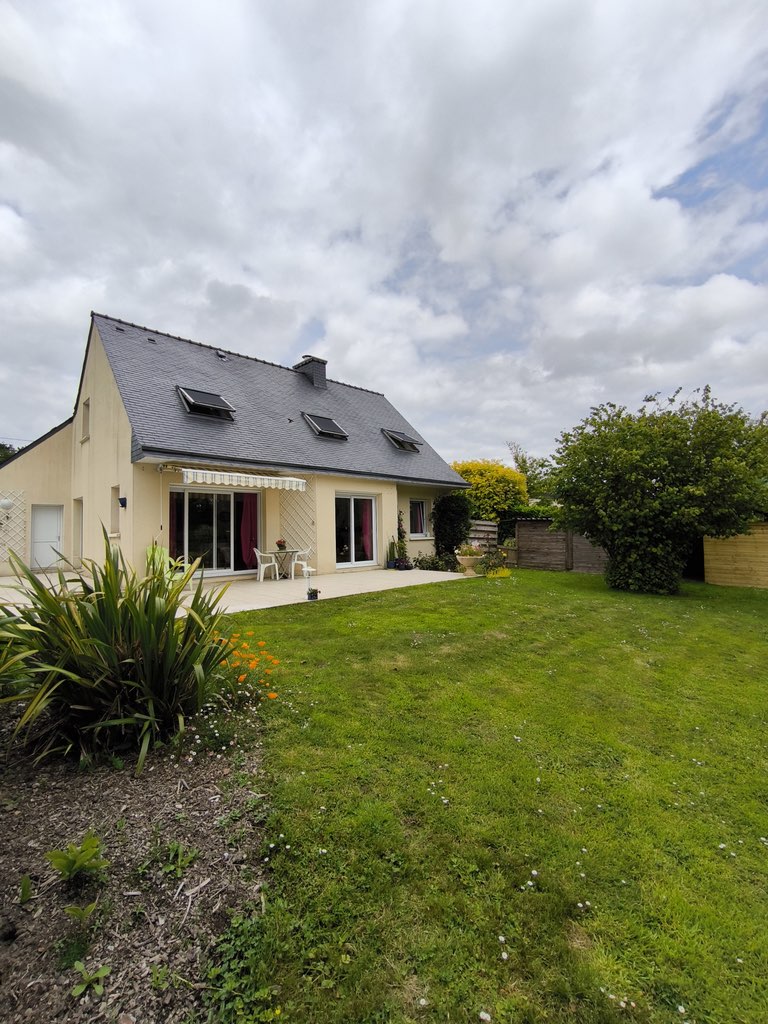
Without HDR: blown-out windows, dark inside.
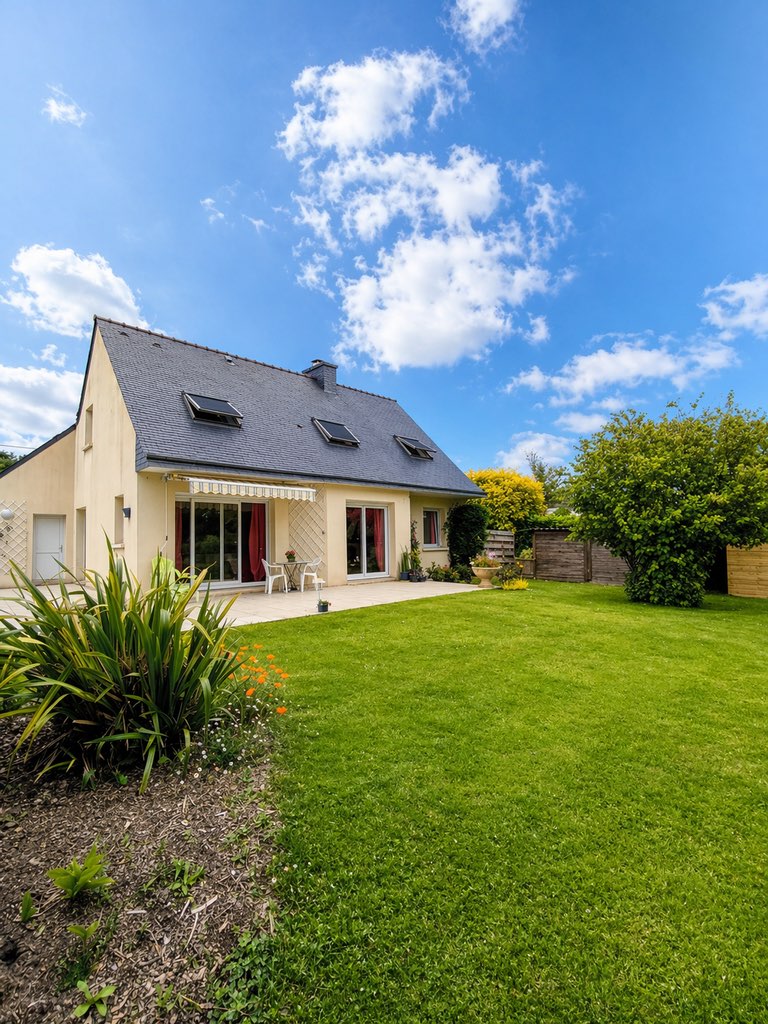
Same shot after IACrea’s HDR effect: balanced lighting, visible details everywhere.
"Thanks to IACrea, we can create high-quality images quickly and easily!"
— Florence Edouard, Real Estate Consultant at Efficity
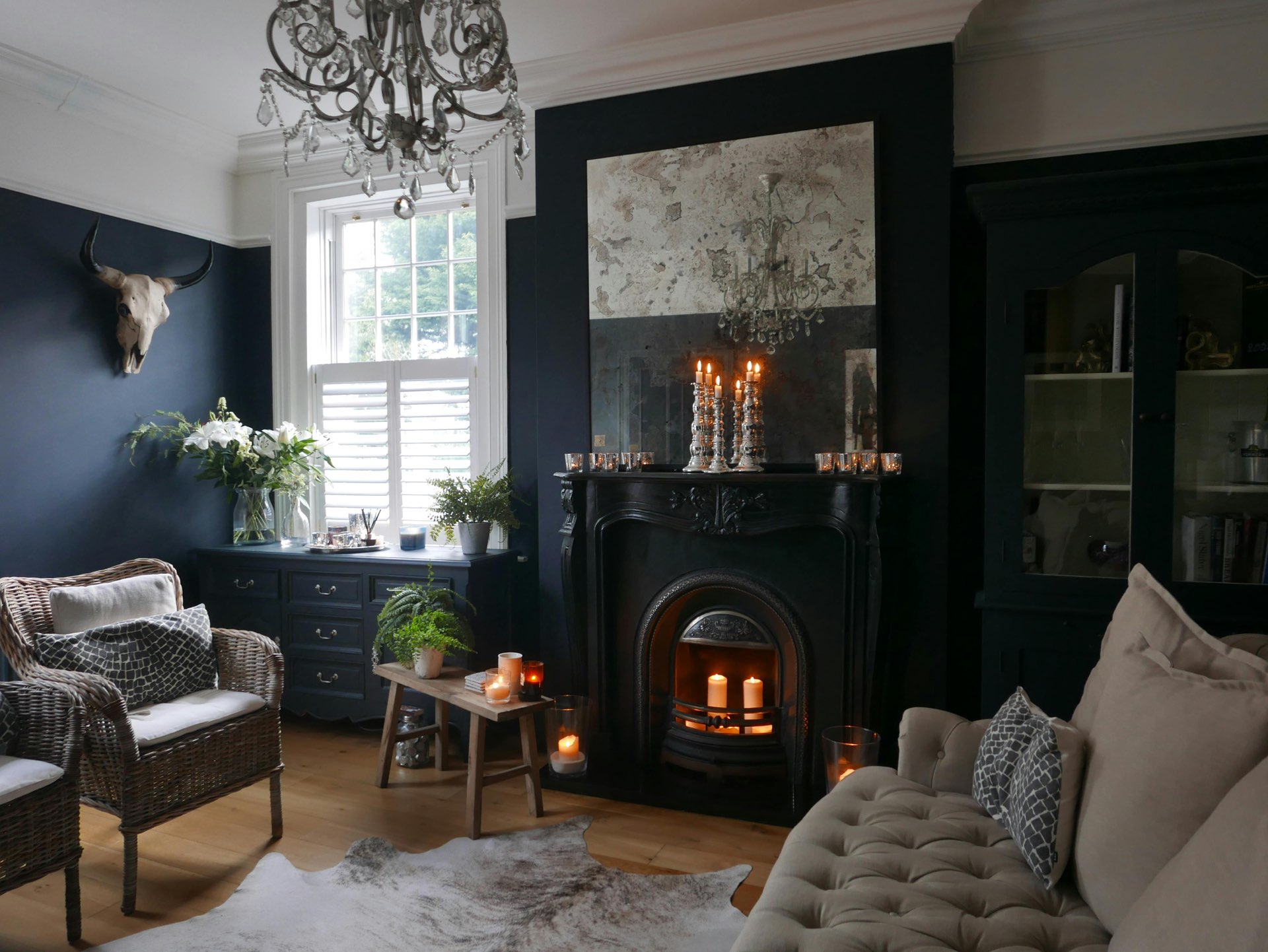
Before: window/interior contrast not managed.
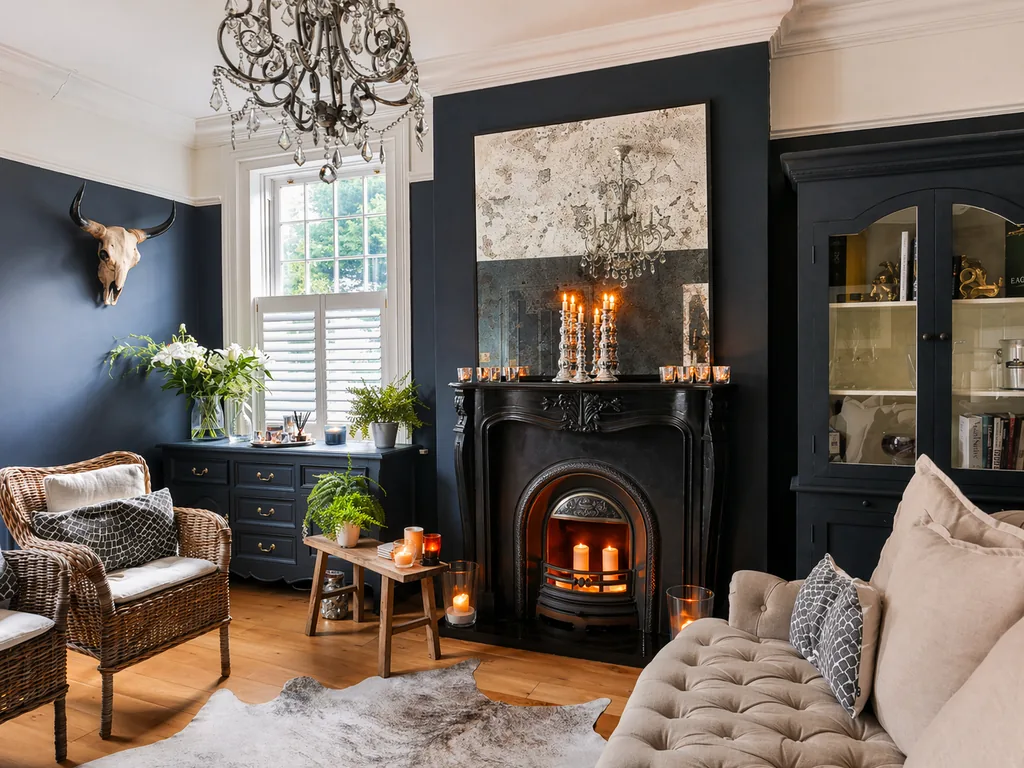
After: same angle, balanced light, photo ready to publish.
HDR has its settings and pitfalls (halos, washed-out colors, failed merging when something moves in the room). These are detailed in our article on the HDR real estate photography.
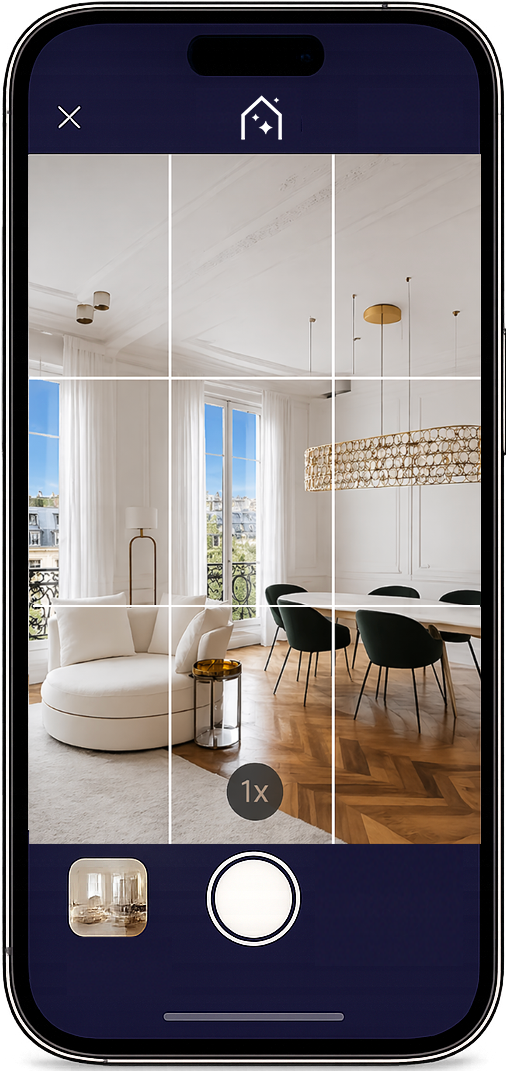
The IACrea app: automatic HDR effect, instant before/after, sync with the web platform.
Prepare the property: 45 minutes that make all the difference
Preparation accounts for 60% of the results, and it costs nothing. A cluttered space always appears smaller in photos than in reality.
- Kitchen: clear countertops (coffee maker, toaster, dish cloths), remove magnets from the fridge, hide the trash can.
- Living room: tidy up cables, remote controls, newspapers, toys, and excess cushions.
- Bedroom: make the bed with the duvet smoothed out, no visible clothes, clean bedside tables.
- Bathroom: no products or toothbrushes left, towels folded neatly.
If the property is occupied and the owner cannot tidy up, the empty a room tool digitally removes objects after the photos are taken.
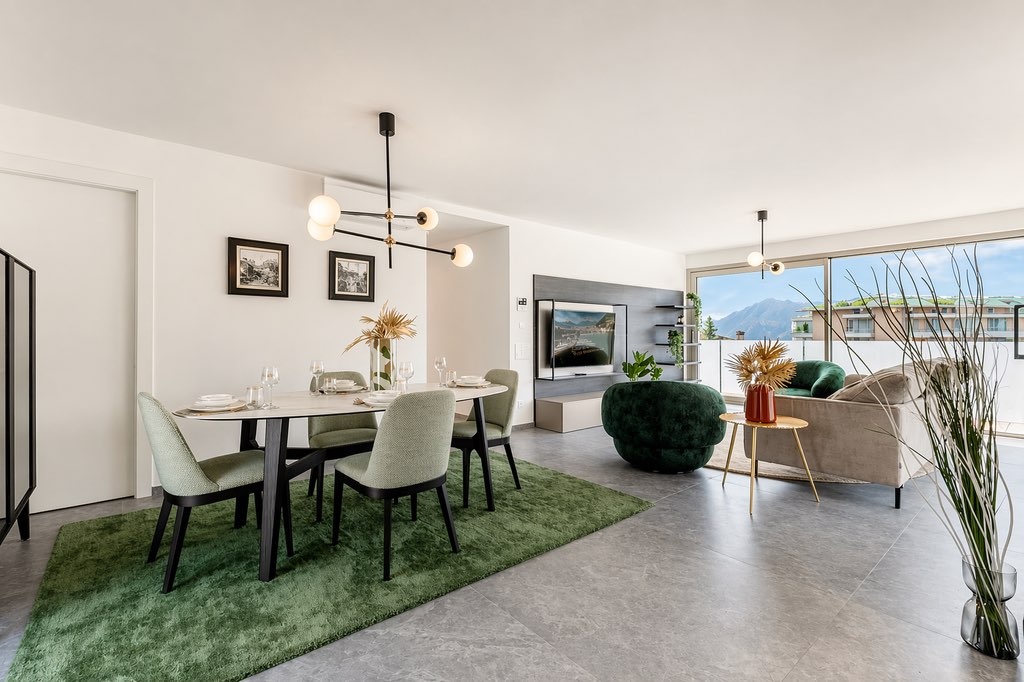 Clear surfaces, open curtains, natural light: the foundation of a good real estate photo.
Light: natural first, HDR second
Photograph rooms facing east in the morning and those facing west in the afternoon, avoiding noon sun which creates harsh shadows. Open all blinds and curtains. Don't rely on ceiling lights to brighten a dark room: they turn walls yellow and create hot spots that HDR will need to correct. A dark room should be balanced with HDR bracketing, not lamps.
The most common mistake is backlighting: window facing the camera, overexposed edges, centered area dark. Offset your position to capture the window from a three-quarter angle. The natural or artificial light guide covers difficult cases (single-sided room, basement, winter evening).
Techniques for Room-by-Room Photography
Height, Angle, and Composition
Hold the camera at waist level, between 90 and 120 cm, never at shoulder or knee height: this is the height where verticals stay straight and the room is shown as we see it standing. Tilt the camera down 5 to 10° to show the floor. Use a tripod in all indoor rooms, especially when the shutter speed drops below 1/30 s.
Position the room’s angle slightly to the left or right of the center of the frame instead of directly in the middle: this asymmetry adds depth. Two or three photos per room are enough, taken from different angles.
Room by Room
Living Room: photograph from the corner opposite the focal point (TV, fireplace). Sofa at a slight diagonal. An overview shot, a close-up of the sofa corner, and a shot towards the windows.
Kitchen: show the entire countertop. If it’s open to the living room, a photo taken from the living room that shows both spaces is the most viewed.
Main Bedroom: focus on the headboard and show that you can pass on both sides of the bed.
Bathroom: the trickiest (small space, mirror). Position yourself in the farthest corner from the shower and step back one pace to get out of the mirror’s reflection.
Exterior: golden hour, one hour after sunrise or before sunset; oblique light emphasizes the volumes. For land, a villa, or a pool, an aerial view completes the report. Our real estate drone guide covers regulations, prices, and cases where drones are unnecessary.
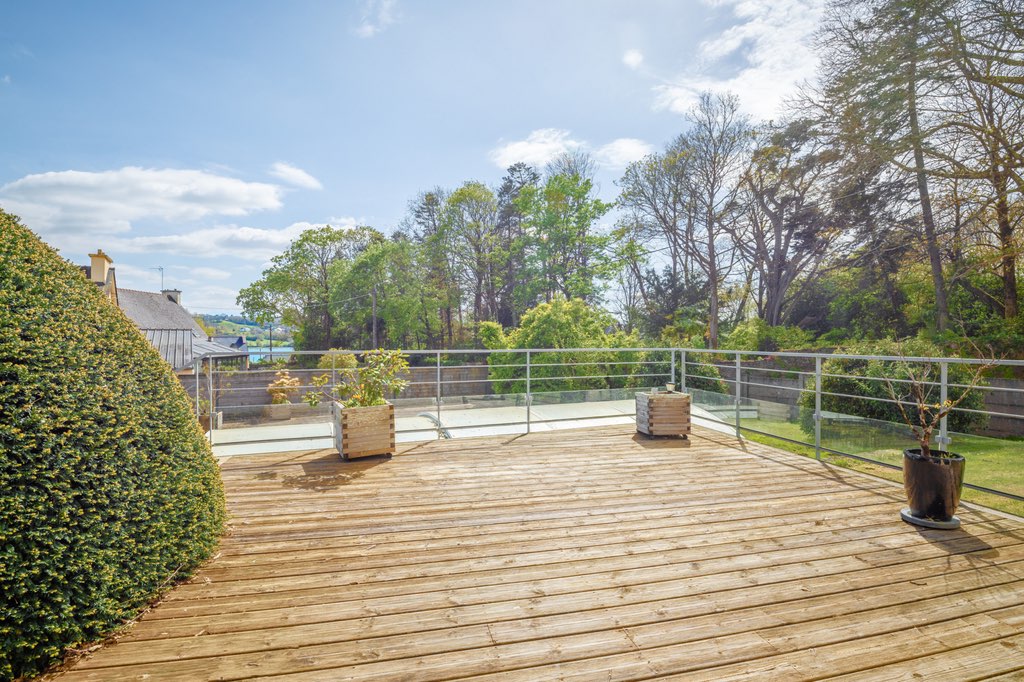 Golden hour exterior: clear volumes, attractive garden.
For a more detailed overview, read our 14 tips for photographing a property.
HDR Bracketing for High Contrast Rooms
Bracketing involves taking 3 to 5 photos of the same scene at different exposures, then merging them. This ensures both the room and the landscape outside the window are visible. With a camera, activate auto bracketing and merge in Lightroom; on a smartphone, the IACrea app doesn’t require bracketing: it applies a HDR effect via AI to a single photo.

Retouching and Post-Production
Most photos only need five corrections, in this order.
- Exposure and contrast: recover blown-out highlights and lighten shadows, so you can see both the interior and exterior at the same time.
- White balance: neutralize the yellow tint of artificial lighting, between 4,500 and 5,500 K, for clean walls.
- Distortion: apply the lens profile to straighten the barrel distortion of the wide-angle lens.
- Verticals: a leaning wall creates an unstable impression; a perspective correction transforms it in just a few seconds.
- Imperfections: stains on the ceiling, forgotten cables, photographer’s reflection—removed with the clone tool or object removal.
Lightroom, Luminar Neo, or Darktable (free) handle the first four corrections. For the fifth, and for everything related to AI (sky, decluttering, furniture), IACrea's real estate photo editing software processes images online, without installation, showing side-by-side before/after comparisons. Our guide to AI-powered real estate photo editing compares the two approaches.
Before going online, three operations that portals require—and that our free photo tools perform in batch: compress to accepted file size, blur license plates and faces, rename files with descriptive names rather than IMG_4521.jpg.
Virtual home staging: when a photo alone isn't enough
A technically perfect photo of an empty room is still just a photo of an empty space. Buyers find it hard to estimate the room sizes and imagine their furniture there. The virtual home staging virtualizes and decorates the room from the photo in less than a minute, and it is included in the listing.
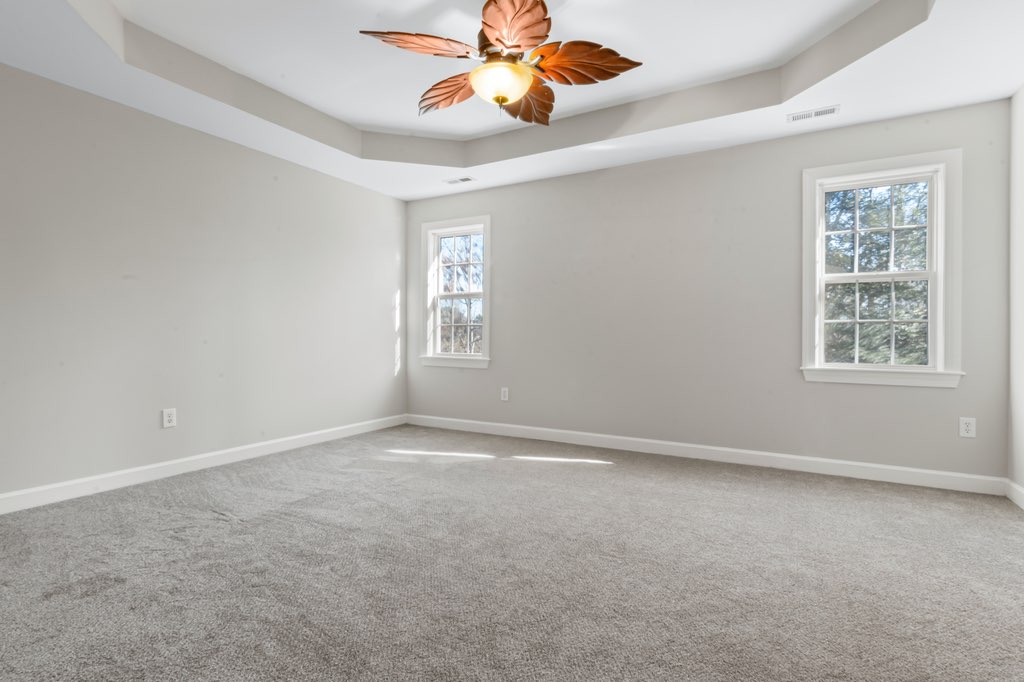 Before: a decent photo, but an empty room doesn't help buyers visualize.
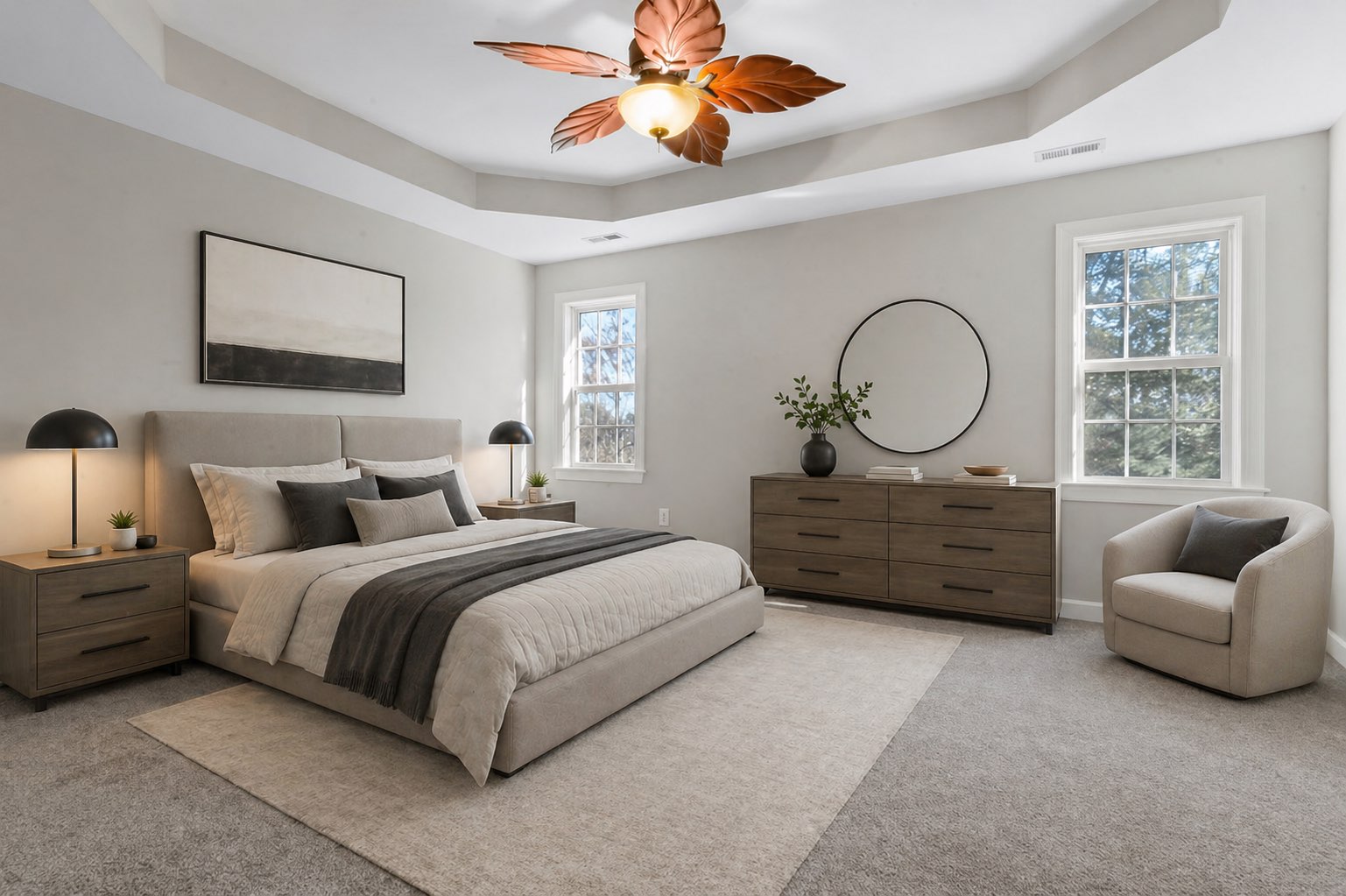 After: same photo, same angle, furnished and decorated by AI.
The combined process for an empty or renovated property involves four steps: HDR photo capture, basic retouching, virtual home staging of empty rooms, and high-resolution export for portals. The entire process takes less than 30 minutes. Our before/after examples showcase results on real living rooms, kitchens, and bedrooms, while the article on the ROI of virtual home staging quantifies its impact on the time to sell.
The complete workflow, from listing to publication
Before the shoot: preparation visit with the owner, selecting the time slot based on orientation, checking equipment (battery, memory card, tripod).
During: 2 to 3 photos per room, flattering shots of exteriors and shared spaces, HDR bracketing for high-contrast areas.
After: selecting the 10 to 15 best images, editing (30 to 60 minutes, or just seconds with the app), virtual staging of empty rooms, then a real estate video edited from the same photos for video portals and social media.
Applied to each listing, this workflow becomes a selling point: the seller can see what their photos will look like before signing.
FAQ: Real Estate Photography
How much does a real estate photographer cost?
Between €100 and €250 for a package of 10 to 15 photos, and €250 to €450 for a comprehensive report of 20 to 30 HDR-edited photos. Drone services are extra, costing between €80 and €200 depending on the area. These ranges are based on public pricing grids for French photographers recorded in September 2026; expect 20 to 30% more in Paris and the Côte d'Azur.
How many photos should be included in a real estate listing?
Typically between 10 and 20 photos, depending on the size of the property. Fewer than 10, and the listing may seem incomplete, reducing clicks. More than 25, and buyers tend to stop viewing the latest photos. Quality comes before quantity: 12 perfect photos are better than 25 mediocre ones.
Which photos should a real estate agency publish first?
The facade or view if they are attractive, then the living room, kitchen, master bedroom, bathroom, outdoor spaces, and finally the annexes. The first photo determines whether someone clicks: it should show the brightest and most spacious room of the property, never a corridor or toilet.
Is it better to photograph an empty or furnished house?
Furnished, preferably — as this makes it easier for buyers to visualize. If the property is empty (owner gone, new build), virtual staging effectively compensates for the lack of actual furniture at a much lower cost than physical staging.
What is the best time to photograph a property?
Outside of peak direct sunlight hours. In the morning between 8 am and 11 am or the afternoon after 3 pm, depending on orientation. For exterior shots, the golden hour (30 to 60 minutes after sunrise or before sunset) provides the most flattering results.
Is a drone useful for real estate photography?
Yes, especially for homes with land, properties with great view potential, and developments to showcase the neighborhood. For city apartments, drones add little value. Note: French regulations require certification and impose flight restrictions in urban areas.
Should photos be retouched before posting?
Basic post-production (adjusting exposure, white balance, straightening verticals) is recommended for all images. Heavy edits that distort reality (enlarging rooms, removing structural flaws) should be avoided for ethical and legal reasons.
Can AI be used to enhance real estate photos?
Yes, at two levels of intervention. During shooting: the IACrea app automatically applies HDR effects and replaces the sky without post-processing. After shooting: virtual staging fills empty spaces, and AI retouching tools (exposure correction, object removal) finalize images before publishing.
What is HDR in real estate photography?
HDR (High Dynamic Range) involves merging multiple exposures of the same scene to balance dark and bright areas (like windows and skies). In practice, it prevents "burned out" windows and underexposed interiors. The IACrea app achieves this balance differently: it uses a single photo and applies an AI-powered HDR effect in seconds, directly from a smartphone.
Where to start
For your next listing, take the photos yourself with the IACrea photo app: automatic HDR, corrected sky, synchronization with the platform, no editing software needed. If the property is vacant, enhance the main rooms with virtual home staging before publishing. The plans and prices detail what is included, and the trial is free.
About the author

Co-founder & CTO of IACrea
Constance Laborie is co-founder and CTO of IACrea, the AI platform that helps real estate professionals create their visuals — photos, virtual home staging and videos — in seconds. She leads the product and technical development of the platform and writes practical guides on real estate photography, virtual home staging and the use of AI in real estate.
Related articles
Ready to turn your photos into content that sells?
Join thousands of real estate agents using IACrea to create professional content in seconds.
Try for free →