
Buyers expect video now. In NAR's 2025 Profile of Home Staging, 48% of buyers' agents rate listing video as important to their buyers, against 73% for photos. Plenty of agents still skip it, and not for lack of interest: a professional video meant booking a videographer, paying hundreds of dollars and waiting several days.
AI changed that. In 2026, you can turn a single listing photo into a polished video clip in under 2 minutes, with no camera, no editor and no video budget. That's what an AI real estate video tool does, and this guide shows you how to get the most out of it.
What you'll learn in this guide:
- Why video has become a must-have format for real estate listings in 2026
- How AI video generation from photos (photo-to-video) actually works
- The 4 types of AI video that sell homes best
- Where and how to share your videos for maximum reach
- A complete workflow to make AI video part of your week
- The real ROI and costs compared with traditional production
Why video has become essential in real estate
The numbers
Buyers start online. According to NAR's 2025 Profile of Home Buyers and Sellers, 46% of buyers began their home search online, more than any other first step. Once they land on a listing, images come first: 81% of buyers rate photos very useful, ahead of detailed property information (77%) and floor plans (57%).
Here's how buyers' agents rank listing media:
| Listing media | Buyers' agents who rate it important to their buyers |
|---|---|
| Photos | 73% |
| Physical staging | 57% |
| Video | 48% |
| Virtual tours | 43% |
Source: NAR, 2025 Profile of Home Staging.
Video isn't a bonus anymore: nearly half of buyers' agents say their clients count on it. A listing with nothing but still photos can make the home look hard to sell, or the agent look like they cut corners.
What buyers expect today
Today's buyers are used to sizing up a place from a video on their phone. NAR's 2025 data puts the median first-time buyer at a record 40 years old, a generation that came of age online. Before they book a showing, they want to feel the space, the light and the mood, which a still photo can't fully deliver.
Video meets three basic needs:
- Picturing themselves there: camera movement lets buyers "walk through" the home
- Trust: a video gives a more honest sense of the space than a retouched wide-angle photo
- Emotion: music, smooth motion and moving light build an emotional connection
AI video vs. traditional video: the quiet revolution
What a traditional real estate video really costs
Before AI, a professional video meant a full production chain:
- Videographer: travel + shoot (2 to 4 hours) + editing (3 to 6 hours), billed at hundreds of dollars per listing
- Drone (for exteriors): in the US, anyone flying a drone for business, real estate included, needs an FAA Part 107 Remote Pilot Certificate, so most agents hire a certified pilot as an add-on (rules and best practices in our real estate drone guide)
- Turnaround: 3 to 7 days between the shoot and final delivery
- Revisions: every change means more time and more money
The result: only luxury listings and new developments justified the expense. Entry-level condos went live with still photos.
What AI changes in 2026
The latest video generation models, like the ones built into IACrea, use an approach called photo-to-video: from a single still image, the AI generates an animated 5- to 15-second clip with smooth camera movement, natural light effects and quality that holds up on listing portals and social media.
| Traditional video | AI video (IACrea) | |
|---|---|---|
| Cost per listing | Hundreds of dollars and up | €2 to €8 per video |
| Production time | 3 to 7 days | Under 2 minutes |
| Equipment needed | Camera, drone, editing software | Phone + web browser |
| Revisions | Paid and slow | Unlimited, instant |
| Perceived quality | Professional (cinematic) | Professional (portals, social media) |
| Listings handled per day | 1 to 2 | 20 to 50 |
For most residential sales, everyday homes rather than luxury estates, AI video gives you a mix of quality, cost and speed nothing else matches.
How AI real estate video creation works
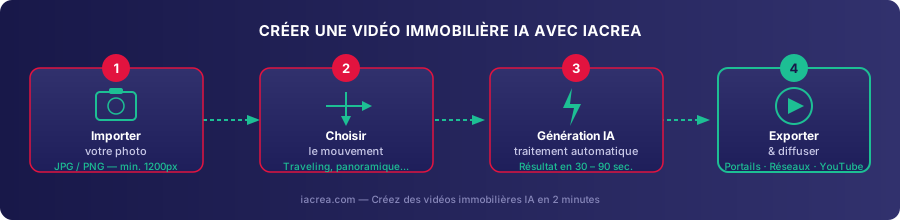
Animating a photo (photo-to-video)
The core technology relies on video diffusion models trained on millions of film and real estate clips. The model "understands" the spatial depth of a still image (perspective, background, light sources) and generates movement that matches that geometry.
This isn't a simple zoom or parallax effect. The model generates a smooth camera move frame by frame (push-in, pan, slight orbit) that follows the optics of the room in the photo.
The result: a 5- to 15-second video that looks like a real camera shot, without ever setting up a tripod.
Available camera moves
IACrea offers several camera moves suited to different spaces:
- Push-in (forward dolly): ideal for entryways and hallways, it pulls the viewer into the home
- Horizontal pan: perfect for large living rooms and open-concept spaces with a view
- Rising shot: shows off double-height ceilings and vertical volume
- Exterior dolly: for facades, yards and patios under a blue sky
You can set the intensity of each move (slow and calm, or fast and modern) to match your target buyers and the home's positioning.
Step by step with IACrea
Step 1: Upload the photo Upload your original or staged photo. The quality of the input photo directly drives the quality of the video. See our guide to professional real estate photography to get better shots from the start.
Step 2: Pick the camera move Choose the type of move and its intensity. IACrea shows a real-time preview before generating.
Step 3: AI generation (30 to 90 seconds) The model creates the video. Nothing technical is needed on your end while it runs.
Step 4: Export and share Download an MP4 optimized for the MLS and listing portals, or for social media (Instagram Reels, Facebook, YouTube Shorts).
Total time: under 3 minutes. A three-bedroom condo with 8 key photos can get full video coverage in under 25 minutes of hands-on work.
The 4 types of AI video that sell homes best
1. The listing video
This is the main video for the listing. It strings together 5 to 8 clips of 5 to 8 seconds on the key rooms: entryway, living room, kitchen, primary bedroom, bathroom, exterior. All of it is cut to light background music.
It's a strong upgrade over a plain photo slideshow on the MLS and the portals that accept video.
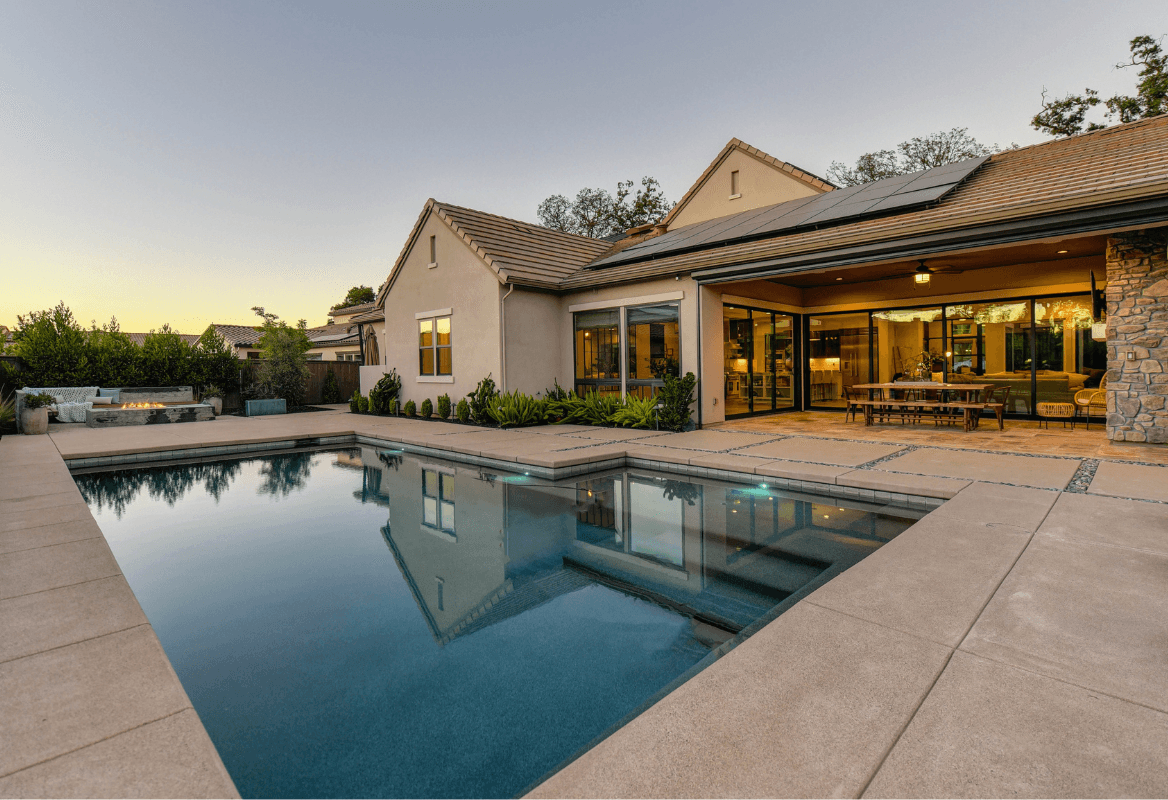
Example: an AI-generated exterior dolly shot of a house with a yard, created from a single photo
2. The seasonal or lighting effect video
Did you shoot the home in winter, on an overcast day? AI can turn that photo into a bright summer scene: blue sky, warm light, soft shadows. The home gets its curb appeal back, whatever the weather on shoot day.
This works especially well for:
- Homes with a yard or patio photographed off-season
- Exteriors under gray skies (think a Seattle spring or a Chicago winter)
- Underexposed interiors where you want to bring out the natural light
3. The short social media video (Reel / Short)
Format: 9:16 (vertical), 15 to 30 seconds, with captions and trending music.
This format is built for Instagram Reels, TikTok and YouTube Shorts. It doesn't try to show the whole home. Its job is to drive clicks and engagement: a striking view, a before/after effect, a room transformed by virtual staging.
Paired with virtual staging, a real estate Reel becomes a strong organic prospecting tool, because the platforms push short vertical video.
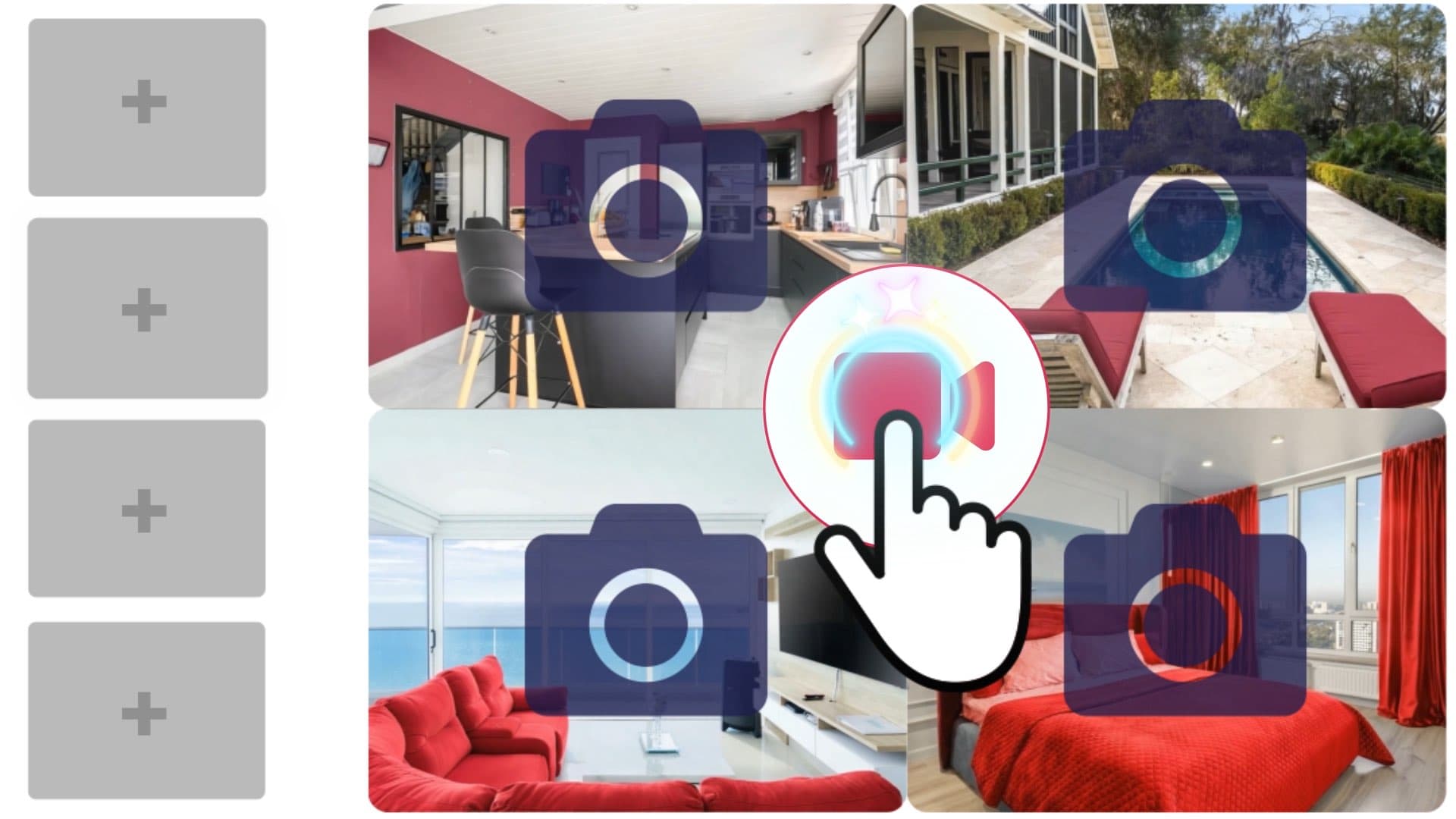
Example: a kitchen animated by AI from a single photo, ready for a Reel
4. The before/after video (staging in motion)
One of the most striking uses: showing a room before and after virtual staging in the same shot. The gradual reveal (the empty room filling with furniture in a crossfade) draws far more engagement than standard formats.
This format works especially well for vacant listings and fixer-uppers, where the goal is to show potential rather than current condition.
Example of an interior before/after effect: IACrea generates the transition from empty room to furnished room automatically
Where and how to share your AI real estate videos
The MLS and listing portals
Your MLS listing is where it starts. Most MLSs have a field for a virtual tour or video link, and many only display an unbranded version publicly: no agent name, logo, phone number or website. Keep a branded cut for your own channels and a clean one for the MLS. Rules differ from one MLS to the next, so check yours before you upload.
From there, think about where buyers browse: Zillow, Realtor.com, Redfin and your own website. Each handles video in its own way, so confirm the accepted formats and length limits before you export.
Our advice: export every video in two formats at once, 1920×1080 (16:9) for horizontal players and portals, and 1080×1920 (9:16) for social media.
Before you publish, if your video is a MOV file (the iPhone default), too heavy for a portal or needs trimming, our free video tools convert it to MP4, shrink it or cut the start and end, right in your browser, with no sign-up and no file upload.
Instagram Reels and Facebook
Instagram puts Reels in front of people who don't follow you yet, which makes a well-built real estate Reel a free way to reach new prospects beyond your follower count.
Best practices:
- Length: 15 to 30 seconds (completion rates drop on longer videos)
- A hook in the first 3 seconds (a dramatic push-in, a number, a question)
- Always add captions: many people scroll with the sound off
- A call to action at the end: "Link in bio to book a showing"
Read our guide on how to use your real estate photos on social media to take your social media strategy further.
YouTube and Google
YouTube is a search engine in its own right, and real estate video there is still underused for SEO. A local agent's channel with well-optimized videos (title with city + home type + price, description with the general location) can show up in Google results for very targeted searches.
Recommended format for YouTube: a full listing video (2 to 4 minutes), with an SEO-friendly description and a link to the listing in a pinned first comment.
Make AI video part of your real estate workflow
The recommended process
An efficient workflow has 4 stages, repeated for every new listing:
-
Photo shoot (Day 0): shoot the home following our photography guide. Pick the 8 to 12 best photos for video.
-
AI processing (Day 0, within the hour): upload to IACrea, generate the video clips room by room, and add virtual staging to the main shots if needed.
-
Editing and export (Day 0 to Day 1): assemble the clips in the IACrea video editor or a tool like CapCut for social media. Export in portal format and vertical format.
-
Coordinated publishing (Day 1): MLS, portals, Instagram, Facebook and YouTube at the same time. Schedule your social media posts from IACrea with the post scheduling feature.
Mistakes to avoid
Mistake #1: Using dark or blurry photos AI amplifies the flaws of an underexposed photo, and a blurry photo makes a blurry video. Get the shot right first; everything else depends on it. Shoot in natural light: our real estate photo app corrects the exposure and applies an AI HDR effect to every shot.
Mistake #2: Using the same camera move for every room A push-in works great on an entryway or hallway, but it gets monotonous over 8 clips in a row. Mix up the moves to hold attention.
Mistake #3: Skipping the disclosure on staged videos If the video shows a virtually staged home, label it "Virtually staged" in the listing description, just as you would for staged photos. The NAR Code of Ethics (Article 12) requires REALTORS® to present a true picture in their advertising, and in California, AB 723 (Business and Professions Code § 10140.8, in effect since January 1, 2026) requires a disclosure and access to the original image for digitally altered listing photos. MLS rules vary, so check yours.
Mistake #4: Publishing videos without the right audio A video with no music, or the wrong music (too fast for a quiet condo, too slow for a lively home), hurts how the listing comes across. IACrea includes a library of royalty-free music picked for real estate.
How much does it cost? The real ROI of AI real estate video
Comparing your options
| Option | Cost per listing | Turnaround | Perceived quality |
|---|---|---|---|
| Professional videographer | Hundreds of dollars and up | 3 to 7 days | ★★★★★ |
| Drone + editing | Extra fee on top of the shoot | 2 to 5 days | ★★★★☆ |
| Basic video app (subscription) | Monthly flat fee | 1 to 2 days | ★★★☆☆ |
| IACrea AI video | €2 to €8 per video | Under 2 minutes | ★★★★☆ |
ROI math for an active agent
Take an agent who handles 40 listings a year. As an illustration:
- Before AI video: 40 listings with photos only, averaging 75 days on market
- With AI video (conservative assumption: 20 fewer days on market): 55 days
- Impact: every listing that closes 20 days sooner frees up time and capacity for the next one
- AI video cost: 40 listings × 5 videos × €4 = €800 a year
For €800 a year with IACrea, this agent cuts average days on market by 27%. In practice, that means a pipeline that moves faster, happier sellers and a stronger reputation. See our pricing plans to find the plan that fits your volume.
FAQ: your questions about AI real estate video
Can I use AI video on the MLS and listing portals? Yes. An AI video is a standard MP4 file, so it uploads wherever a listing video does. Check your MLS rules first: many only display an unbranded version (no agent name, logo or contact details). If the video shows virtually staged rooms, say so (“Virtually staged”) in the listing description.
Do I need training to use IACrea's video tool? No. The interface is built for agents, not video editors. Most people get comfortable in 10 to 20 minutes. After that, creating a video takes about as long as uploading a photo to your listing.
What photo quality do I need to start with? At least 1,200 × 900 px, well exposed, with no motion blur. Photos from most recent phones (iPhone 13 or later, Samsung Galaxy S21 or later) are good enough. For the best results, shoot with the IACrea photo app, which optimizes every shot automatically.
Does AI video fully replace a professional videographer? Not for everything. For high-end luxury homes, new construction developments and brokerage brand films, a professional videographer still does better work. For everyday residential listings, AI video gives you the best quality for the cost.
Can I combine AI video and virtual staging? Yes, and it's the most effective combination. Virtually stage your photos with IACrea, then create the videos from those staged photos. You end up with a furnished, animated, bright listing without anyone setting foot in the home.
Are the videos royalty-free? The videos you create with IACrea from your photos belong to you. You can publish, share and use them commercially without restriction.
Conclusion: AI video, the new standard for real estate listings
Until now, video was for agents who could fit it into their marketing budget. AI removed that barrier. In 2026, a professional listing video takes 2 minutes to make and costs less than a cup of coffee.
Agents who adopt AI video now get a real head start: their listings stand out, their homes sell faster and their sellers talk about them.
Try AI real estate video with IACrea: your first 5 videos are free, no contract.
About the author

Co-founder & CEO of IACrea
Pauline Clavelloux is co-founder and CEO of IACrea. In daily contact with real estate agencies and agents, she understands their challenges around visibility, marketing and lead generation. On the blog, she shares actionable strategies on real estate marketing, social media and prospecting in the age of AI.
Related articles

Ready to turn your photos into content that sells?
Join thousands of real estate agents using IACrea to create professional content in seconds.
Try for free →