
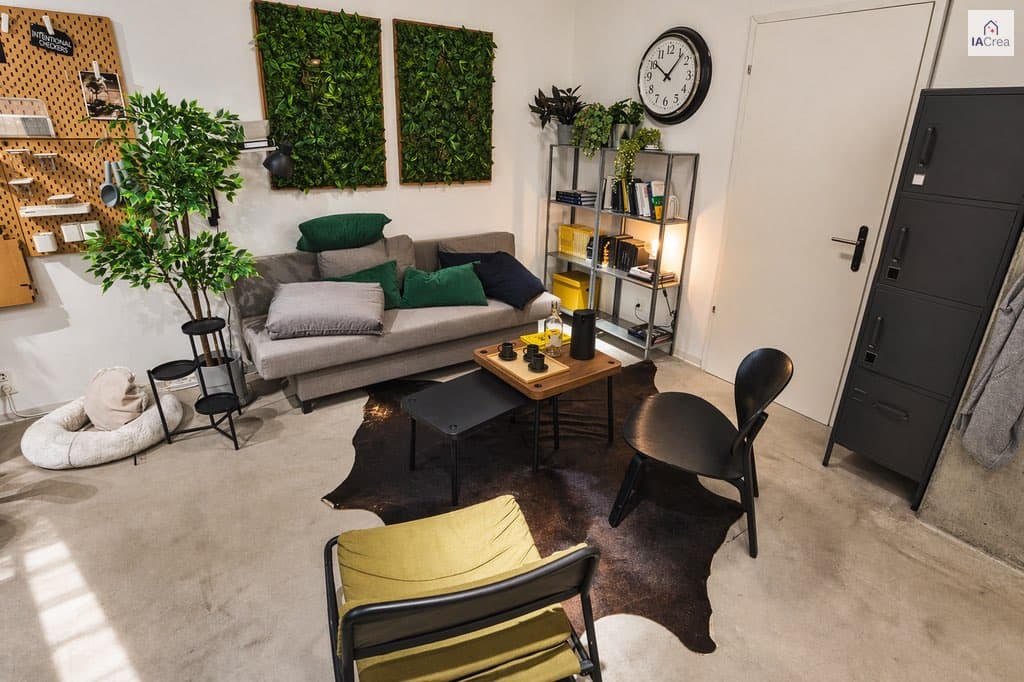
A real estate agent spends an average of 45 minutes manually editing photos of a property before posting the listing. With an AI-powered real estate photo app, this time drops to less than 5 minutes — without any compromise on quality.
The IACrea real estate photo app is the on-the-ground tool that supports professionals right from the photoshoot: automatic HDR, blue sky replacement, light corrections, and instant synchronization with the web platform to apply the virtual home staging and other AI treatments. This guide details each feature available today so that you can use it at 100% of its potential on your next listing. For retouching on a computer, the IACrea real estate photo software takes over from the browser.
What you'll learn in this guide:
- The current features of the IACrea app (HDR, blue sky, corrections)
- How automatic HDR turns a dull photo into a professional image with a single click
- Why blue sky replacement effortlessly enhances your outdoor shots
- The complete workflow: from shooting on iPhone to publishing on your portals
- The IACrea versus alternative solutions comparison for real estate agents
What is the IACrea real estate photo app?
The IACrea real estate photo app is a mobile application for iPhone and Android specifically designed for real estate professionals. It connects your smartphone directly to the IACrea platform, allowing you to go from raw photos to corrected, synchronized images in just a few minutes — without opening a computer.
Unlike general photo editing apps (Lightroom Mobile, Snapseed), IACrea is built around the real-world constraints of real estate agents: photos taken quickly during a visit, often in challenging lighting conditions, that need to be perfect for portals and social networks within the same hour.
A tool designed for the field
The key difference from desktop software boils down to two words: speed and contextualization. IACrea’s AI is trained on tens of thousands of real estate photos — living rooms, kitchens, bedrooms, exteriors — enabling it to automatically understand the context of each shot and apply the appropriate corrections without manual settings.
You don’t need to know what white balance is or how to manually adjust HDR. The app detects the scene and applies the optimal treatment in just a few seconds.
Compatibility and availability
The app is available on iPhone (iPhone 12 and newer recommended for maximum quality) and recent Android smartphones. It works via Wi-Fi and 4G/5G, with an internet connection required for cloud-based AI processing.
Features Available in the App
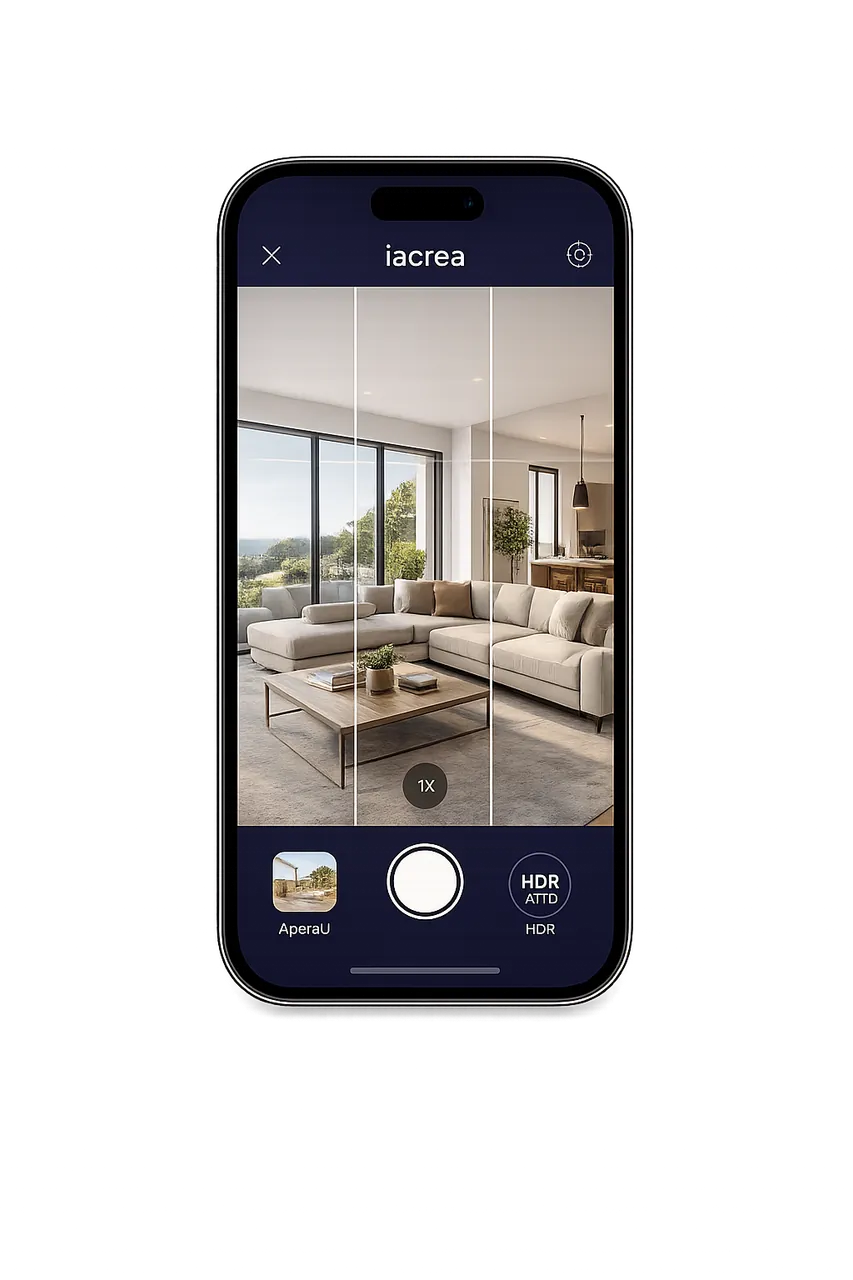 The main interface of the IACrea app: key adjustments accessible in just a few taps
Automatic HDR: perfectly exposed photos in a single click
This is the feature that alone justifies most agents adopting the app. The automatic HDR (High Dynamic Range) is a process that produces a photo where bright areas (windows, white surfaces) and dark areas (corners, shadows) are simultaneously well-exposed.
In professional real estate photography, HDR has been standard for the past 10 years. The problem: until now, it required taking 3 to 5 burst shots, importing them into Lightroom or Photomatix, manually merging and retouching. 20 to 40 minutes per photo series.
With IACrea, just one shot is enough. The AI analyzes your photo and applies an HDR effect in seconds, delivering a result close to multi-exposure HDR, without bracketing or merging. No technical knowledge needed.
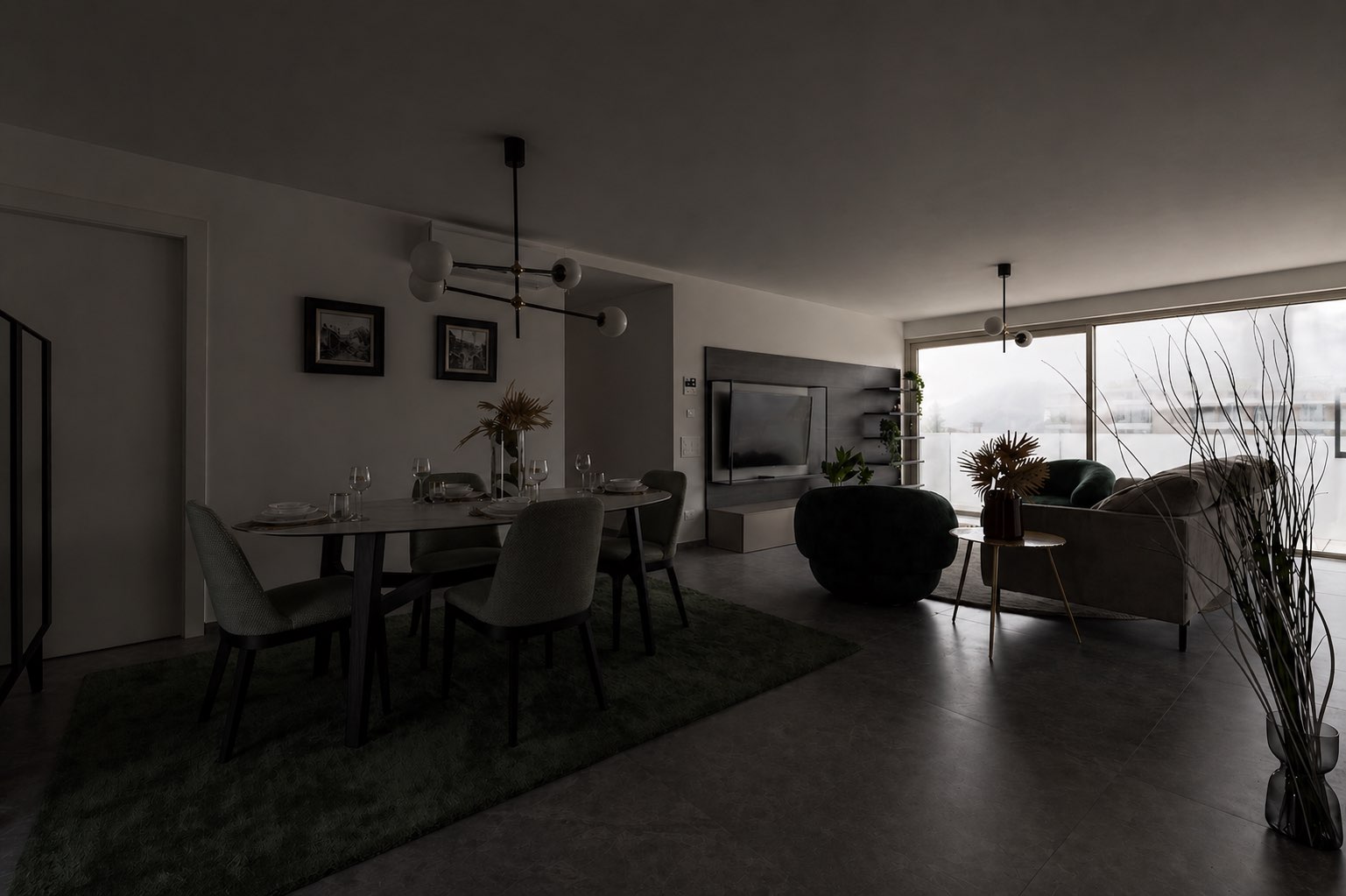
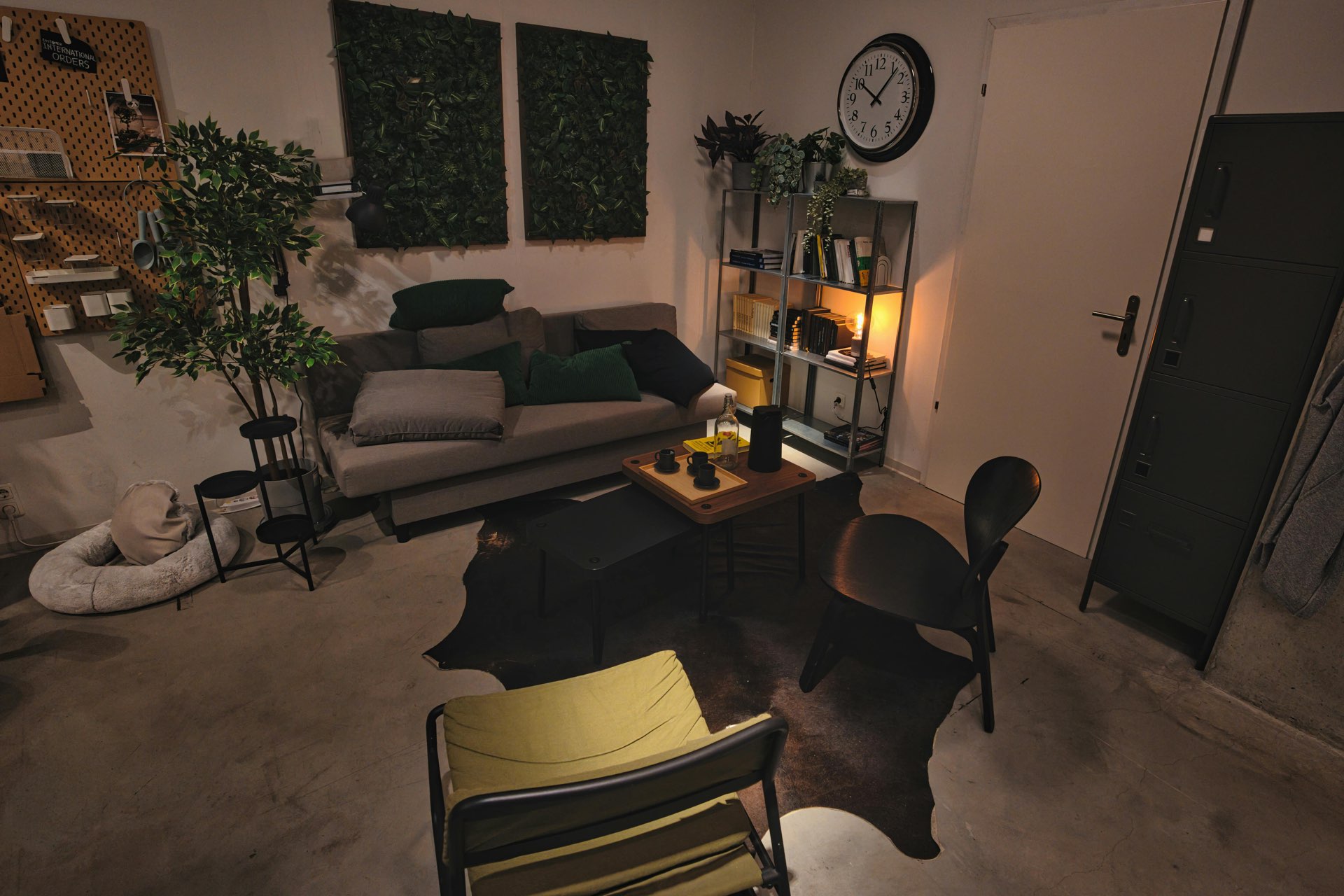 Before HDR: the living room is underexposed, the window is overexposed — the space looks dull
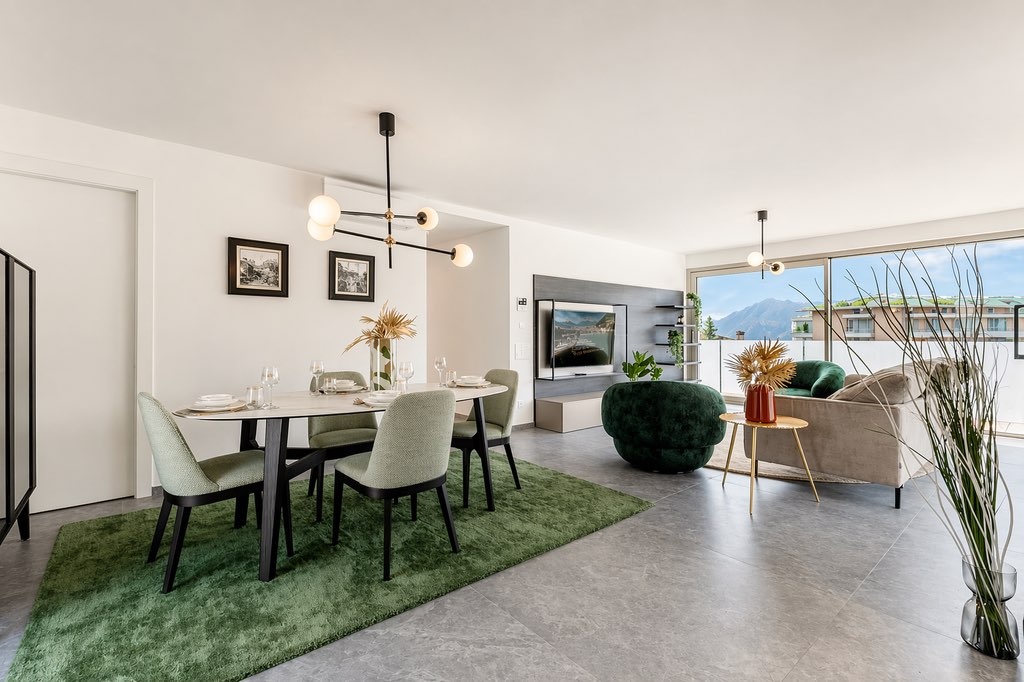
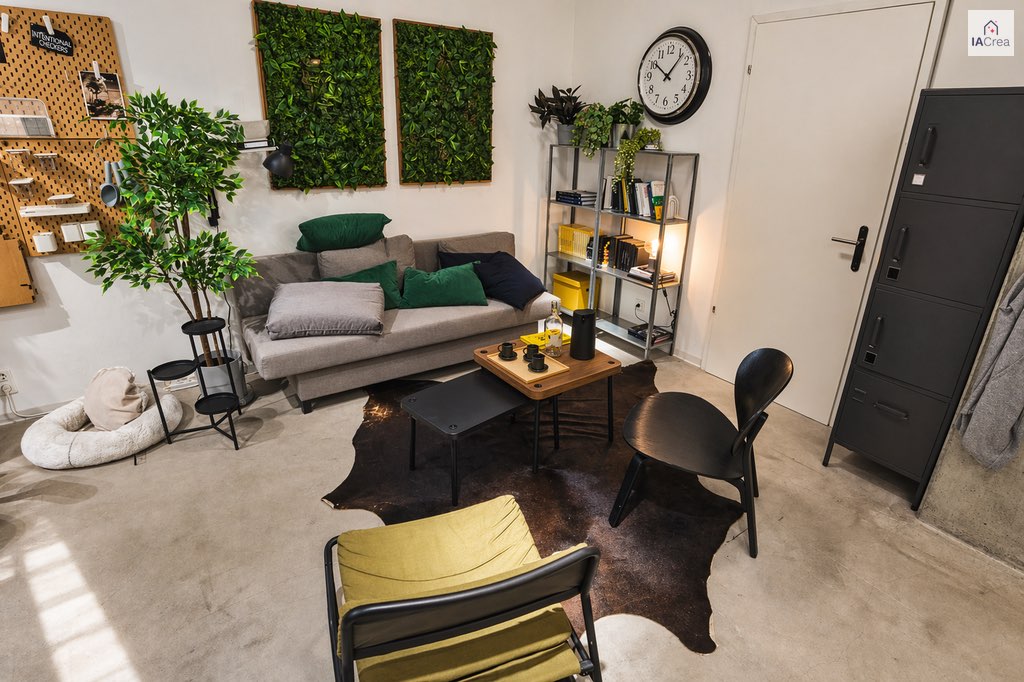 After IACrea automatic HDR: balanced lighting, visible volumes, accurate wall whiteness
Automatic blue sky replacement
For outdoor photos, a white or overcast sky can turn a beautiful facade into a dull, uninviting image. The blue sky replacement feature in IACrea automatically detects the sky in your photo and replaces it with a bright blue sky — realistically, respecting reflections and the contours of vegetation or roofing.
This is one of the most impactful corrections relative to effort and result: with a tap, a photo taken on a gray day becomes a sunny, welcoming image. On real estate portals, bright facades generate significantly more clicks.
 Before: overcast sky weighing down the photo’s atmosphere
 After: sky automatically replaced with blue — the facade immediately looks more attractive
Automatic light and exposure corrections
Beyond HDR, the app includes automatic corrections that can be applied in one click:
- White balance (yellow lighting from halogens, blue from LEDs, natural daylight)
- Overall exposure for under- or overexposed photos
- Saturation and contrast for natural, non-saturated colors
- Sharpness for a clean look without over-sharpening
These corrections are automatically calculated based on an analysis of each photo. The results are consistent from room to room, ensuring a uniform visual identity across a listing.
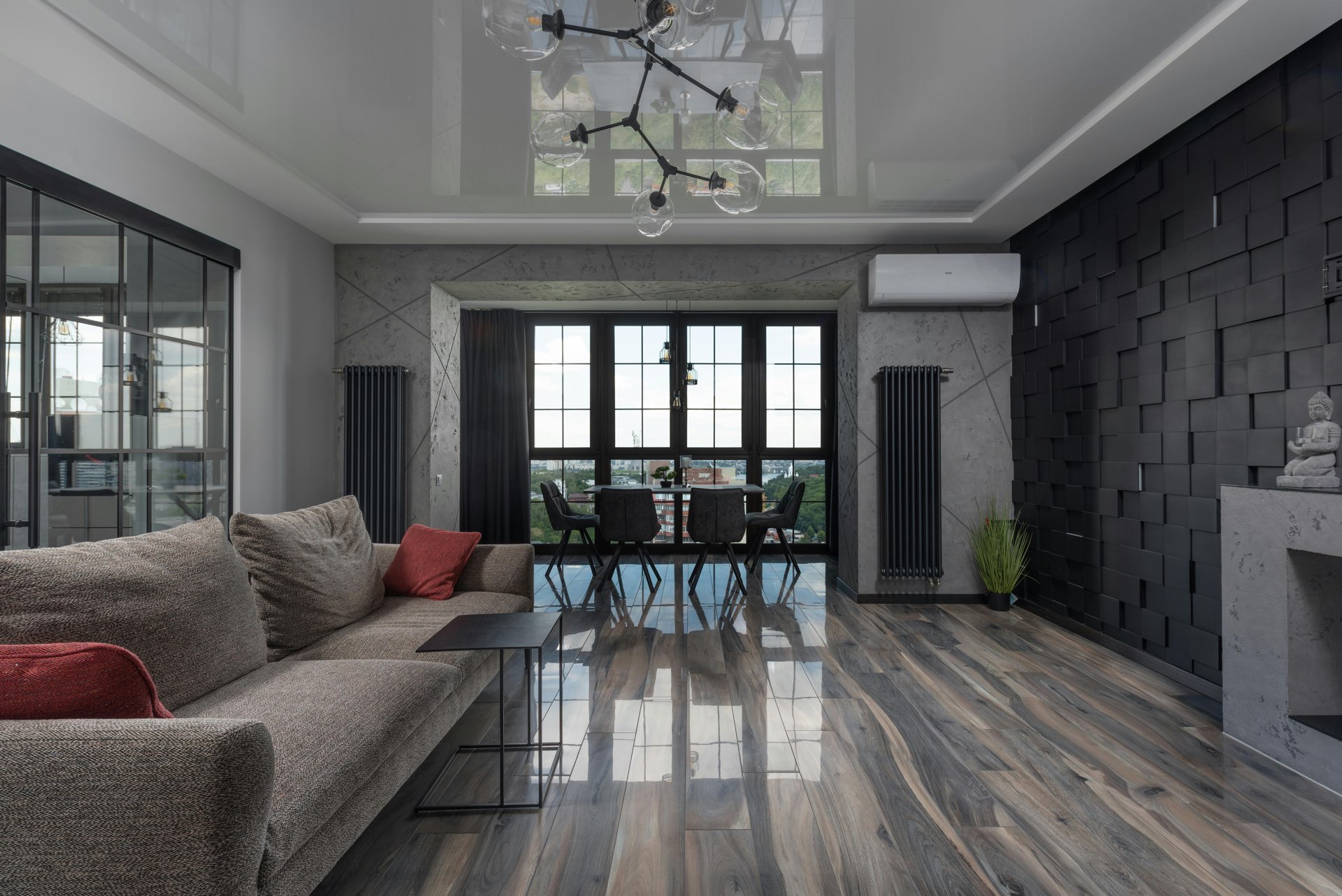 Before: unbalanced white balance, uneven exposure
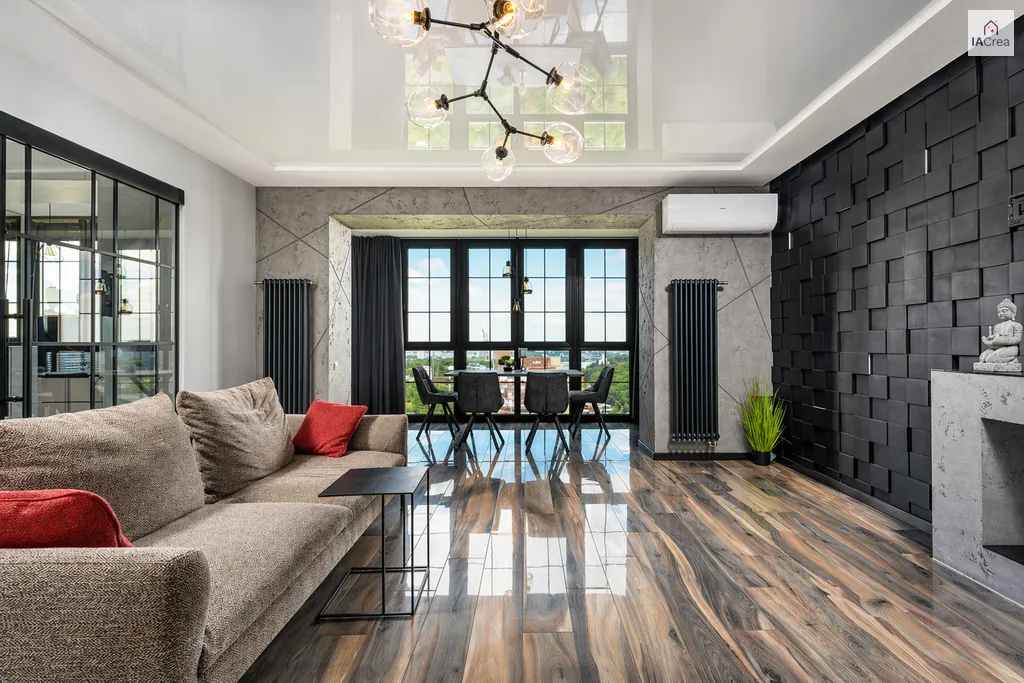 After: balanced exposure, natural colors — true to the actual space
Instant synchronization with the web platform
All photos processed through the app are automatically synced with your IACrea account on the web platform. You can access your projects on any device, without file handling or emailing.
This seamless mobile ↔ web connection completes your workflow: you manage captures, HDR effects, virtual staging, and video clips in the field with the app, then you find everything on the web platform for video editing, publishing, and advanced processing — from any browser.
HDR real estate: the tangible difference on your listings
HDR is not just an aesthetic filter — it's a technique that addresses a real physical constraint: the human eye perceives about 14 stops of dynamic range, while an iPhone sensor captures only 8 to 10 depending on conditions. The result? In a raw interior photo, either the dark areas are crushed or the windows are blown out.
IACrea's automatic HDR solves this problem by calculating a synthetic image that preserves information across both exposure ranges.
Spaces that benefit most from automatic HDR
| Type of room | Issue without HDR | Improvement with auto HDR |
|---|---|---|
| Living room with large window | Blown-out window, dark floor | Visible outdoor view + well-exposed interior |
| White kitchen | Overexposed walls, gray cabinets | Natural white + details on countertops |
| Room with skylight | White sky, underexposed room | Balanced natural lighting |
| Exterior in bright sunlight | White sky, underexposed facade | Balanced contrast, sky preserved |
HDR before / after: real results
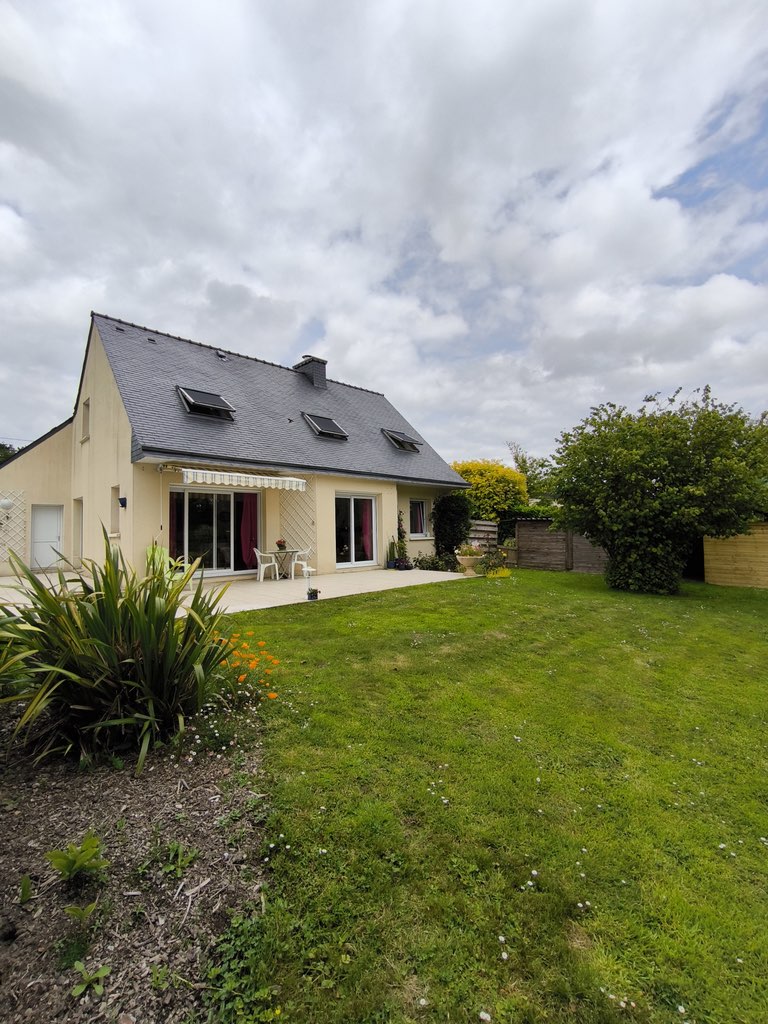
Before HDR: overexposed windows, space hard to interpret for online buyers
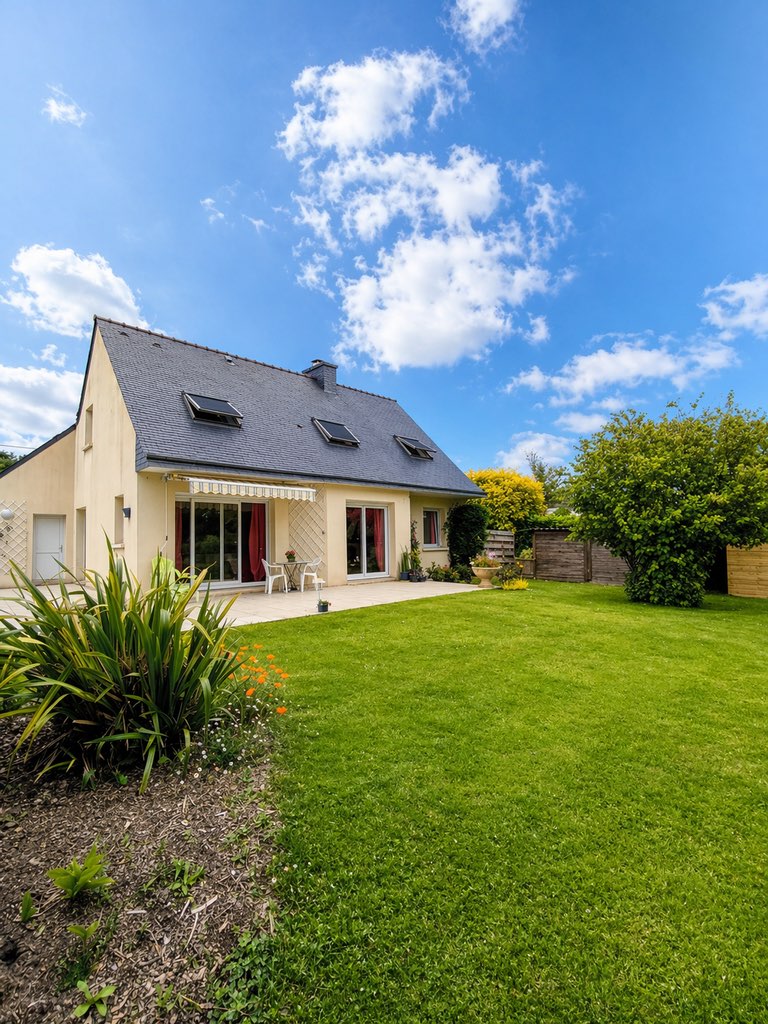
After IACrea HDR: natural light restored, every detail of the room becomes readable
How to Use the IACrea App Step by Step
The typical workflow on-site for a 3-room apartment:
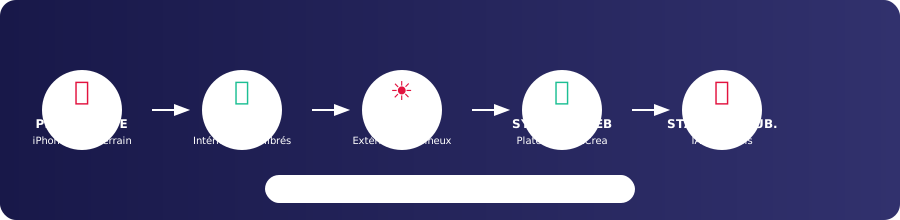
Step 1: Taking photos with the app
Open the IACrea app and use your iPhone's camera. Usually, three angles per room are enough: an overview from the corner of the room, a shot from the opposite side, and a close-up of a focal point (fireplace, equipped kitchen, outside view). For outdoor shots, take a photo in daylight even if the sky is cloudy — the sky replacement feature will handle the rest.
Step 2: Batch HDR processing
Select all interior photos and run batch HDR processing. The AI processes each photo in 10 to 30 seconds. For a 3-room apartment (about 12 photos), the entire process takes less than 5 minutes.
Step 3: Sky replacement for outdoor images
On your facade, terrace, or garden photos, enable blue sky replacement. The operation is instant, transforming dull exteriors into bright, engaging visuals.
Step 4: Synchronization and AI processing on the platform
The corrected photos are automatically available on your IACrea web account. From the platform, you can apply virtual home staging to empty rooms, perform virtual decluttering, or create animated videos for high-impact spaces. Check out our before/after examples to see the quality of the results.
Step 5: Export and publish
Export the final high-resolution photos from the platform, formatted directly for SeLoger, Leboncoin, and social media. Scheduled publishing is accessible via the web platform to coordinate your content.
On-site processing time (app) for a 3-room apartment: less than 10 minutes.
IACrea Application vs Alternative Solutions
Today, real estate agents have several options to enhance their photos. Here's an objective comparison focused on features actually available on mobile devices:
| Solution | Time per photo | Auto HDR | Auto Blue Sky | AI Platform Synchronization | Industry Compatibility |
|---|---|---|---|---|---|
| IACrea (app) | 10–30 sec | ✅ Automatic | ✅ One tap | ✅ Instant | Native real estate |
| Lightroom Mobile | 5–15 min | Manual | ❌ | ❌ | Generalist |
| Snapseed | 3–10 min | Partial | ❌ | ❌ | General public |
| External HDR Service | 24–48 hours | Human + AI | Variable | ❌ | Full delegation |
The main difference between IACrea and general tools (Lightroom, Snapseed): no technical knowledge required, and the result is optimized for real estate right after the algorithm processes it. The difference compared to external HDR services: instantaneous instead of waiting 24-48 hours.
The integrated workflow: the decisive advantage
What fundamentally sets IACrea apart from other mobile applications is the seamless continuity of the workflow from the field to the office. The app handles shooting and major AI treatments on the go (HDR effect, sky, virtual home staging, video clips); the web platform takes over for video editing and publishing. No other tool offers such smooth vertical integration for real estate professionals.
For a more in-depth analysis of shooting techniques and real estate photography in general, see our comprehensive guide to professional real estate photography.
Maximize Your Results: Best Practices by Property Type
City Center Apartments (studios and 1-2 bedrooms)
For these properties, the main challenge is limited space and natural light. Priorities:
- Automatic HDR on all photos (lighting often a mix of halogen and natural light)
- Shooting from the widest possible angles (corner perspectives)
- Sync with the platform for virtual home staging on empty rooms
Houses and Pavilions
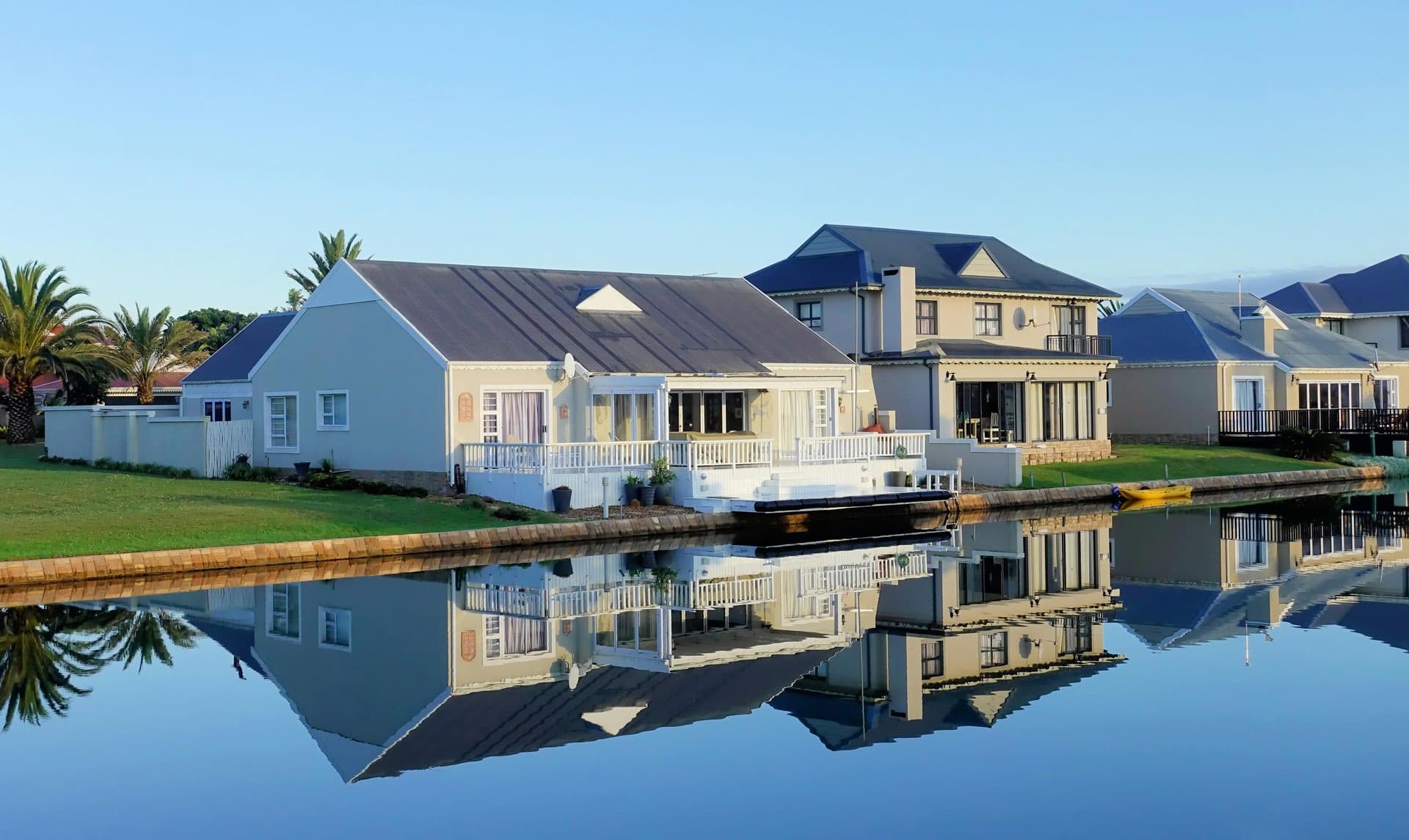
For houses, exterior shots are just as important as interiors. Always use the blue sky replacement feature on facade, garden, and terrace photos. It offers the best impact/effort ratio for this type of property.
Luxury Properties
For premium homes, visual consistency is crucial. Apply HDR and corrections to all photos before syncing — inconsistent rendering from room to room can diminish the overall perception of the property. From the platform, combine Luxury Contemporary HomeStaging and video generation for the living room and master suite — see the real estate video feature for suitable formats.
Properties Under Renovation or to Renovate
For these listings, focus on exterior shots (blue sky, HDR on the facade) to create a positive first impression. AI projection treatments (home staging on empty room photos) are available from the web platform after synchronization.
How much does the IACrea real estate photo app cost?
The app is included with all IACrea subscriptions — there’s no extra charge for mobile access. AI treatments (HDR, blue sky, home staging, video) are deducted from your subscription credit, whether launched from the app or the web platform.
Which subscription for which volume?
The answer depends on your number of active listings:
- Independent agent (10 to 20 listings per year): Entry-level plans typically cover your needs with moderate use
- Active broker (20 to 50 listings per year): Intermediate plans offer a suitable volume with full access to all platform features
- Agency or team (50+ listings per year): Professional plans allow handling your entire portfolio
Visit the IACrea pricing page to compare plans in detail.
ROI in numbers
If you manage 30 listings a year and save 40 minutes of photo editing per listing, the app saves you 20 hours of work annually — just by streamlining field corrections. Adding AI treatments (home staging, video) from the platform enhances ad quality, increases visits, and speeds up sales, making the subscription’s ROI clearly positive from the very first weeks.
FAQ: your questions about the IACrea real estate photo app
Does the app work without an internet connection? The capturing feature works offline. AI processing (automatic HDR, sky replacement) requires an internet connection to access cloud models. A 4G connection is sufficient for the vast majority of cases.
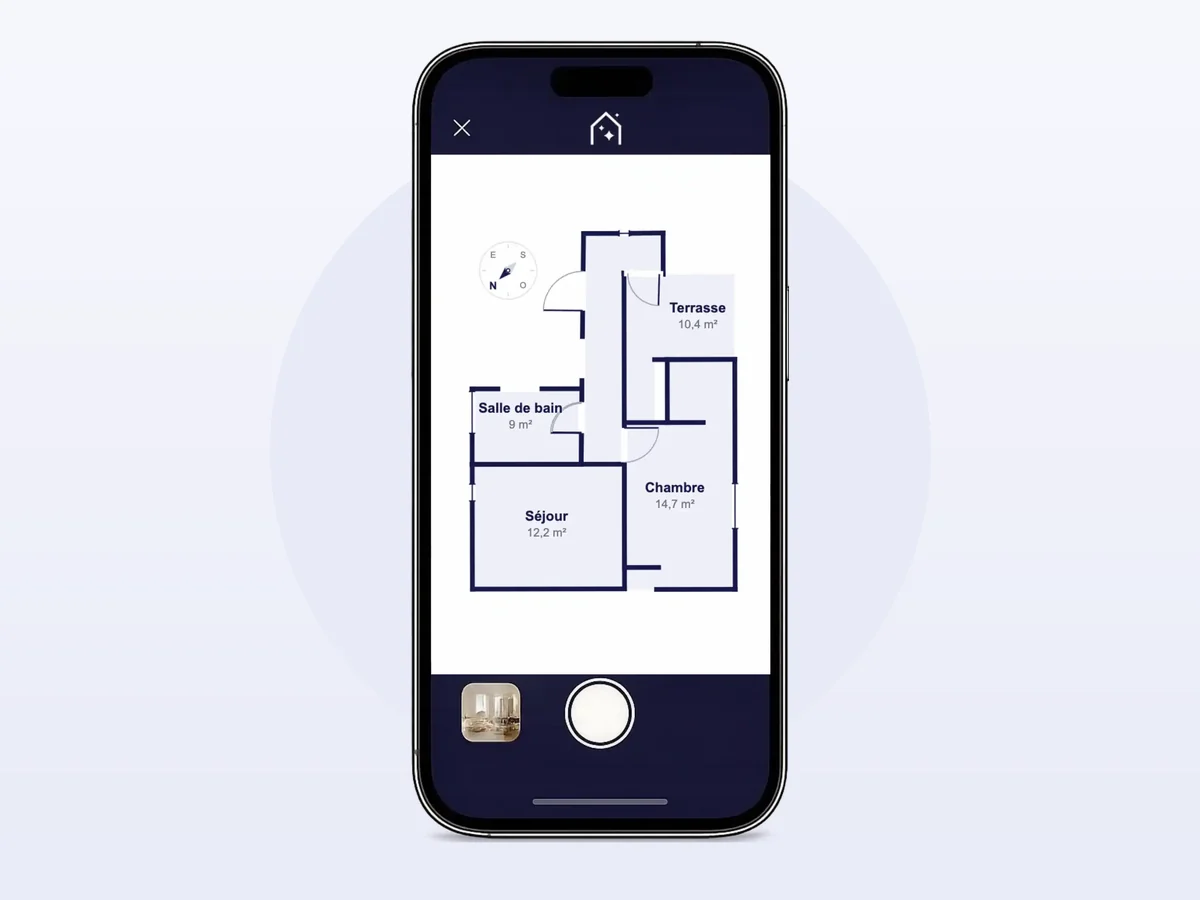
Is the app available on Android? Yes. The IACrea app is available on iPhone via the App Store and on recent Android smartphones via Google Play. The photo features are identical on both; only the 2D floor plan scan, which requires the LiDAR sensor, is reserved for iPhone Pro models.
Can I import photos already taken with another device? Yes. You can import photos from your iPhone camera roll (photos taken with a camera or another smartphone). Automatic HDR and sky replacement work on any well-exposed photo.
Is the HDR quality the same on an iPhone as on a professional camera? The automatic HDR largely compensates for the limitations of the iPhone sensor. For photos imported from a full-frame camera, the result will be even better since the basic dynamic range is higher. But even on an iPhone 13 or 14, the result exceeds what an agent can manually achieve without technical expertise.
Are home staging and videos available directly from the app? Yes, directly from your phone, on both iPhone and Android. On any property photo, you can furnish an empty room, empty it of its furniture, virtually renovate it, tidy up, or replace a gray sky, then create a 5-second video clip from a photo: forward move, backward move, or nightfall effect. For a complete video that sequences multiple clips with music and voiceover, the video editing is done on the web platform IACrea.
Should I mention AI processing in my listings? For HDR and automatic corrections, no mention is required — these are equivalent to traditional photo editing. For photos with virtual home staging (virtually furnished rooms through the platform), it’s advisable to include a label such as "photo with virtual staging" to follow best practices.
Conclusion: The app that makes your photos look professional right in the field
The IACrea real estate photo app naturally fits into the daily routine of real estate agents: you take your photos on your iPhone, HDR and blue sky replacement are applied in just a few seconds, and everything is synchronized on the platform for advanced AI processing.
No more manual edits that take half an hour per property. No more dull façades on listings. No more files to send by email. From the field to publication, every step is smooth, quick, and optimized for real estate.
For agents looking to go further in showcasing their properties, our comprehensive virtual home staging guide covers all the techniques available on the IACrea platform.
Download the IACrea app and turn your next property into a premium listing — in less than 10 minutes on site.
About the author

Co-founder & CTO of IACrea
Constance Laborie is co-founder and CTO of IACrea, the AI platform that helps real estate professionals create their visuals — photos, virtual home staging and videos — in seconds. She leads the product and technical development of the platform and writes practical guides on real estate photography, virtual home staging and the use of AI in real estate.
Related articles
Ready to turn your photos into content that sells?
Join thousands of real estate agents using IACrea to create professional content in seconds.
Try for free →