
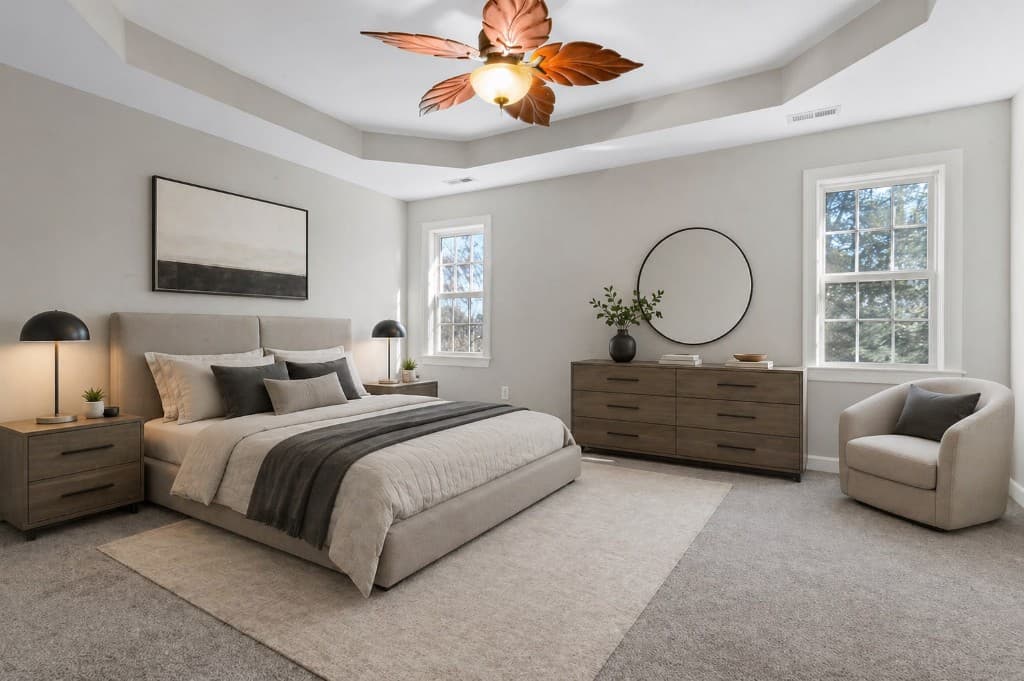
An empty apartment that has been sitting on SeLoger for 45 days. Ten minutes later, the same apartment furnished, bright, and desirable — without moving a single piece of furniture. This is exactly what virtual home staging does in practice, and this tutorial shows you how to achieve it in 4 steps with IACrea.
Whether you're just starting out or looking to refine your workflow, you'll find here the complete process: from selecting the right photo to exporting the finished result, including choosing the style and generation settings. Concrete before/after examples illustrate each use case.
What you'll learn in this tutorial:
- How to choose and prepare the photo that will yield the best result
- The 4 exact steps to generate virtual home staging in IACrea
- Which decoration style to choose based on your target buyers
- How to correctly export and mention staged photos in your listings
- 3 commented before/after examples from the platform
What you need before you start
The list is short:
- An IACrea account — the free trial is enough for your first generations
- A property photo with a minimum resolution of 1,200 × 900 px
- 5 minutes of your time
No software to install. Everything happens in your browser, on the virtual home staging IACrea platform. If you use the IACrea photo app on iOS, your HDR photos are directly usable — resolution and exposure are automatically managed by the app.
Here's the process at a glance:

Step 1 — Choose the right photo
The quality of the result depends directly on the starting photo. The AI will furnish and decorate, but it won't fix underexposed or blurry images. Choosing a good source photo is already 50% of the work.
Criteria for an ideal photo
| Criterion | Recommendation |
|---|---|
| Resolution | Minimum 1,200 × 900 px (ideally: 1,920 × 1,440 px) |
| Exposure | Well-lit, no blown-out highlights or shadows |
| Framing | Wide angle showing the entire room |
| Sharpness | Clear image, no motion blur |
| Shooting height | At waist level, about 1.20 m from the floor |
Which rooms to prioritize?
Focus your efforts on rooms with a strong decision-making impact: the living room and kitchen can make or break an ad in seconds. The main bedroom is second in the buyers' projection criteria, according to a NAR study. Skip hallways, cellars, and attics — virtual staging isn't valuable there.
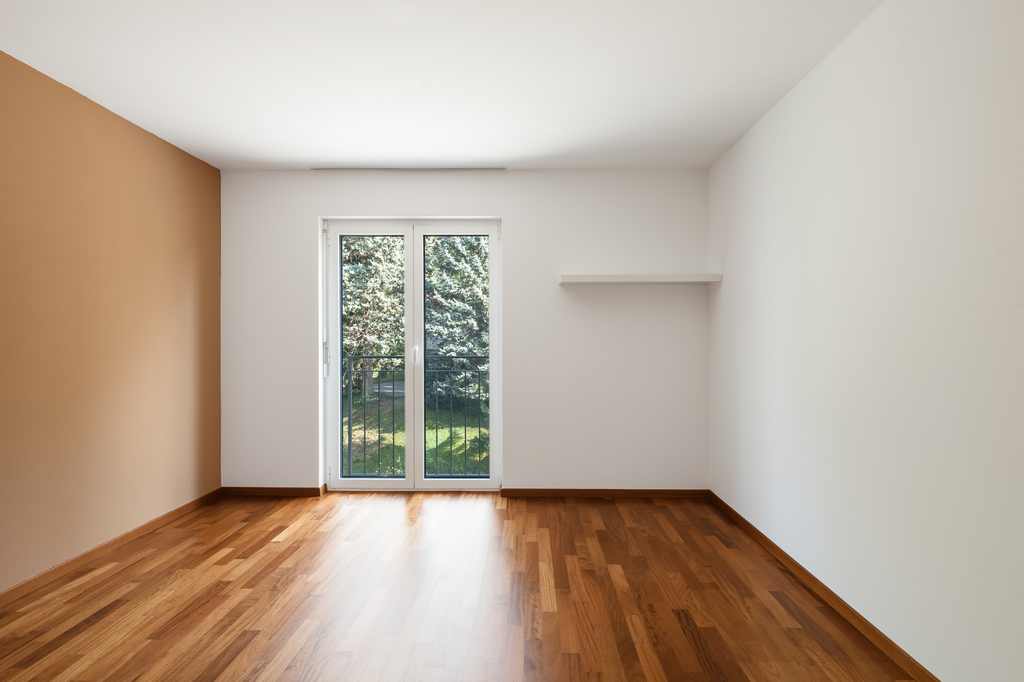 The ideal photo: empty, bright room, wide framing — the entire space is visible and exploitable by AI
Step 2 — Import your photo into IACrea
Log into your IACrea workspace and access the Virtual Home Staging feature. Drag and drop your photo into the import zone or use the file selection button.
In seconds, the AI automatically analyzes:
- The geometry of the room (walls, floor, ceiling, openings)
- The natural light sources (window positions and sizes)
- The type of room (living room, bedroom, kitchen…) to adapt the proposed furniture
You don't need to manually input anything: detection is fully automatic.
Tip: if your room is already furnished but the furniture is outdated or cluttered, start by using the virtual decluttering feature to tidy up before re-staging. The final result will be much cleaner and more professional.
Step 3 — Select the style and launch generation
This is the most strategic step: the decor style should match your target buyers, not your personal taste.
Style guide by property type and target
| Style | Ideal for | Atmosphere |
|---|---|---|
| Scandinavian | Studio, T2/T3, young professionals | Sleek, bright, light wood |
| Modern | High-end apartment, T3/T4 | Minimal, clean lines, contrasts |
| Classic | Family house, suburbs | Warm, textiles, warm tones |
| Industrial | Loft, atypical apartment | Metal, concrete, exposed brick |
| Contemporary luxury | Prestige property, exceptional view | Noble materials, minimal, premium |
| Bohemian | Charismatic home, characterful bedroom | Textiles, plants, natural shades |
Select your style, adjust the furniture density if needed (from "airy" to "cozy"), then click Generate. Processing usually takes less than 2 minutes.
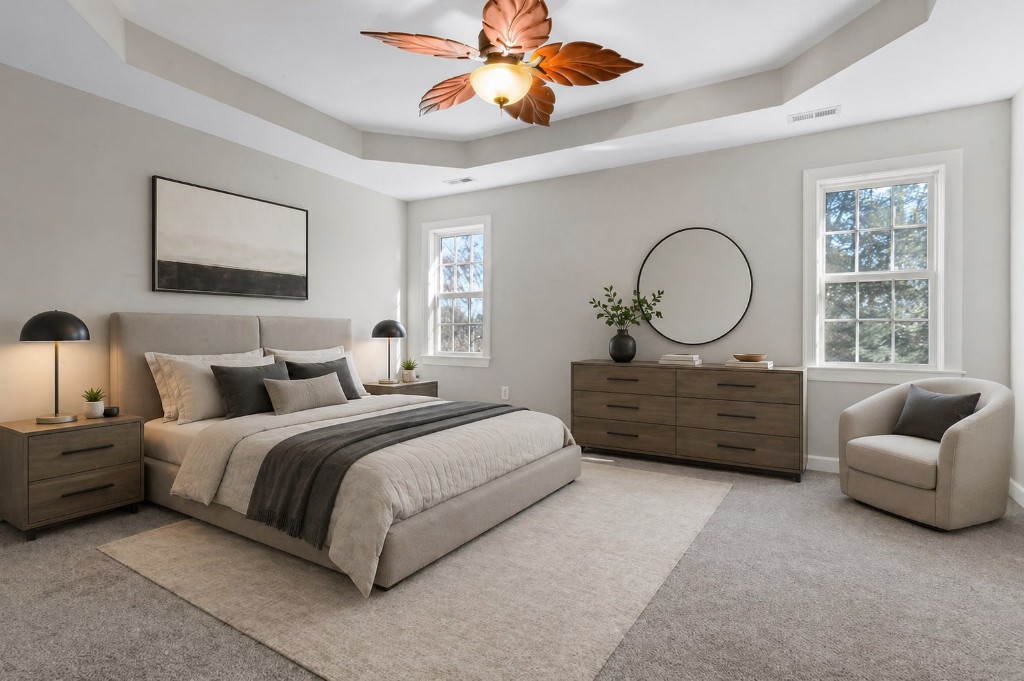 Bedroom furnished in Scandinavian style by IACrea — result obtained in less than 2 minutes from raw photo (AI-generated photo)
Step 4 — Refine, export, and add to your listing
Refine the result
If the initial output isn't fully satisfactory, IACrea allows you to:
- Generate a new variant with the same style (each generation is unique)
- Change style instantly, no re-import needed
- Adjust furniture density for a more spacious or bustling effect
There’s no limit to the number of variants. Test until you find the best fit for your property, then check our before/after examples for inspiration from other agents.
Export in high resolution
Click Download to export your staged photo. IACrea creates a high-resolution image, ready to use on listing portals (SeLoger, Leboncoin, Bien’ici) and social media.
Mention virtual staging in your listing
It’s a legal obligation: any ad using virtually staged photos must specify it. A simple mention is enough:
"Photo with virtual home staging" or "Representation of the property's potential"
Add this mention directly on the photo (with an image editor) or in the text description of the listing. SeLoger, Leboncoin, and PAP all accept staged photos when the mention appears. For full details on legal obligations, see our article on virtual home staging and legal notices.
3 commented before/after examples
Case 1 — Empty living room in a new apartment
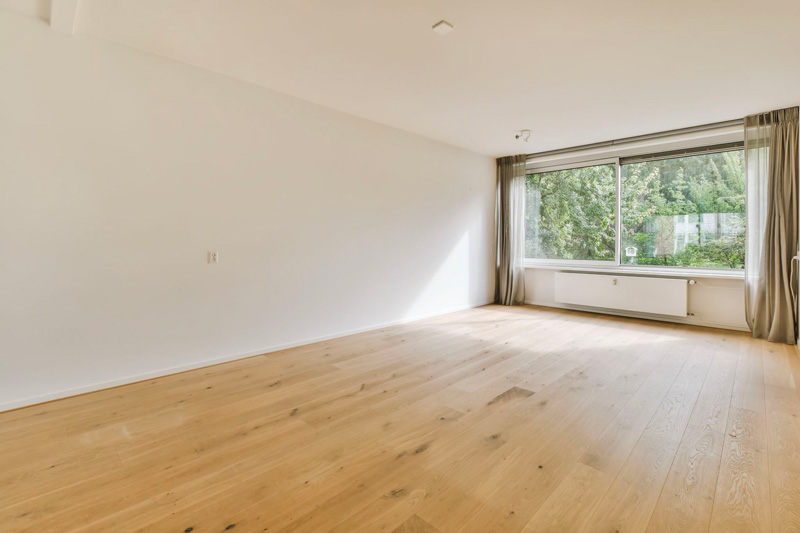 Before: a newly built T3 living room entirely empty — hard for buyers to picture their future interior
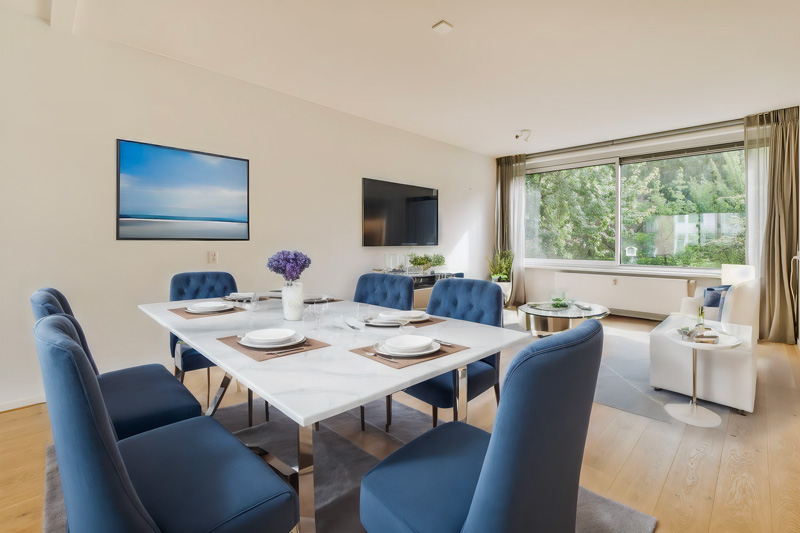 After: same room furnished and styled in Scandinavian — the buyer can instantly visualize their future living space (AI-generated photo)
This type of property benefits immediately from virtual staging: without staging, a large empty space looks cold and soulless; with it, it becomes a selling point.
Case 2 — Virtual decluttering of an occupied property
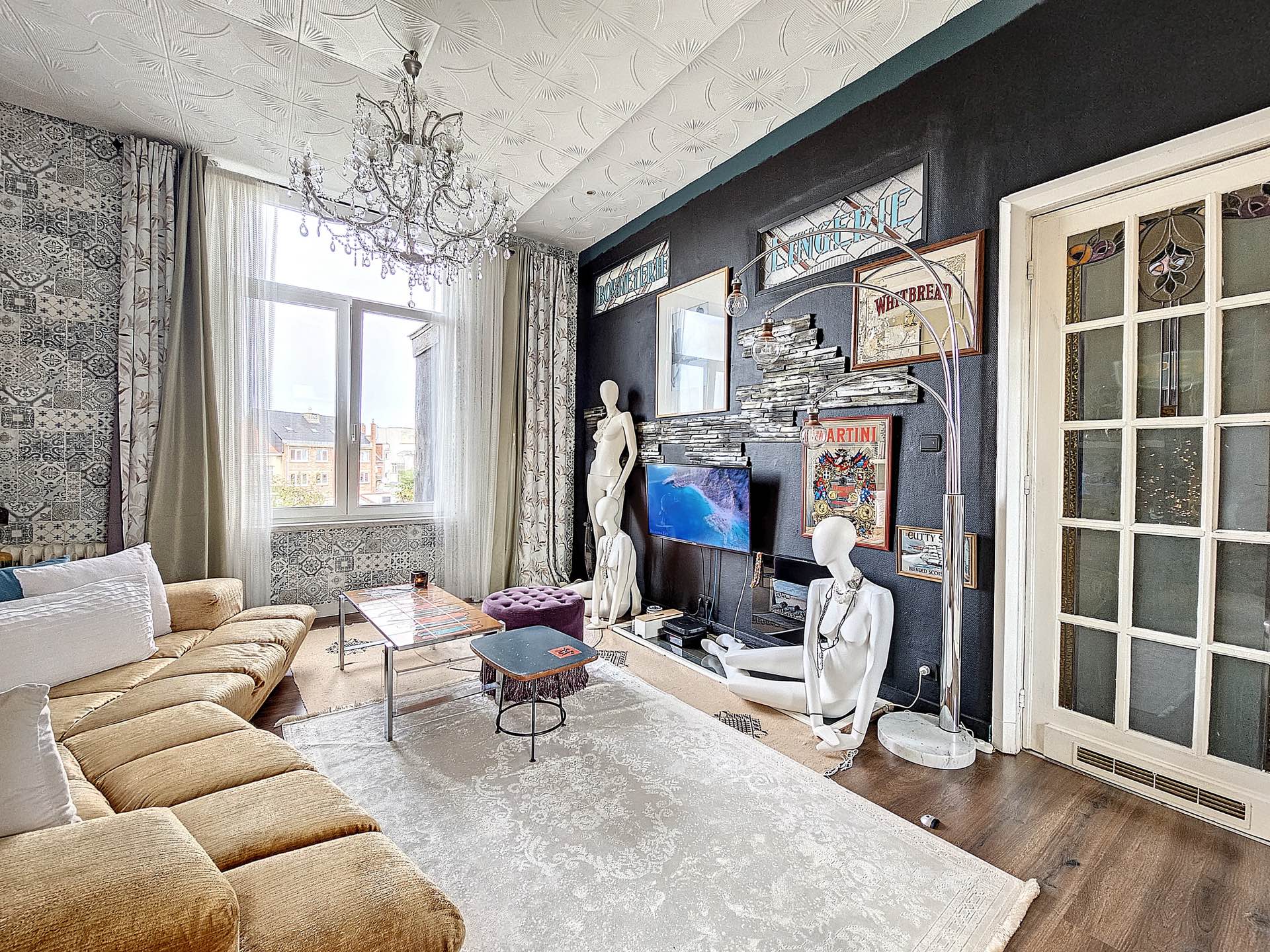 Before: outdated, bulky furniture — the actual surface area is hidden
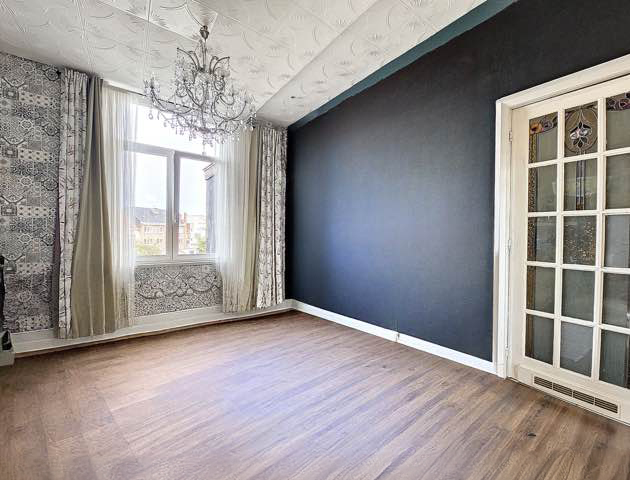 After: virtual decluttering followed by re-staging in Modern style — without touching a single piece of furniture (AI-generated photo)
Virtual decluttering is the most powerful option for occupied properties: the owner doesn’t need to do anything, and the listing presents a tidy, spacious space.
Case 3 — Bedroom: adapting style to target audience
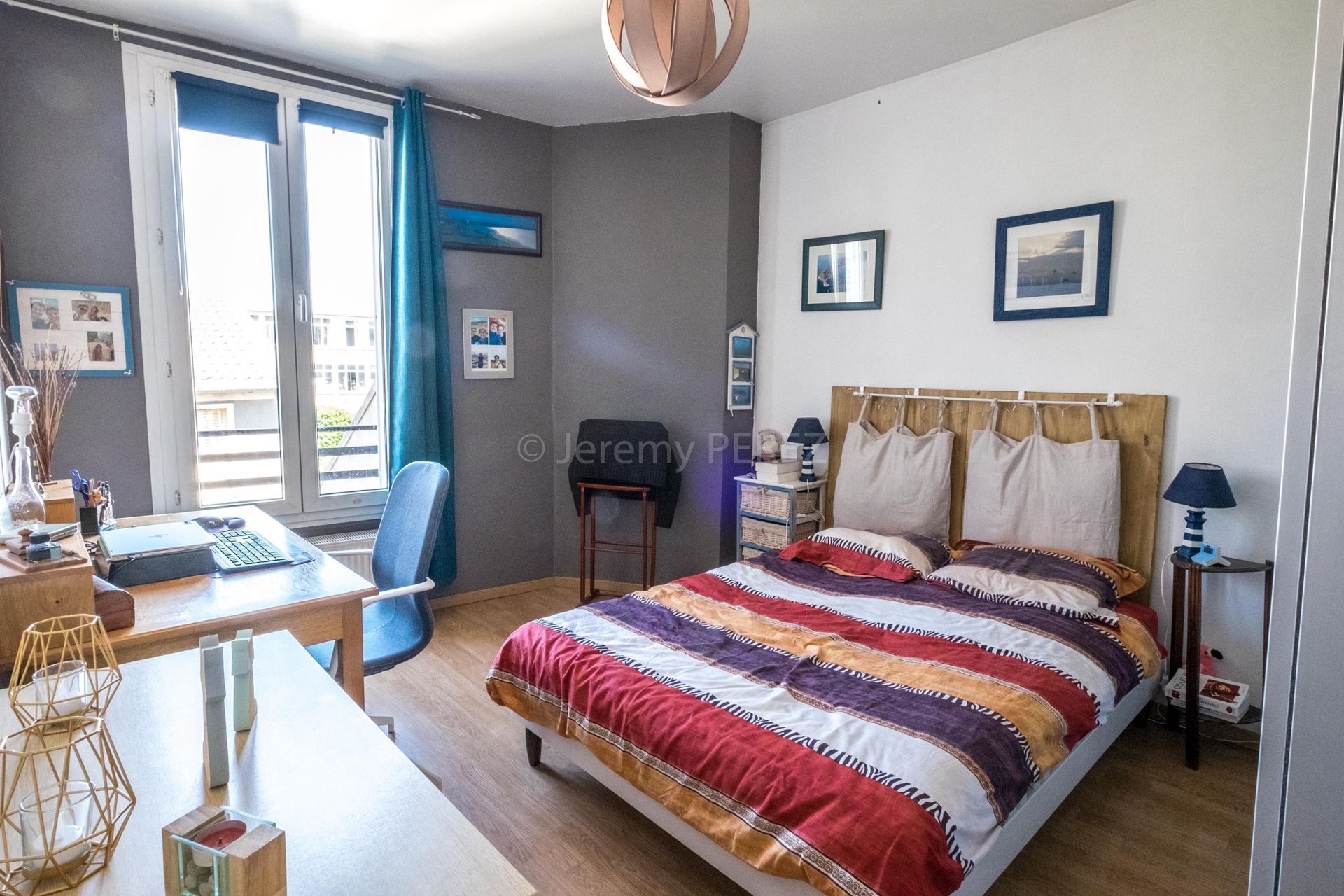 Before: neutral furniture, little personality, cold look
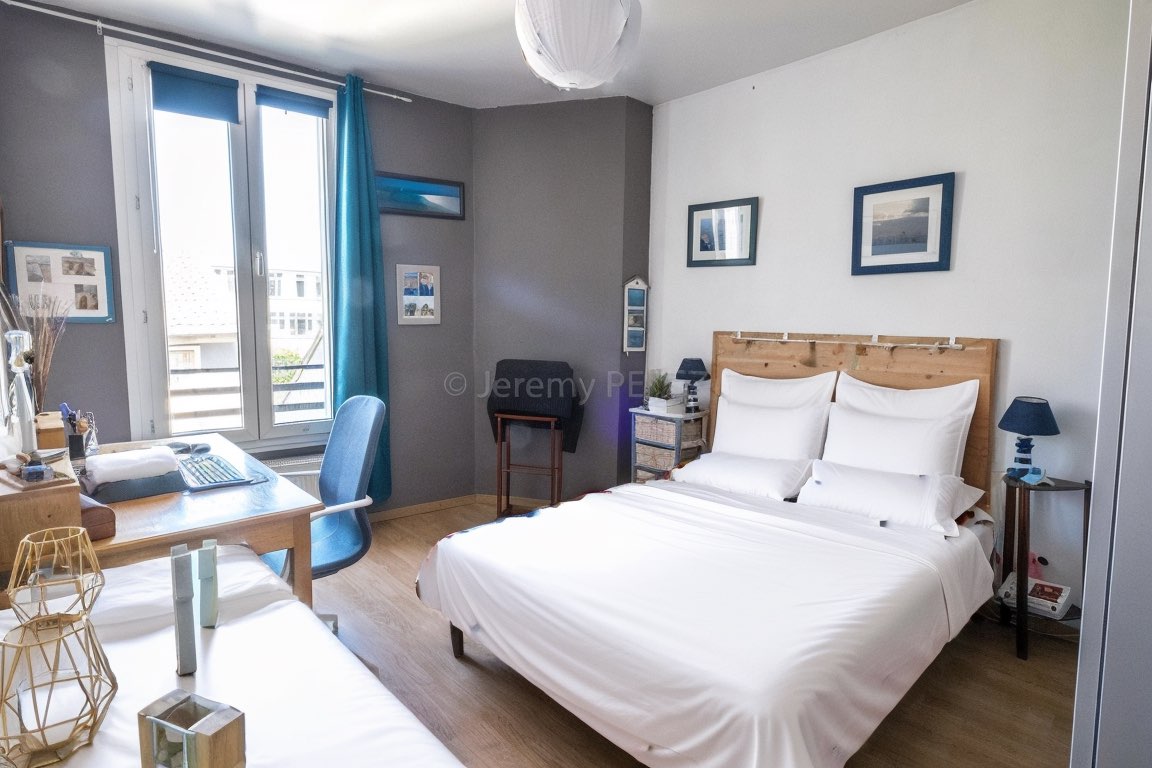 After: same bedroom in Bohemian style — warmer, more desirable, more memorable (AI-generated photo)
The lesson here: decoration can be radically different while staying realistic. Bohemian style was chosen to target clientele sensitive to authenticity — charming house, city center.
FAQ: virtual staging with IACrea
How long does the entire virtual staging process take with IACrea?
From raw photo to exported result, expect less than 5 minutes per room. AI processing takes under 2 minutes; the rest is for style selection and export. A 3-room apartment can be fully staged in under 15 minutes.
Can I use photos taken with a smartphone?
Yes, provided the resolution is at least 1,200 × 900 px and the image properly exposed. The IACrea iOS app captures HDR photos directly suitable for virtual staging — no post-processing needed.
How much does a virtual staging generation cost on IACrea?
Starting at €1 per photo. Professional plans offer bundled credits for processing multiple properties per month. Check our pricing page to choose the best option for your volume.
Is it mandatory to mention virtual staging in the listing?
Yes, it's a legal obligation in France. Consumer law requires not to mislead buyers about the real condition of the property. A simple mention like "photo with virtual staging" or "representation of the property's potential" complies with listing portal rules.
Does virtual staging work on already furnished rooms?
Yes. IACrea’s virtual decluttering feature removes existing furniture and replaces it with more modern, streamlined decor. Perfect for occupied homes where furniture hampers presentation — without requiring owners to move anything.
Conclusion
Virtual home staging with IACrea can be integrated into your workflow in less than 5 minutes — no extra equipment, no graphic skills, no staging budget. By following these 4 steps (photo → import → style → export), every empty or poorly presented property becomes a desirable, memorable listing.
To explore more use cases and understand the commercial impact of virtual staging, read our comprehensive guide to virtual home staging for real estate agents.
Try IACrea for free and generate your first virtual staging in under 5 minutes.
About the author

Co-founder & CEO of IACrea
Pauline Clavelloux is co-founder and CEO of IACrea. In daily contact with real estate agencies and agents, she understands their challenges around visibility, marketing and lead generation. On the blog, she shares actionable strategies on real estate marketing, social media and prospecting in the age of AI.
Related articles
Ready to turn your photos into content that sells?
Join thousands of real estate agents using IACrea to create professional content in seconds.
Try for free →