
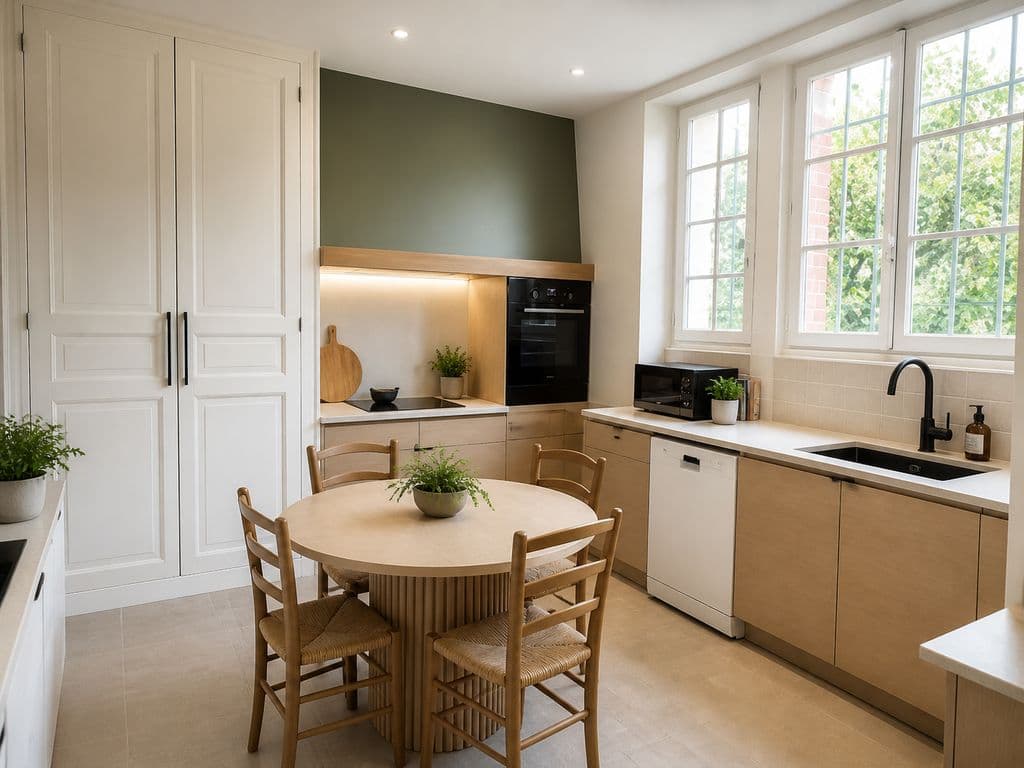
A raw listing photo and the same photo after editing can get very different results on the MLS or Zillow, even though nothing changed in the house. Only the image did. Between the moment you press the shutter and the moment the listing goes live, editing has become as important as the shoot itself.
This guide covers the AI real estate photo editing techniques that actually matter, the line you can't cross, and how to automate the work so it doesn't eat your evenings. If you're looking for the tool itself, our real estate photo editing software applies these corrections online in seconds.
What you'll learn in this guide:
- The 5 edits that really transform a listing photo
- How manual editing compares with AI photo editing
- What the rules allow, and what they don't
- How to fit editing into your workflow, from your phone to the published listing
What is real estate photo editing?
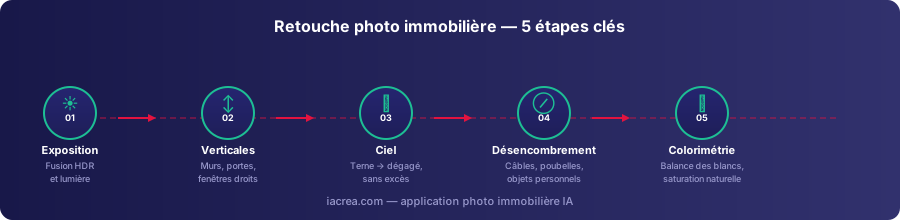
Real estate photo editing covers every correction you make to a photo after the shoot, to make it clearer and more appealing without changing what's really there. It works on five areas: exposure (dark areas and blown-out highlights), geometry (verticals tilted by a wide-angle lens), the sky visible through windows, distracting objects in the foreground, and the overall color of the image.
Editing a listing photo isn't “cheating,” despite what many people think. It corrects the technical limits of the camera so the photo shows the home the way your eye actually sees it on site. A room that came out dark, once properly exposed, doesn't become a lie. It becomes an accurate photo.
Why editing changes how a listing performs
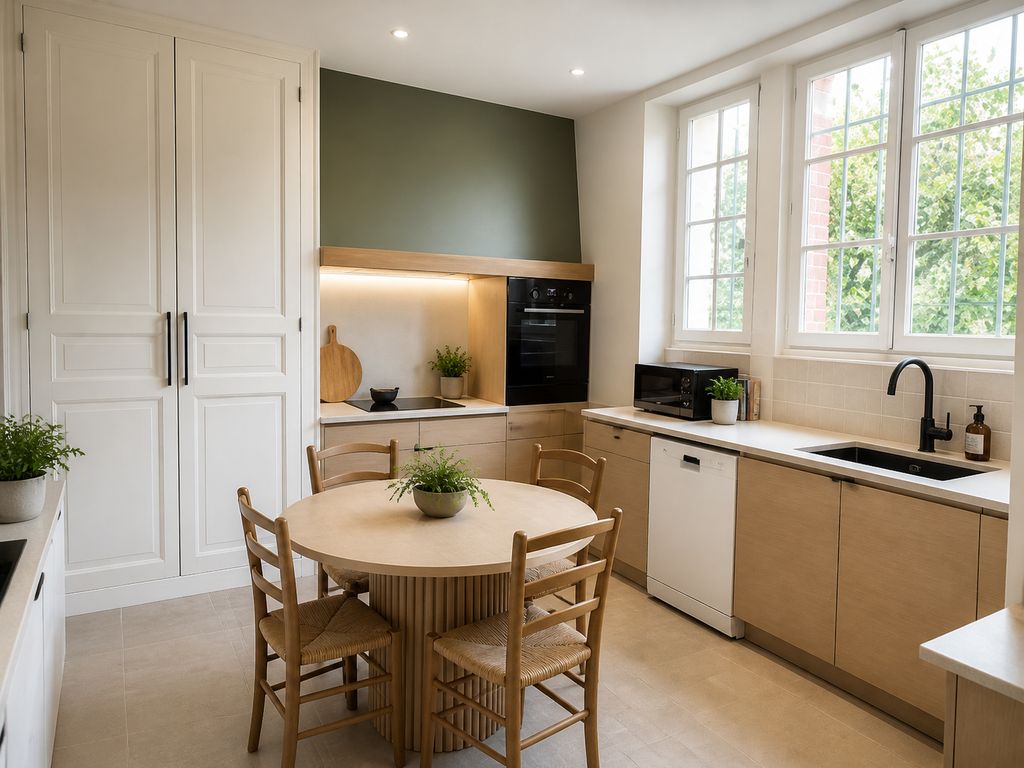
The gap between a raw photo and an edited one isn't marginal. In NAR's 2025 Profile of Home Staging, 73% of buyers' agents said photos in a listing were highly important to their clients, ahead of physical staging (57%) and video (48%) (NAR). In the field, the pattern holds: put two comparable homes side by side, with photo quality as the only difference, and they never get the same number of showing requests.
The reason is simple. A buyer scrolling a listing site decides in seconds whether to click or move on. A window blown out to white, a wall that seems to lean, a heavy gray sky: each of these technical flaws signals, wrongly, a poorly kept home or a sloppy listing. Editing fixes that impression without touching the home itself.
The 5 essential real estate photo edits
Not all edits are equal. Five of them cover most of the work on a listing photo.
1. Fix the exposure
This is the most common and most visible flaw: a window that's pure white, or a room sunk in shadow. The classic fix is to merge several exposures of the same scene, which is the principle behind HDR, so the interior and the view outside are both clear. A DSLR gets there by blending several shots; the IACrea app gets close from a single photo, with an HDR effect applied by AI. We cover the technique in depth in our guide to real estate HDR photos.
2. Straighten the verticals
A wide-angle lens, which you need to fit a whole room in the frame, bends straight lines: walls seem to converge and doors lean. This geometric correction straightens the verticals in seconds and avoids the amateur look buyers spot instantly in a listing.
3. Replace a dull sky
A low, gray sky flattens a facade or the view from a window. Swapping it for a clear sky, without pushing the saturation, brings the photo back to life without changing the structure of the home. Keep in mind that a new sky changes what's visible from the home, which matters for disclosure (more on that below).
4. Declutter virtually
Trash cans, visible cables, personal items in the foreground: they pull the eye away from what matters. AI object removal takes out these distractions without a reshoot. Don't confuse it with virtual decluttering, which removes all the furniture from a room.
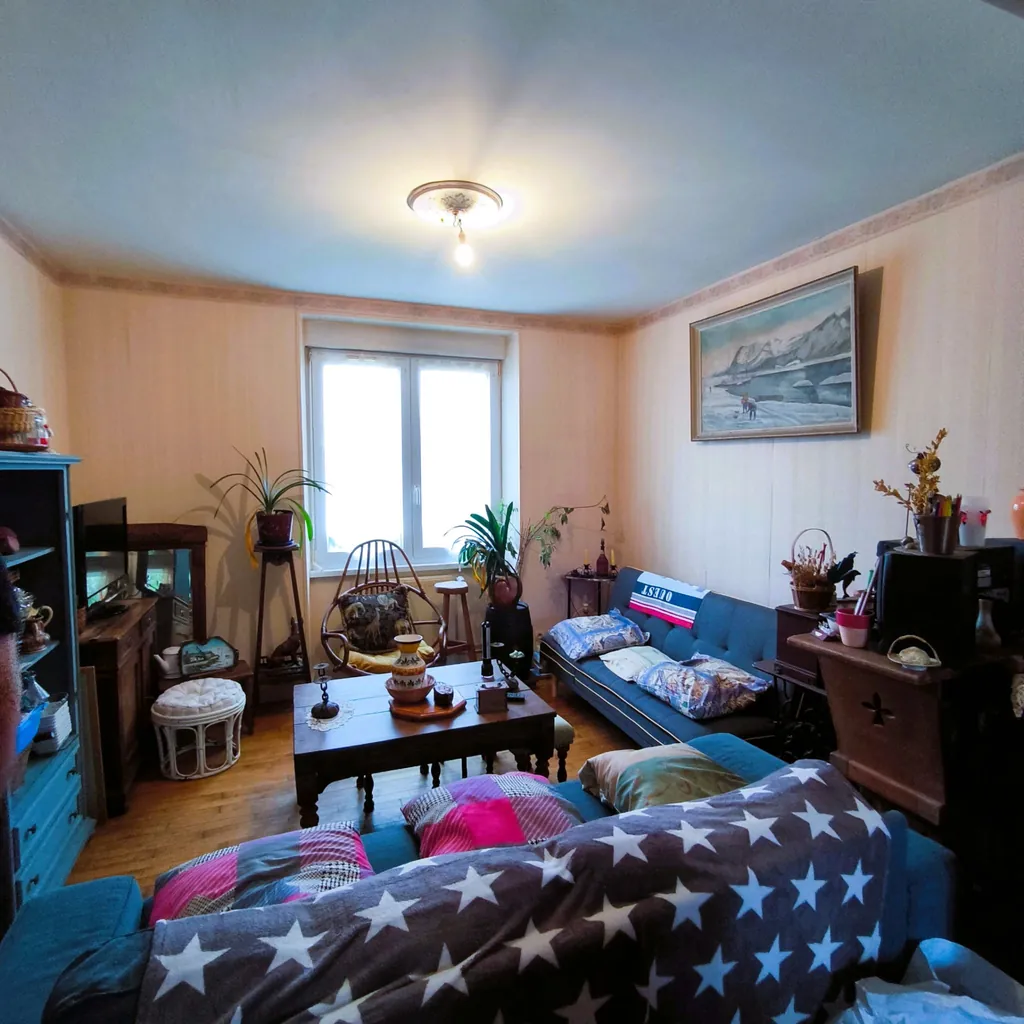 Before: cluttered living room
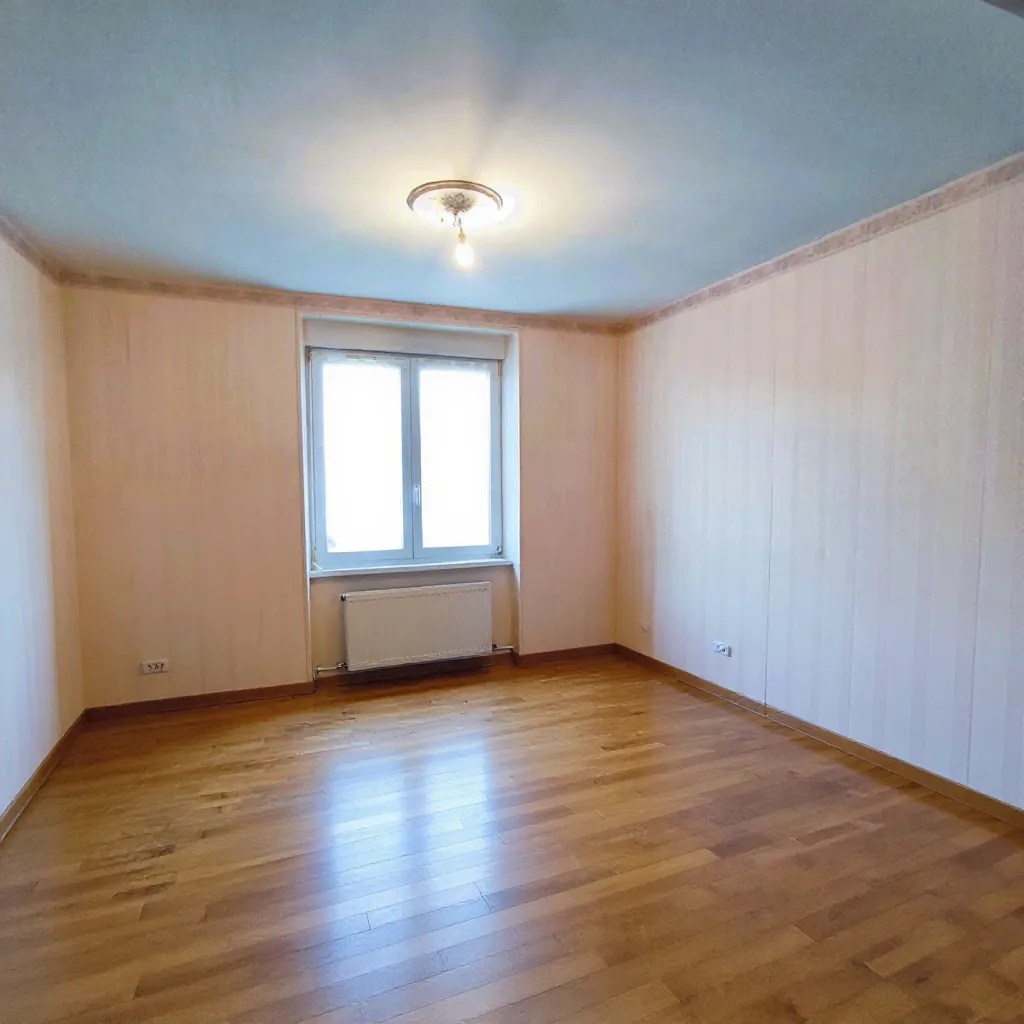 After: AI edit (image generated for illustration)
5. Adjust the color
White balance and saturation finish the job. An interior that looks too yellow under artificial light, or too blue on an overcast day, misrepresents the real colors of the home: paint, floors, materials. A light adjustment brings back a true, inviting look, as long as you get the light right at the shoot. Editing never fully rescues a badly lit scene.
Manual vs. AI real estate photo editing
The right method depends mostly on how many photos you have to process and how much time you can give each listing.
| Criteria | Manual editing (Lightroom, Photoshop) | AI photo editing |
|---|---|---|
| Time per photo | 3 to 8 minutes | A few seconds |
| Skills required | Knowing your way around editing software | None: editing is built into the shoot |
| Consistency across photos | Depends on who does the editing | Uniform across the whole set |
| Cost | Software license or an outside editor | Included in the app subscription |
| Creative control | Total, setting by setting | Guided, aimed at a natural look |
For an agent who lists 3 to 5 homes a week with 15 to 25 photos each, manual editing adds up to several hours a week that are hard to cut. AI automation was built to remove that bottleneck. It doesn't replace your judgment on the final result; it applies the repetitive corrections instantly.
The legal line: how far can you edit a listing photo?
Real estate photo editing isn't a free-for-all. For NAR members, Article 12 of the Code of Ethics requires REALTORS® to “present a true picture” in their advertising, and Standard of Practice 12-10 rules out “misleading images” online (NAR Code of Ethics). In plain terms: editing can't change a home's size, structural condition, actual light or surroundings. California goes further. Since January 1, 2026, AB 723 (Business and Professions Code § 10140.8) requires agents and brokers to label digitally altered listing photos, on or next to the image, and to give buyers access to the original, either in the same post or through a link or QR code (California Legislature). Routine corrections like lighting, white balance, straightening or cropping don't count as alterations. Adding or removing furniture, changing finishes or landscaping, or editing what's visible from the home, views through windows included, does. MLS rules vary on top of that, so check yours.
The distinction that matters is technical correction versus changing reality. Fixing exposure, straightening a vertical, adjusting white balance: these edits stay on the side of accuracy, because they show the home as the eye actually sees it. Enlarging a room, hiding a structural defect, or furnishing an empty room without saying so crosses the line.
In practice, a short label protects the listing without weakening it: “Virtually staged” on a staged or emptied room, “Digitally altered” on a replaced sky or removed objects. We go into more detail in our article on virtual staging disclosure.
How to fit AI photo editing into your workflow
In the field, effective editing isn't a separate step you tack on later in third-party software. It happens at the shoot. That's the technical choice behind the IACrea photo app: the HDR effect and sky replacement are applied right on your phone, before you even export the photo, and the AI also works to straighten the verticals.
In practice, an agent shooting a three-bedroom house can walk out with a set of 20 edited photos that match each other, without a detour through Lightroom. The time you save goes straight into the number of listings you can handle in a week, which counts as much as image quality. For photos you still need to upload to the MLS or listing sites, our free compression tools keep you under file size limits, a common snag once the editing is done.
This automation doesn't replace virtual decluttering or virtual staging, which remain separate staging steps. See our before/after examples for the difference between a simple edit and a fully furnished room, and our plans and pricing to bring this workflow into your business.
FAQ
Is real estate photo editing legal? Yes, as long as it stays a technical correction (exposure, verticals, color) and doesn't change what the home actually is. The NAR Code of Ethics (Article 12) requires REALTORS® to “present a true picture” in their advertising, and since January 1, 2026, California law (AB 723) requires a disclosure and access to the original photo whenever a listing image is digitally altered. MLS rules vary, so check yours.
Do you have to disclose that a listing photo was edited with AI? For basic corrections such as exposure, white balance or straightening, California's AB 723 doesn't require a label, though a short note is still good practice. Once the edit changes what a buyer sees, such as a replaced sky, removed objects, virtual decluttering or virtual staging, label it “Digitally altered” or “Virtually staged.” In California, that label plus access to the original photo is mandatory.
What's the difference between photo editing and virtual staging? Editing corrects an existing photo (exposure, verticals, sky, distracting objects) without changing the layout of the room. Virtual staging goes further: it adds or removes furniture to show a room furnished or empty. The two work together, and you usually run them one after the other in the same workflow.
What software should you use to edit real estate photos? There are two approaches. General-purpose software (Lightroom, Photoshop) gives you full control but takes skill and time. Dedicated real estate software applies the HDR effect, sky replacement and decluttering in seconds, online and with no editing skills, like IACrea's real estate photo editing software.
How long does it take to edit a real estate photo? Editing by hand in Lightroom or Photoshop takes 3 to 8 minutes per photo for the full treatment (exposure, verticals, sky, color). An AI photo editing tool cuts that to a few seconds per photo, right in the app you shoot with.
Conclusion
Real estate photo editing is neither a gimmick nor a trick. It's the step that turns a decent shot into a photo that actually gets showings, as long as it stays a true picture of the home and, in California, carries the required disclosure. Exposure, verticals, sky and color cover most of the work; virtual decluttering and virtual staging come on top for the homes that need them. Automating the core corrections at the shoot, as the IACrea app does with its HDR effect and sky replacement, frees up the time agents are always short on: time spent winning listings instead of sitting in editing software.
About the author

Co-founder & CTO of IACrea
Constance Laborie is co-founder and CTO of IACrea, the AI platform that helps real estate professionals create their visuals — photos, virtual home staging and videos — in seconds. She leads the product and technical development of the platform and writes practical guides on real estate photography, virtual home staging and the use of AI in real estate.
Related articles


Ready to turn your photos into content that sells?
Join thousands of real estate agents using IACrea to create professional content in seconds.
Try for free →