
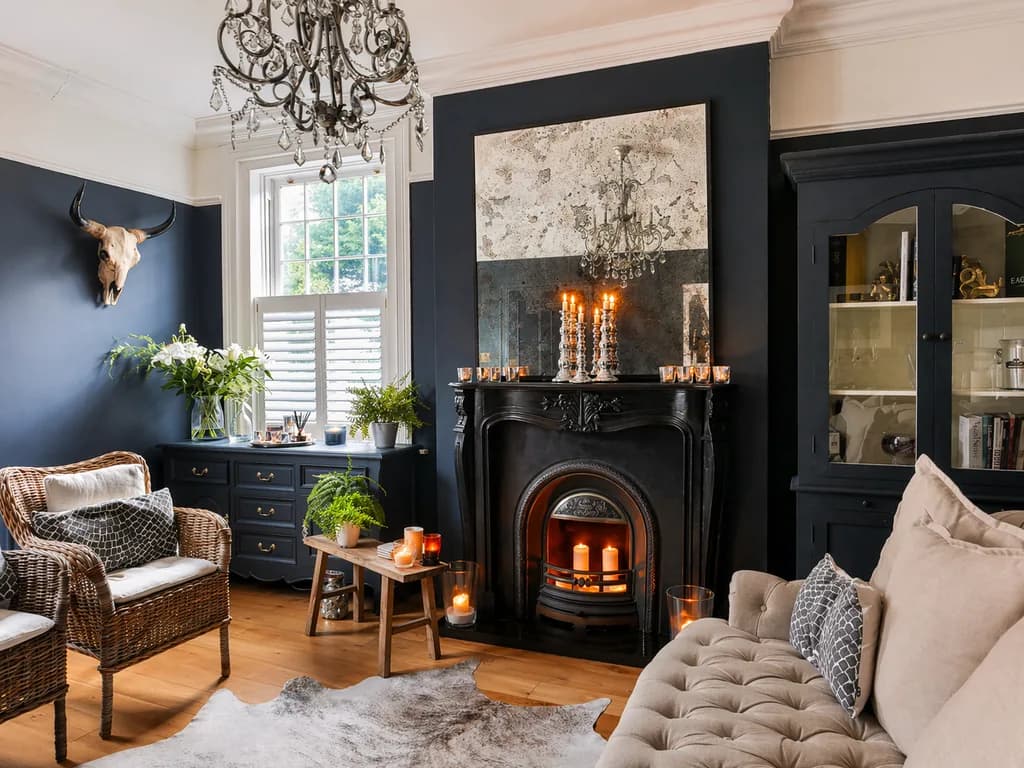
A window that's pure white, or a room sunk in shadow: that's the number one flaw in amateur real estate photos. The fix fits in three letters: HDR.
HDR real estate photography means merging several exposures of the same scene so the dark areas and the very bright areas both come out right. You get a bright interior and a clear view out the window, the way your eye actually sees the room. This guide covers what HDR is, why it matters for listing photos, and how to get it right every time.
What you'll learn in this guide:
- What HDR photography is and the problem it solves
- The settings that make or break your shots (tripod, bracketing, exposure)
- The difference between manual HDR and a one-shot HDR effect
- The mistakes that give away a bad HDR
What is HDR photography in real estate?
HDR stands for high dynamic range. Dynamic range is the spread between the darkest and brightest tones a camera sensor can record in a single shot. Interiors push that limit hard: the room is fairly dark, while the window lets in light many times brighter.
A camera can't hold both at once. Either it exposes for the room, and the window turns into a white rectangle, or it exposes for the window, and the room goes black. HDR gets around this by combining several photos taken at different exposures (dark, medium, bright) into one image where every area is properly exposed. For the technical background, see this overview of multi-exposure HDR imaging.
Why HDR matters for real estate photos
HDR isn't just a technical nicety. It shows up in how your listing performs.
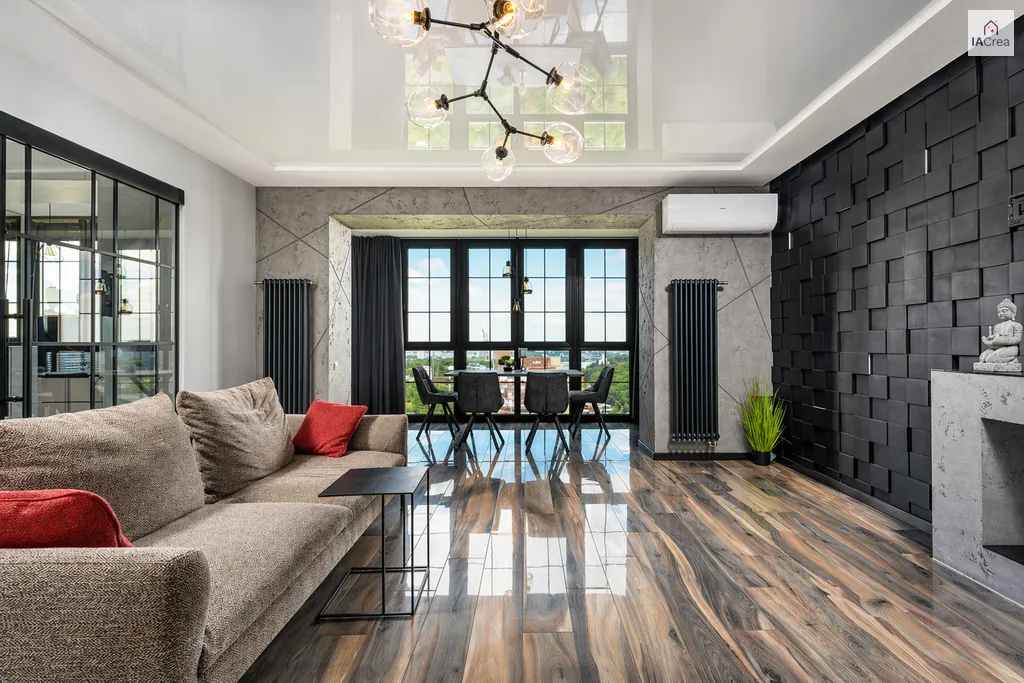
- Windows stop blowing out: buyers see the view, the real daylight and what's outside, all selling points that an amateur photo wipes away.
- Rooms feel bigger: balanced exposure brings out depth and perspective, so buyers read the room's true size.
- The listing looks more professional: bright, sharp photos signal a well-kept home and an agent who takes the job seriously. That's often what earns the click on Zillow, Realtor.com or your MLS.
HDR is the technical foundation of good real estate photography, before staging or real estate photo editing even come into play. To see where it fits in the full workflow, read our guide to professional real estate photography.
How to take great HDR real estate photos
Four habits separate a clean HDR from a messy one.
1. Lock it down with a tripod
HDR merges several frames, so the slightest movement between them causes double edges (ghosting). A tripod keeps every frame aligned and, as a bonus, gives you straight vertical lines. A leaning wall is the fastest way to look like an amateur.
2. Shoot several exposures (bracketing)
Bracketing (AEB on a DSLR or mirrorless camera) means shooting the same scene automatically at 3 to 5 different exposures. Those frames are the raw material of HDR. On a phone, HDR mode handles it for you; in a Pro or manual mode, if your phone has one, you can control it yourself.
3. Expose for the windows
Tap the brightest area (the window) to set your base exposure there. Blown-out highlights can't be recovered; a room that's slightly too dark can always be brightened.
4. Merge and fine-tune
Once you have your exposures, merge them into one image. The goal of the editing is a natural look, not a dramatic one. Fix any leftover leaning walls with a perspective correction at this stage.
Manual HDR or a one-shot HDR effect?
Manual HDR (DSLR + bracketing + merging software such as Lightroom) gives you full control, but it takes gear, time and skill. For an agent juggling several listings a week, that's hard to keep up.
The alternative is an HDR effect applied by AI. The IACrea real estate photo app skips bracketing: it starts from a single photo taken on your phone and applies an AI HDR effect that rebalances the dark and overexposed areas and keeps the result natural, with no settings to manage. You take the photo, the AI balances the inside and the view outside, then the photo syncs to the web platform so you can add virtual staging or other edits. For in-camera settings, our guide to real estate photos on a smartphone goes hand in hand with this approach.
HDR mistakes to avoid
- Overdone HDR: gray halos around edges, oversaturated colors, a “painted” look. Good HDR goes unnoticed.
- Ghosting: doubled shapes (a curtain moving, a car driving by) from an unsteady camera. That's what the tripod is for.
- Blown-out windows despite HDR: your exposures are too close together; widen the bracketing range.
- Leaning verticals: always correct them. HDR won't straighten them for you.
The bottom line
HDR real estate photography isn't a style effect. It's the basic technique that makes your interiors accurate, bright and appealing to buyers. Tripod, bracketing, exposing for the windows, a natural edit: those habits are all it takes. And if you want that balance without a tripod or bracketing, the IACrea app applies an AI HDR effect to the photos you take on your phone.
FAQ
What is HDR real estate photography?
HDR (high dynamic range) photography merges several shots of the same scene, each taken at a different exposure, into one image. In real estate, it keeps both the dark areas (the room itself) and the very bright areas (windows, sky) clear, where a standard photo would blow out the windows or leave the room dark.
How do you use HDR when photographing a listing?
On a phone, turn on HDR mode (automatic on most recent iPhone and Android models), or use a Pro or manual mode if your phone has one to control bracketing yourself. On a DSLR or mirrorless camera, use AEB (auto exposure bracketing) to shoot 3 to 5 exposures, then merge them. The IACrea app skips bracketing altogether: it takes a single phone photo, and its AI applies an HDR effect to it.
Do you need a tripod for HDR real estate photos?
It's strongly recommended. HDR merges several shots: if the framing moves between exposures, the merge creates double edges (ghosting). A tripod keeps every frame aligned and your vertical lines straight, two marks of professional real estate photography.
Is phone HDR good enough for real estate?
For most listings, yes. 2025-2026 phones have strong computational HDR. Paired with AI editing like the IACrea app's, a good phone covers most of an agent's everyday listings. A DSLR still has the edge in very low light and on luxury homes.
How do you avoid an overdone HDR look?
The overdone HDR look (gray halos, oversaturated colors, an unreal feel) comes from pushing the processing too far. Aim for a natural, balanced result, not a dramatic one. Good HDR is invisible: the room simply looks well lit. IACrea's AI HDR effect is tuned for that natural look by default.
Conclusion
Getting HDR right means every listing goes live with photos that do the home justice. The good news: what used to take gear and expertise now fits in your pocket. Try the IACrea photo app and get bright, balanced interiors on your next listing.
About the author

Co-founder & CTO of IACrea
Constance Laborie is co-founder and CTO of IACrea, the AI platform that helps real estate professionals create their visuals — photos, virtual home staging and videos — in seconds. She leads the product and technical development of the platform and writes practical guides on real estate photography, virtual home staging and the use of AI in real estate.
Related articles
Ready to turn your photos into content that sells?
Join thousands of real estate agents using IACrea to create professional content in seconds.
Try for free →