
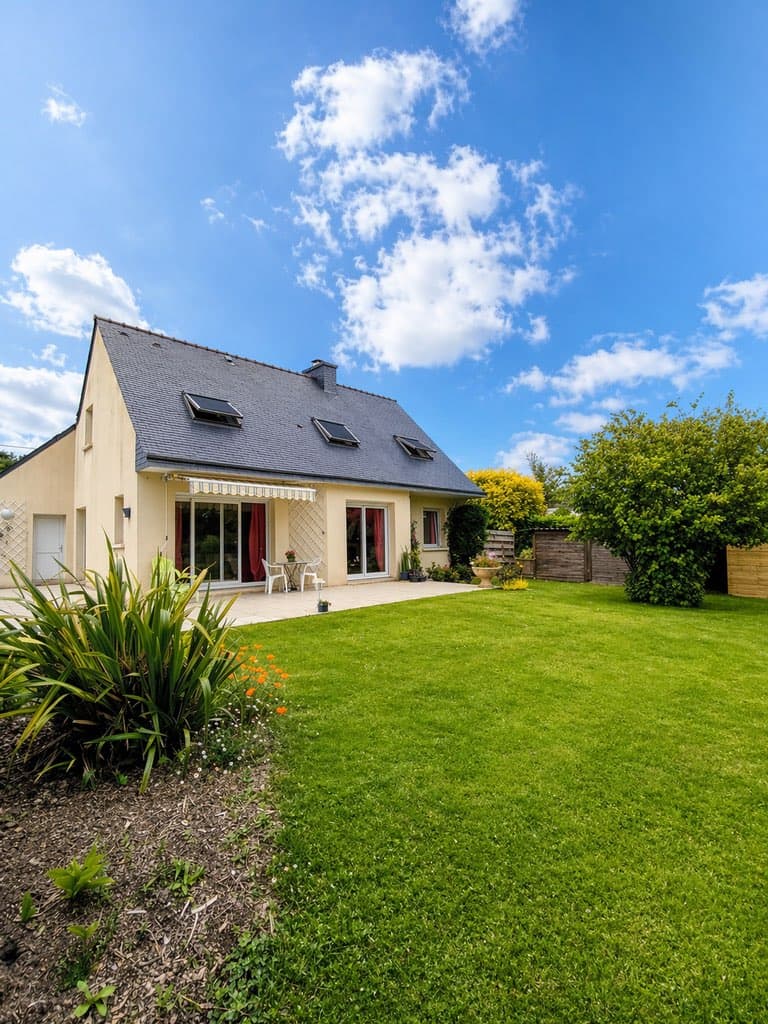
Today's high-end phones pack 48 to 200 MP sensors, computational HDR and optical image stabilization. But a great sensor doesn't make a great real estate photo, and most agents find that out the day their listing goes live.
Badly shot phone photos are still the top reason listings get skipped: blown-out windows, cramped-looking rooms, dark interiors. This guide covers real estate photography with iPhone (and Android) step by step: the five settings to lock in, the framing rules that make rooms look bigger, and the AI tools that fill in where your phone's camera falls short.
What you'll learn in this guide:
- The 5 settings to check before every listing shoot
- Framing rules that make rooms look bigger
- How IACrea's AI fixes backlighting and blown-out windows
- The 4 most common mistakes, and how to fix each one in 30 seconds
Why the phone has become every real estate agent's go-to camera
A pro-level camera in your pocket
Recent phones have closed most of the gap with dedicated cameras for everyday real estate photography. Three advances explain the shift:
- Computational HDR: the phone merges several frames in a fraction of a second, so you get bright interiors without blown-out windows
- Optical image stabilization: the lens or sensor shifts to cancel hand shake, which cuts motion blur even in low light
- Ultra-wide lenses: the 0.5x Ultra Wide camera on iPhone (about 13 mm equivalent, 120° field of view) and its Android counterparts let you fit a small room into a single shot
Buyers judge a home by its photos first. In NAR's 2019 Real Estate in a Digital Age report, 87% of buyers who searched online found photos very useful, ahead of every other website feature. So the real question isn't "phone or camera?" It's "how do I get the most out of the phone I already carry?"
When a dedicated camera still has the edge
For luxury listings, double-height spaces or very dark rooms, a mirrorless camera with a dedicated wide-angle lens (16 to 24 mm) still performs better. But for most everyday listings (condos, single-family homes, standard commercial spaces), a good phone paired with AI editing delivers results that hold their own. Our complete guide to professional real estate photography compares the gear piece by piece.
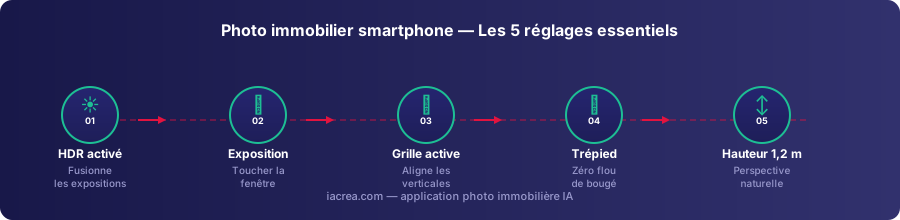
The 5 settings to check before every listing shoot
1. Keep HDR on
HDR (high dynamic range) is the single most important setting for phone real estate photos. The phone automatically merges several exposures of the same scene so it can render the dark areas (the room) and the very bright ones (windows, sky) in the same shot.
On iPhone: the camera uses HDR automatically whenever it helps, and on recent models there's no switch to look for. Only the iPhone 11, iPhone SE (2nd generation) and iPhone 12 let you control it manually: Settings → Camera → turn off Smart HDR, then tap HDR on the camera screen. On Android: tap the HDR icon in the camera app, or switch to Pro mode to control it manually.
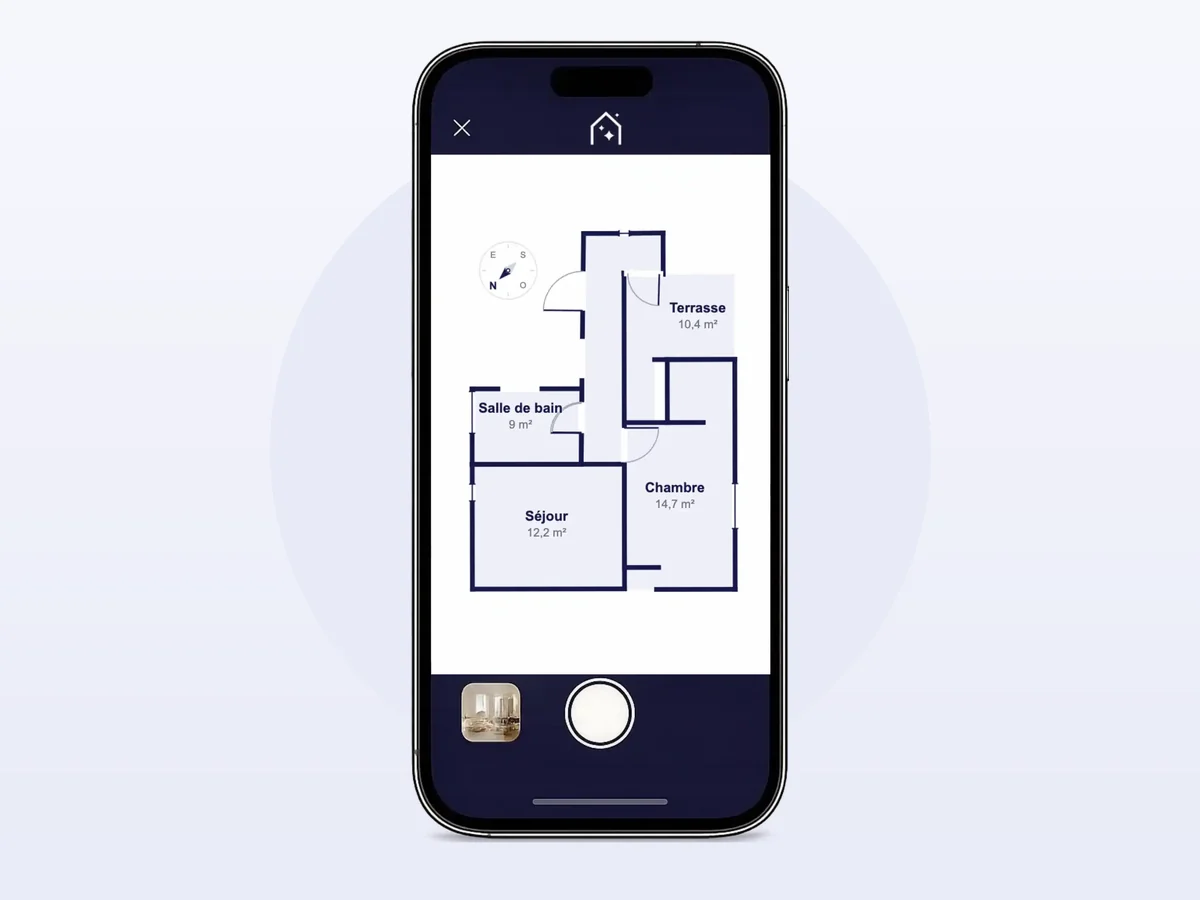
To go further, the IACrea real estate photo app applies an AI HDR effect right on your phone and syncs instantly with the web platform. Your phone merges frames at capture; the IACrea app gets close to that look from a single photo, with an HDR effect applied by AI.
2. Set the exposure yourself
Even with HDR on, auto exposure can get fooled by a big picture window. The fix: tap the brightest area on your screen (the window or the sky) to set exposure on it. The interior will come out a little dark, which you can recover in editing, instead of a fully blown-out window you can't save.
On iPhone, a sun icon appears next to the focus box: drag it down a notch or two to protect the highlights. Touch and hold until you see "AE/AF Lock" to keep that setting for the next shots. Most Android phones show a similar exposure slider.
3. Turn on the grid and check your verticals
Leaning walls make a room feel off and instantly look amateur. The grid helps you line up vertical lines (window frames, wall corners) before you take the shot.
On iPhone: Settings → Camera → Grid. On Android: camera settings → Grid or Guidelines.
If the walls still lean a little, fix the perspective in editing: the IACrea app and Lightroom Mobile do it with a single swipe.
4. Keep your phone steady
Motion blur is the number one reason indoor listing photos fail. Three options, depending on your budget:
- Flexible mini tripod: the best option, adjustable to the exact height you want
- Tabletop tripod: set it on a piece of furniture to reach the right height
- Doorframe trick: no tripod? Brace both elbows against a wall or doorframe before you shoot
Use the self-timer too (3 seconds on iPhone, often 2 on Android) so tapping the shutter doesn't shake the phone.
5. Shoot from the right height
The sweet spot is about 4 to 4.5 feet (1.2 to 1.4 m) off the floor: chest height, not eye level. Too high and the camera looks down and visually shrinks the room. Too low and it exaggerates flaws in the furniture and floors.
That height matches what a buyer sees when walking into the room, which is exactly the impression you want your listing to create.
Framing and composition: the rules that make rooms look bigger
Always shoot from a corner
Never stand facing a wall. Back into a corner of the room so you capture two walls at once. That angle adds depth and helps buyers judge the room's real proportions.
Show how the rooms connect
Shoot from the hallway with the living room in the background, or from the kitchen to show how it opens onto the living area. These see-through shots highlight the flow and the perceived square footage, two things that weigh heavily when buyers decide which homes to tour.
Plan around your light sources
As a rule, keep the windows behind you to avoid dark silhouettes in the foreground. If the layout forces you to face a window (common in kitchens and north-facing bedrooms), keep HDR on and bump the exposure up slightly.
How to improve your phone photos with AI
Before and after: what the HDR effect does to a phone photo
Here's the same phone, in the same room, before and after the HDR effect in the IACrea app:
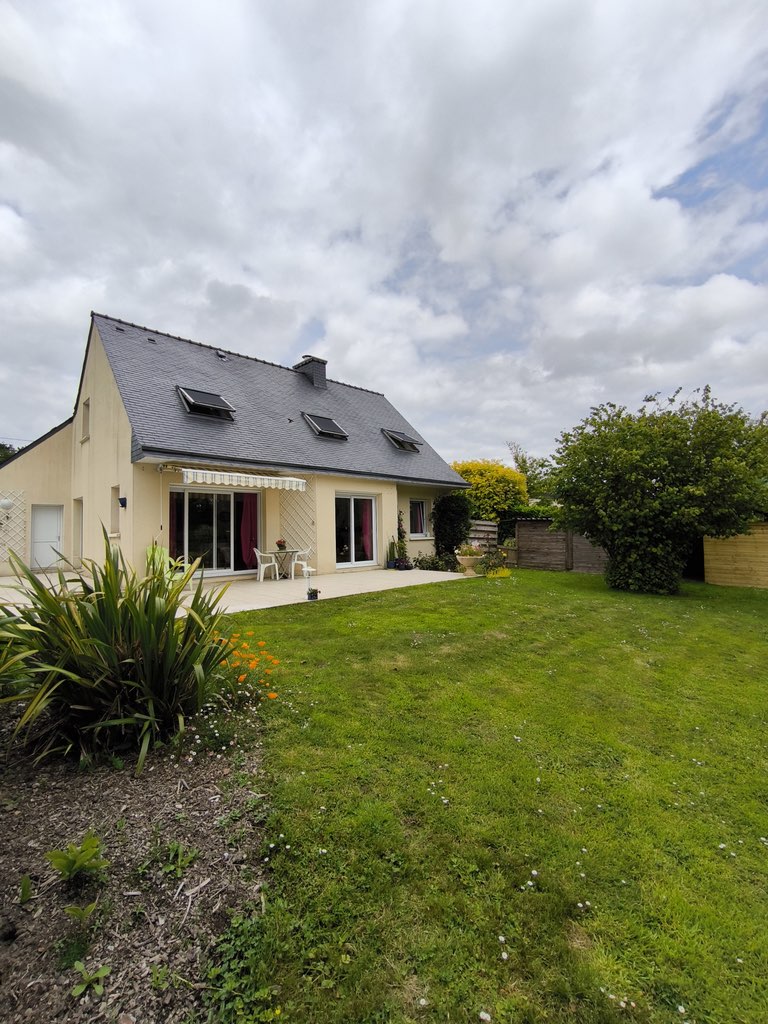 Without the HDR effect: the room is dark and the window is completely blown out. Not usable for a listing.
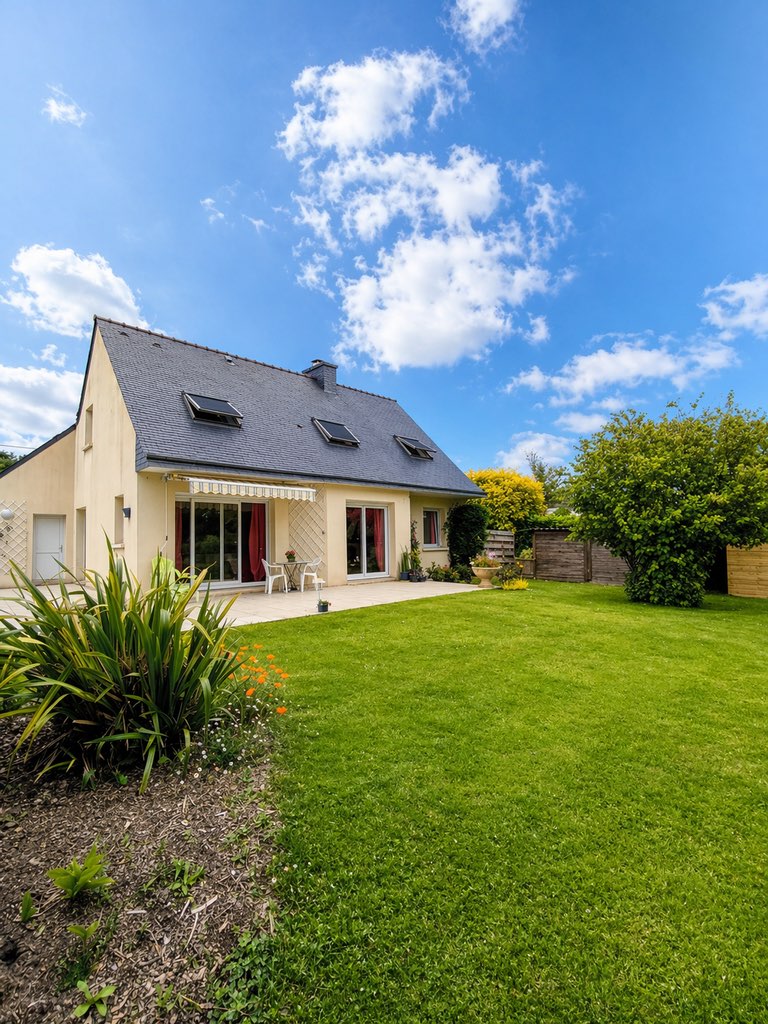 With the AI HDR effect: the interior and the view outside are both properly exposed, and the natural light is preserved. Same phone.
The IACrea workflow, right from the listing
The IACrea photo app, available on iPhone and Android, applies an HDR effect to every photo automatically in a few seconds and syncs the enhanced photos with the web platform, ready to upload to the MLS and listing sites without touching a computer. Our complete guide to the IACrea photo app walks through the full mobile workflow.
Virtual staging on phone photos
A well-exposed phone photo works perfectly with IACrea's virtual staging tools, as long as it's larger than 1,200 × 900 px, which every recent phone clears easily. If the home is empty or poorly furnished, virtual staging creates a furnished version in seconds. Label those images "virtually staged": the NAR Code of Ethics (Article 12) requires a true picture in your marketing, and since January 1, 2026, California requires a disclosure and a link to the original photo for digitally altered listing images. Browse our before and after examples to see the impact on real listing photos.
The 4 most common mistakes, and how to fix them
| Mistake | What happens | Fix |
|---|---|---|
| Blown-out windows | Highlights you can't recover | Keep HDR on + tap the window to set exposure |
| Phone held at an angle | Leaning walls, a room that looks tilted | Turn on the grid and straighten verticals before you shoot |
| Photos too dark | An uninviting home buyers scroll past | Night mode, or a tripod + manual ISO (Pro mode on Android) |
| Shooting too high | Room proportions look squashed | Drop to about 4 feet (1.2 m) with a mini tripod or a low handheld shot |
One last trap comes after the shoot. By default, the iPhone saves photos as HEIC, a format not every listing site or MLS upload form accepts, and the files can exceed upload size limits. You can switch the camera to JPEG under Settings → Camera → Formats → Most Compatible. For photos you've already taken, our free HEIC to JPEG converter and our real estate photo compressor, with presets for listing portals, social media and email, fix both problems in one click, right in your browser, no sign-up needed.
FAQ
Can an iPhone really replace a camera for real estate photography? For most everyday listings, yes. Recent iPhones and Android flagships combine computational HDR, optical image stabilization and high-resolution sensors (48 MP on recent iPhones, up to 200 MP on some Android phones), which is plenty for listing photos. The limits are the fixed ultra-wide lens and weaker low-light performance, where a DSLR or mirrorless camera still wins. Paired with AI (an HDR effect, virtual staging), a good phone covers most of an agent's day-to-day photo needs.
What iPhone settings should I use for real estate photos? Leave HDR on (recent iPhones apply it automatically), tap the brightest area of the frame and drag the exposure down so the windows don't blow out, turn on the grid to keep verticals straight, and use a tripod to avoid motion blur. In low light, let Night mode kick in.
How do I keep windows from blowing out in phone real estate photos? Tap the window on your screen to set focus and exposure on it. The interior will come out slightly dark, but you can recover it in editing. The most effective option is the IACrea app, which applies an AI HDR effect to the photo to balance the interior and the view outside, with no bracketing and no manual editing.
Do I need a tripod to shoot real estate photos with my phone? It's strongly recommended. A tripod lets you use longer exposures in low light without blur, keeps your camera height consistent from room to room (usually about 4 feet, or 1.2 m), and frees both hands to fine-tune the composition. An inexpensive flexible mini tripod is enough for most listing shoots.
How high should I hold my phone to photograph a room? Shoot from about 4 to 4.5 feet (1.2 to 1.4 m) off the floor: chest height, not eye level. Too high and the camera looks down and shrinks the room. Too low and it exaggerates flaws in the furniture and floors. This height matches what a buyer naturally sees when walking into the room.
Conclusion
Shooting a listing with your phone isn't something you can wing, but you can learn it in a single session. Master five settings (HDR, manual exposure, grid, stabilization, height), run your shots through the IACrea photo app for an AI HDR effect, and your listing photos will stand out from most of what buyers scroll past in your market.
Check out IACrea pricing and try the app on your next listing. You'll see the difference from the very first room.
About the author

Co-founder & CTO of IACrea
Constance Laborie is co-founder and CTO of IACrea, the AI platform that helps real estate professionals create their visuals — photos, virtual home staging and videos — in seconds. She leads the product and technical development of the platform and writes practical guides on real estate photography, virtual home staging and the use of AI in real estate.
Related articles
Ready to turn your photos into content that sells?
Join thousands of real estate agents using IACrea to create professional content in seconds.
Try for free →