
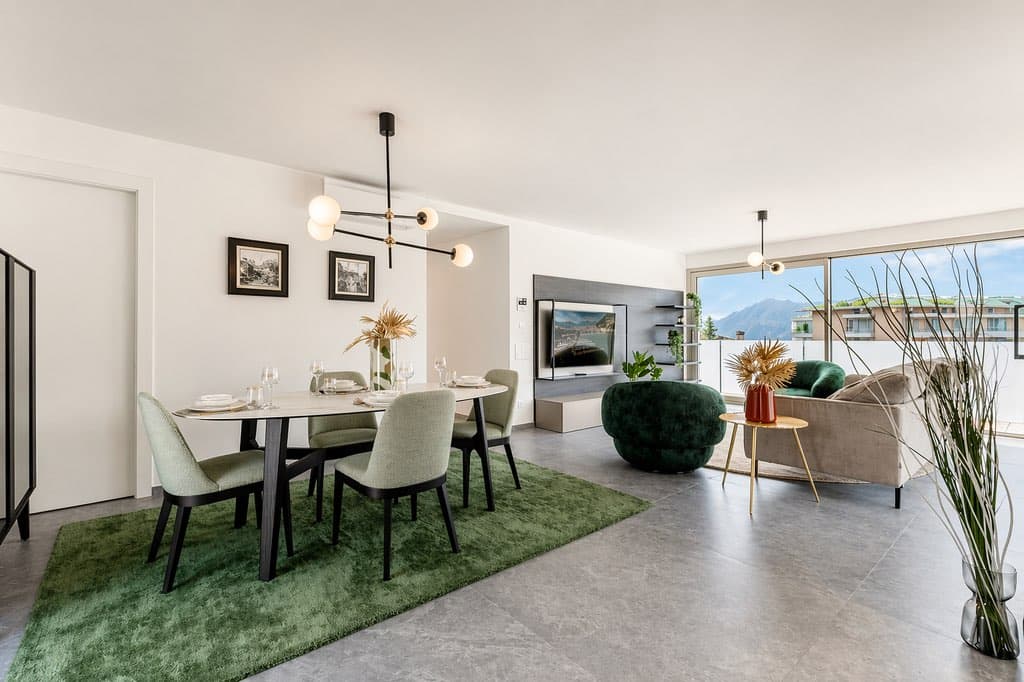
Choosing a real estate photo app isn't just about comparing filters. The real question is: does the tool capture a usable image right at the moment of shooting, or does it just disguise a photo that's already a failure? That's where the final quality of your listings is determined.
Photos are the first filter for buyers. According to the National Association of Realtors, 87% of buyers consider photos the most useful element of an online listing (NAR). But these photos must be good—and produced in minutes, not hours of retouching. This impartial guide provides the 6 criteria to help you decide, without jargon or brand pitches.
What you'll learn in this guide:
- How an AI-powered photo app concretely changes your field workflow
- The 6 objective criteria to compare applications, setting aside brands
- The critical difference between native HDR capture and post-processing
- The true cost of such tools (free, pay-per-use, subscription)
- How IACrea positions itself according to these criteria
Why an AI-powered photo app is a game changer for agents?
A good photo naturally attracts more visits. SeLoger has shown that a listing with beautiful photos generates up to 7 times more views than one without quality visuals (SeLoger, 2024). The issue isn’t whether photos matter—they do. It’s producing them quickly and well, between appointments.
This is exactly what an AI photo app does. While desktop software like Lightroom takes time and skill, field apps automate corrections: exposure, lighting, colors, vertical lines. You snap a photo of a room, the AI balances the image, and the photo is immediately uploaded to portals.
By 2026, the challenge isn’t manual retouching but speed of production. An agent shooting five properties per week can’t spend 45 minutes per property editing photos on a computer. The app moves the editing process to the moment of shooting, right on the smartphone already in hand.
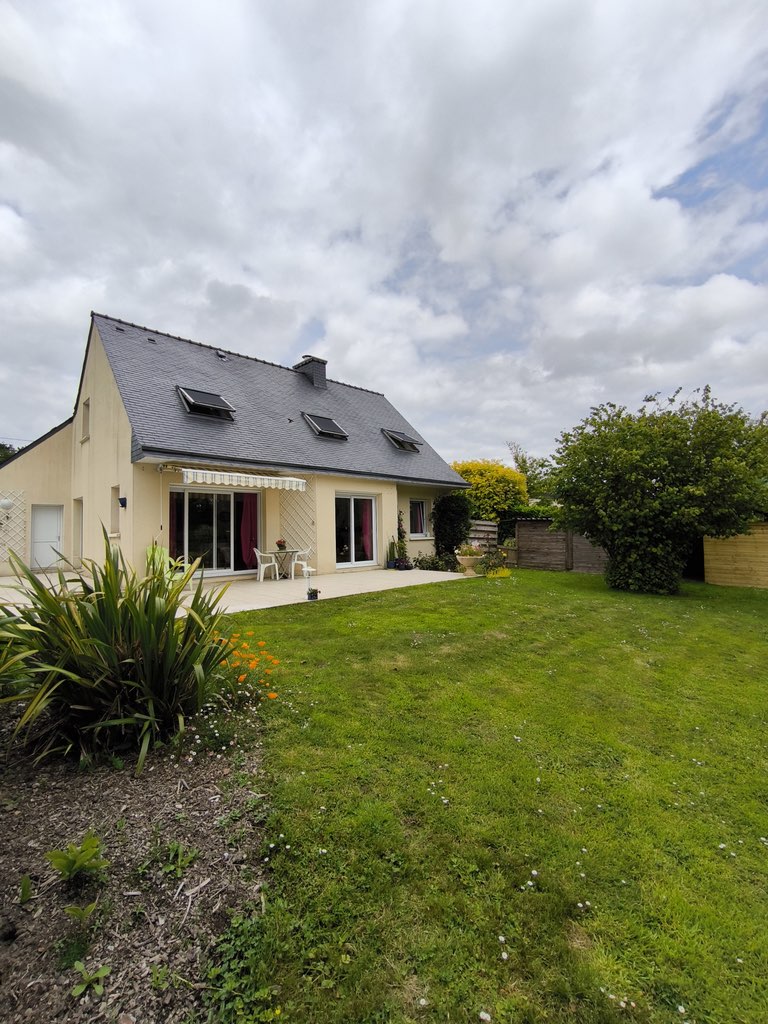 Before: raw photo, overcast sky and flat colors.
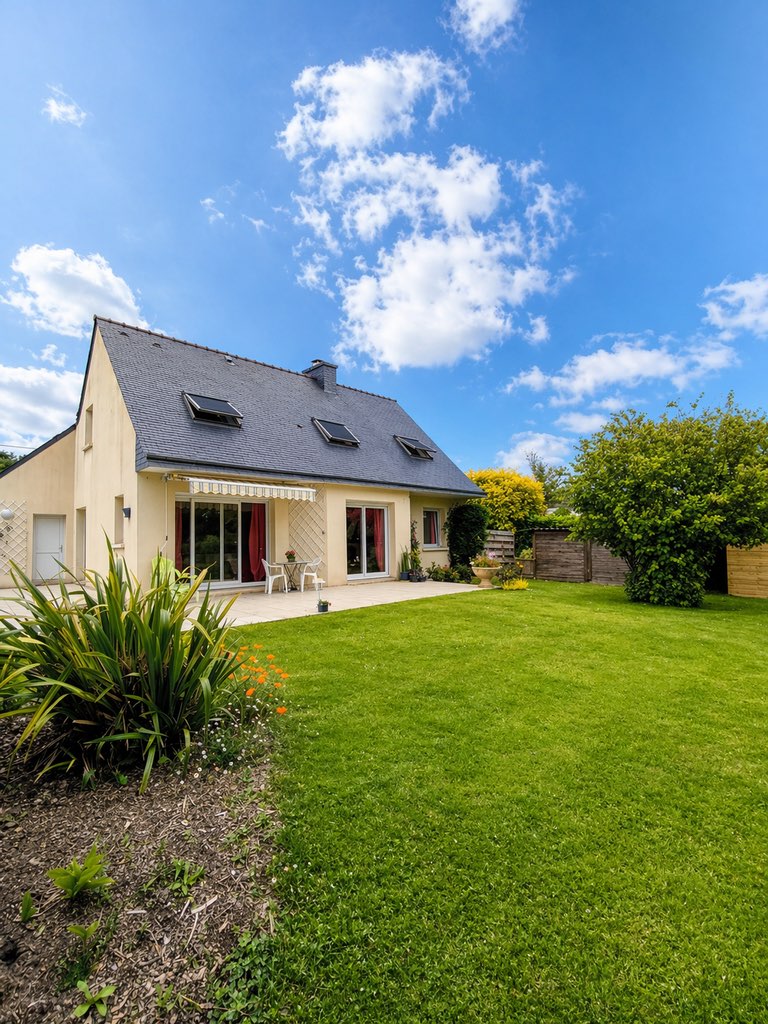 After: automatic sky replacement and HDR, in a few seconds.
The key is choosing the right tool. And for that, you need to look beyond the interface. For basics on shooting, our smartphone real estate photography guide complements this read well.
The 6 criteria for choosing a real estate photo app
No app is “best” in absolute terms — it all depends on your priorities. Instead of comparing brands, compare capabilities. Here are the six criteria that differentiate a true field tool from mere cosmetic filters, ranked from most to least important.
| Criterion | What to check | Why it matters |
|---|---|---|
| Native multi-bracketing HDR | The app captures multiple exposures at the moment of shooting, not just one | Determines the maximum quality achievable in contrast-rich interiors |
| Vertical correction | Automated straightening of converging lines | Crooked walls immediately betray amateur status |
| Sky replacement | Replacing dull skies with bright ones, without halos | Transforms facades and exteriors with a single gesture |
| Natural rendering | No over-saturation or “HDR cartoon” effects | A realistic photo builds trust with buyers |
| Web synchronization | Photos automatically upload to a platform (home staging, video, distribution) | Eliminates juggling multiple disconnected apps |
| Pricing model | Pay-per-use vs subscription, trial available | Affects the actual cost based on volume |
The first criterion is by far the most decisive. An app that captures only one exposure can never recover details in burned-out windows or shaded corners—the information simply isn’t recorded. This is a physical limit, not a setting error.
The others are ranked according to your profession. An agent mainly shooting exteriors will prioritize sky replacement; an intermediary managing several listings will favor web syncs to save time. For HDR details, see our article real estate HDR photography: definitions and settings.
Native HDR capture or post-processing: the true dividing line
This is the aspect most comparisons overlook. An app that captures HDR records three to five different exposures at the moment of shooting and then merges them. An app that retouches starts from a single photo, trying to recover information. The difference in results is structural, not cosmetic.
Specifically, in a living room with large glass windows, native capture preserves both the interior details and the scenery outside. Post-processing, it’s a trade-off: either the window is blown out or the room is dark. No slider can reconstruct absent information from the original file.
That’s why a tool designed for field use processes at the moment of capture, not later on a computer. You leave each appointment with photos ready to use, faithful to what the eye saw on site—without post-production steps.
| Native HDR capture | Post-processing retouching | |
|---|---|---|
| Data recorded | 3 to 5 merged exposures | Single exposure |
| Living room with large window | Both indoors and scenery in focus | Either window overexposed or interior dark |
| Fidelity to reality | High (information preserved) | Limited (zones reconstructed) |
| Computer step | None | Often required |
This criterion should carry significant weight in your decision. A sleek interface can’t compensate for poor data capture—the missing information can’t be reconstructed later.
How much does a real estate photo app cost?
Most real estate photo apps are free to download, then monetize their AI processing. You pay either per enhanced photo or through a monthly subscription unlocking unlimited edits and web access. The true cost depends on your volume, not the listed price.
Calculate based on your real needs. An agent posting two properties a month with ten photos each has a different requirement than an agency with twenty listings. For low volume, pay-per-use is more economical; high volume makes the subscription more cost-effective. Beware of pricing plans that charge separately for each tweak without cap.
A final often-overlooked point: trial periods. Serious apps let you shoot and preview for free before paying. If you can’t evaluate the result without entering your credit card, look elsewhere. To compare IACrea plans, see our pricing.
To broaden the comparison beyond photo apps, the independent directory Les Outils Immo lists and compares retouching, home staging, and video solutions built for real estate professionals.
IACrea: how the app stacks up against these criteria
IACrea ticks all six boxes in this framework. The real estate AI photo app captures native HDR with multi-bracketing at the moment of shooting, automatically corrects lighting and colors, replaces dull skies, and syncs images to the web platform for home staging, videos, and distribution. The capture is free; improvements are pay-per-use or via subscription.
The app is currently available on iOS, with an Android version coming soon; meantime, the web platform is accessible from any browser. For a full feature overview, see our dedicated guide: IACrea real estate photo app and all its features.
The strength of this approach lies in continuity. You shoot in the field, and the same photo continues seamlessly toward virtual home staging or real estate videos without re-imports or file handling. This capture → processing → distribution chain saves time, far more than the raw quality of an isolated filter.
Field feedback: agents adopting native HDR capture nearly stop retouching on computers. The time saved isn’t from faster editing, but from no longer needing it.
FAQs
What's the best real estate photo app?
There’s no single “best”—the right choice depends on your priorities. Favor an app that captures native HDR at shooting, corrects verticals, replaces skies, and syncs to a web platform. It’s this trio of capture + correction + distribution that distinguishes a field-ready tool from a simple filter.
Is a free app enough for professional-quality photos?
For testing purposes, yes. Most apps offer free download and capture, then charge for AI processing. An app lacking native multi-exposure HDR and perspective correction will quickly hit limits, especially in dark interiors and contrast-rich exteriors.
Do I need an iPhone or a professional camera?
A recent iPhone is usually sufficient for most properties. HDR fusion apps automatically combine exposures to offset sensor limitations. A DSLR will yield higher-quality results for very high-contrast scenes, but the gap has significantly narrowed with AI HDR.
Native HDR capture or post-processing retouch: which should I prefer?
Definitely native HDR capture. It records information during shooting, whereas retouching tries to rebuild missing data. The result is more realistic and the workflow much faster.
Choosing a real estate photo app mainly means choosing a production method. Use these six criteria, prioritize native HDR capture, and try the results for free before committing. To go from theory to practice, explore the IACrea AI real estate photo app and start capturing your first HDR shots on your next listing.
About the author

Co-founder & CTO of IACrea
Constance Laborie is co-founder and CTO of IACrea, the AI platform that helps real estate professionals create their visuals — photos, virtual home staging and videos — in seconds. She leads the product and technical development of the platform and writes practical guides on real estate photography, virtual home staging and the use of AI in real estate.
Related articles

Ready to turn your photos into content that sells?
Join thousands of real estate agents using IACrea to create professional content in seconds.
Try for free →