
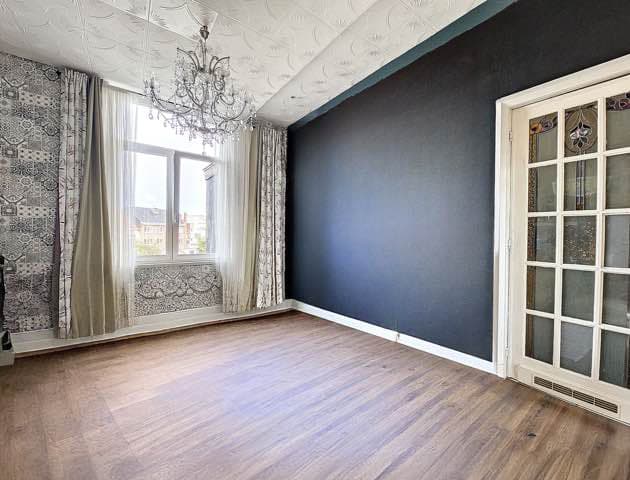
One in two sellers refuses to tidy up before listing photos are taken. The result: listings full of photos cluttered with personal items, worn-out furniture, and visual noise that distorts the perception of space. Virtual decluttering (virtual decluttering) solves this problem in seconds — without asking the seller to move a single thing.
Here is how this technique transforms "hard-to-photograph" properties into compelling listings.
What you will learn in this article:
- The precise difference between virtual decluttering and virtual home staging
- When to use it instead of furnishing an empty room
- The step-by-step process with IACrea
- The mistakes that give away a poor virtual declutter
- The legal obligations you need to meet
Virtual Decluttering: Definition and How It Works
Virtual decluttering (or virtual decluttering) is an AI retouching operation that digitally removes bulky furniture, personal belongings, and superfluous objects from a real estate photo — replacing them if needed with clean, neutral furnishings.
It is the reverse of classic virtual home staging:
| Operation | Starting point | Result |
|---|---|---|
| Virtual home staging | Empty room | Furnished and decorated room |
| Virtual decluttering | Occupied / cluttered room | Lightened room, refurnished with neutral pieces |
| Combined | Heavily cluttered room with dated furniture | Completely reimagined room |
Both techniques are available in IACrea's virtual decluttering feature and can be combined on the same photo in a single operation.
What exactly does the software "declutter"?
The algorithm identifies and removes:
- Old, damaged, or overly stylised furniture
- Personal belongings: clothing, toys, knick-knacks, stacked books
- Obsolete electronics
- Heavy curtains that kill natural light
- Rugs with busy patterns
It can then generate replacement furniture in a neutral style (Scandinavian, Modern, Classic) or leave the room completely empty to show the raw volume.
Why Virtual Decluttering Changes Everything for Occupied Properties
The challenge of selling an inhabited home
The vast majority of properties sold in France are still occupied by their owners at the time of listing. Asking sellers to physically declutter before photos are taken is often met with resistance: they are attached to their belongings, short on time, or simply have nowhere to store their furniture during the sales process.
The result: agents end up photographing cluttered rooms that look disorganised and feel visually smaller than they really are.
The impact on perceived space
A poorly placed piece of furniture, an oversized sofa, walls covered in framed pictures — all of these elements distort the perception of space in a photo. Studies conducted in the real estate sector show that a decluttered room appears on average 30% larger than a cluttered room shot from the same angle.
That difference in perception is what triggers — or kills — the click on a listing.
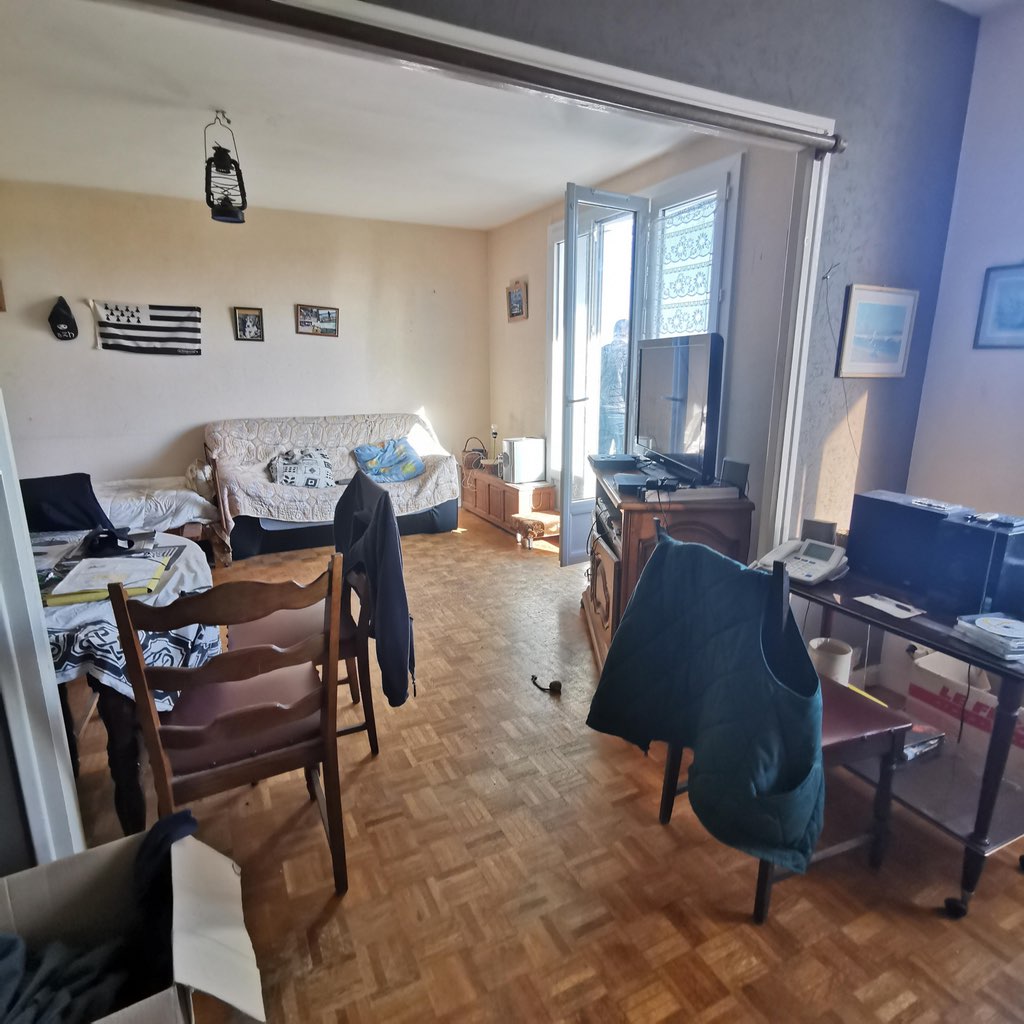 Before: the dated furniture and personal items conceal the room's true volume
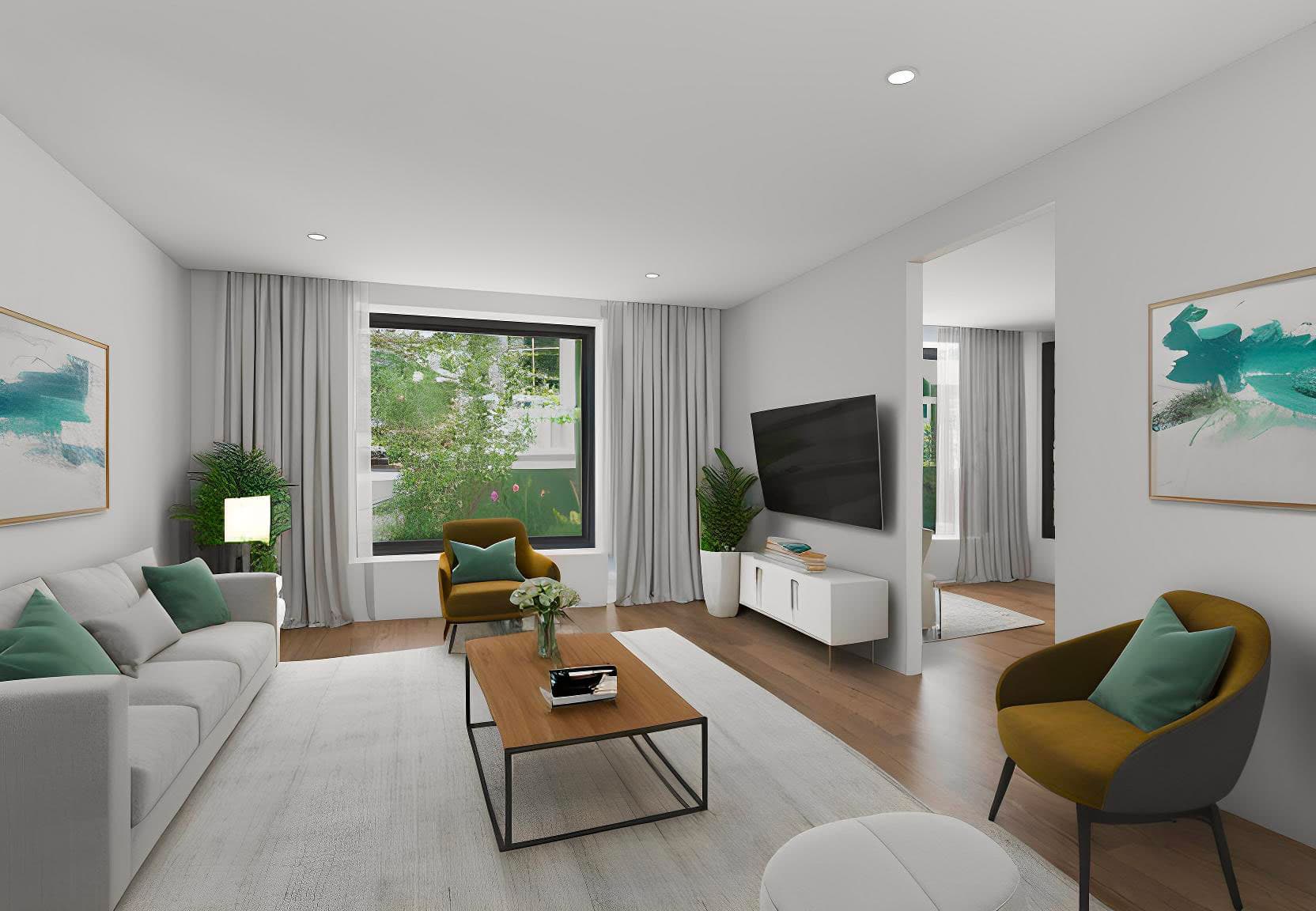
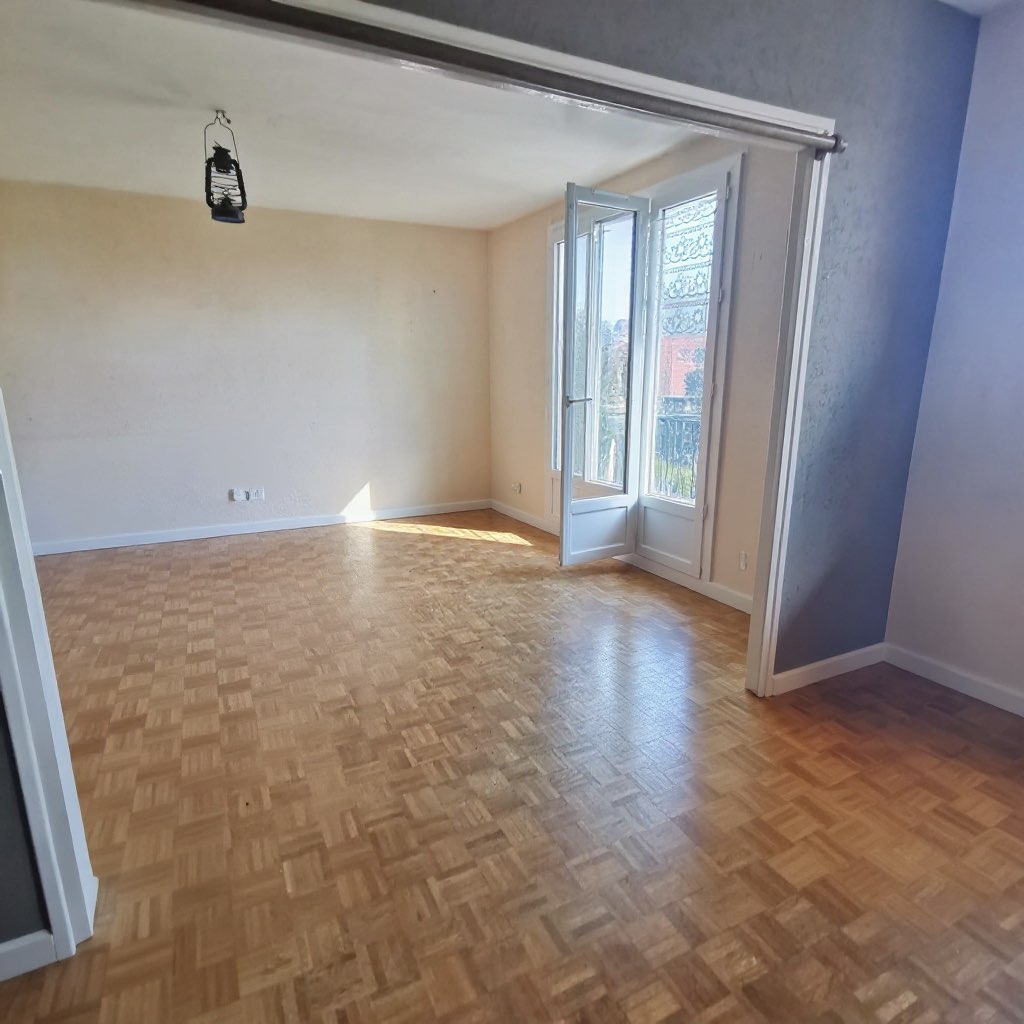 After: the same room, virtual decluttering carried out with IACrea — the volumes finally come through
When to Use Virtual Decluttering Instead of Classic Home Staging
The choice between virtual decluttering and virtual home staging depends on the condition of the property:
Choose virtual decluttering if:
- The property is occupied and the seller cannot (or will not) clear the rooms
- The existing furniture is functional but visually dated or bulky
- The rooms are filled with personal items that draw attention away from the space
- You want to reveal the raw volumes before refurnishing
Choose classic virtual home staging if:
- The property is empty or vacated
- You want to project a specific decorating style for a target buyer profile
- You need to furnish a brand-new room (VEFA, renovation)
Combine both if:
- The property is occupied with dated furniture you want to replace entirely
- You want to showcase several styles on the same property
On IACrea, both operations are carried out in the same interface: you can declutter and refurnish in a single action, or in two separate steps depending on the result you are after.
How to Carry Out a Virtual Declutter with IACrea
Step 1: Photograph the room as-is
No physical tidying needed before the shoot — that is precisely the point. Photograph the room in its real state, simply aiming for the best angle (from a corner of the room, in landscape orientation, with as much natural light as possible).
For optimal results, the IACrea real estate photo app captures directly in HDR at the resolution required for AI processing.
Step 2: Upload the photo to IACrea
Log in to the platform, create a new property, and upload your photos. IACrea accepts JPEG and HEIC formats directly from your camera or the mobile app.
Step 3: Select the "Empty / Declutter" feature
In the editor, select the virtual decluttering option. You can choose between:
- Empty completely: removes all furniture to reveal the bare room
- Declutter and refurnish: removes the old furniture and generates clean replacement pieces in your chosen style
Step 4: Validate and export
The result is available within seconds. If you are not satisfied with the render (a residual piece of furniture, a poorly processed area), you can regenerate or request a variation. Once approved, export in high resolution for direct publication on your property portals.
Browse our before/after examples to see real results achieved with IACrea.
Mistakes That Give Away a Poor Virtual Declutter
Mistake #1: Visible residual elements
A poor declutter leaves "ghosts" behind: part of a piece of furniture, a shadow with no object, a fragment of a frame on the wall. These artefacts immediately signal retouching and undermine the credibility of the listing. Always check the corners and edges of the image carefully before exporting.
Mistake #2: Inconsistent replacement furniture
If you choose to refurnish after decluttering, the generated furniture must match the property's market position and target buyer. Ultra-luxurious interiors in a 25 m² studio create a mismatch that disorients rather than convinces.
Mistake #3: Failing to disclose the retouching in the listing
As with any legally compliant virtual home staging, transparency is mandatory. The caption "photo with virtual decluttering" or "photo retouched by AI" is enough to protect the agent and comply with consumer protection law. It also reassures savvy buyers.
Mistake #4: Overlooking peripheral details
The eye lands first on the centre of the image, but buyers also scrutinise the edges: a shoe forgotten in a corner, an overloaded power socket, a visible cable. These details pollute the overall image and are worth addressing.
How Much Does It Cost and What ROI Can You Expect?
Virtual decluttering with IACrea is included in subscription plans alongside virtual home staging and video generation. Visit our pricing page to compare plans based on your listing volume.
For reference, a manual decluttering service handled by a graphic designer costs between €80 and €200 per room with a 24–48-hour turnaround. With IACrea, processing takes seconds and is unlimited within your plan.
The ROI is best measured in time to market: instead of waiting for the seller to tidy up — which can take several weeks — you publish your listing the same day as the walkthrough. On a property that spent three extra weeks on the market because of poor photos, the lost commission fees far exceed the cost of an annual subscription.
FAQ
What is virtual decluttering in real estate? Virtual decluttering (or virtual decluttering) is an AI technique that digitally removes bulky furniture, personal belongings, and superfluous objects from a real estate photo. The result is a lightened room, sometimes refurnished with neutral pieces, that helps buyers picture themselves in the space.
What is the difference between home staging and virtual decluttering? Virtual home staging furnishes an empty room. Virtual decluttering does the opposite: it empties or lightens an overly cluttered room, then recomposes it with clean, neutral furniture. The two techniques are complementary — IACrea offers both in the same interface.
Can you declutter a photo without physically touching the property? Yes, that is precisely the point of virtual decluttering. The seller does not need to move anything: you work solely on the photo. The property remains in its real state throughout the entire sales process.
Does virtual decluttering work on smartphone photos? Yes, provided the photo is well exposed and at a minimum resolution of 1,200 × 900 px. The IACrea photo app (iOS) captures directly in the optimal quality for AI processing.
Do you need to disclose virtual decluttering in the property listing? Yes. As with any substantial retouching, the caption "photo with virtual decluttering" or "photo retouched by AI" is recommended to comply with consumer protection law and avoid any disappointment during viewings.
Conclusion
Virtual decluttering is the ideal tool for occupied properties where the seller cannot (or will not) clear the rooms before the sale. In seconds, you transform a cluttered photo into a clear, flattering image — without moving a single piece of furniture, without inconveniencing the seller, without delay.
The result: listings published faster, buyers who click, and sellers who see the difference immediately. Try the virtual decluttering feature on IACrea and discover what your occupied properties can really look like.
About the author

Co-founder & CEO of IACrea
Pauline Clavelloux is co-founder and CEO of IACrea. In daily contact with real estate agencies and agents, she understands their challenges around visibility, marketing and lead generation. On the blog, she shares actionable strategies on real estate marketing, social media and prospecting in the age of AI.
Related articles
Ready to turn your photos into content that sells?
Join thousands of real estate agents using IACrea to create professional content in seconds.
Try for free →